

Glean
Glean Technologies, Inc. · Coding · Leaning
Glean is an enterprise AI platform that connects to a company's apps and data, so teams can search knowledge, ask an AI assistant, and build agents that run real work.
About Glean
What Is Glean
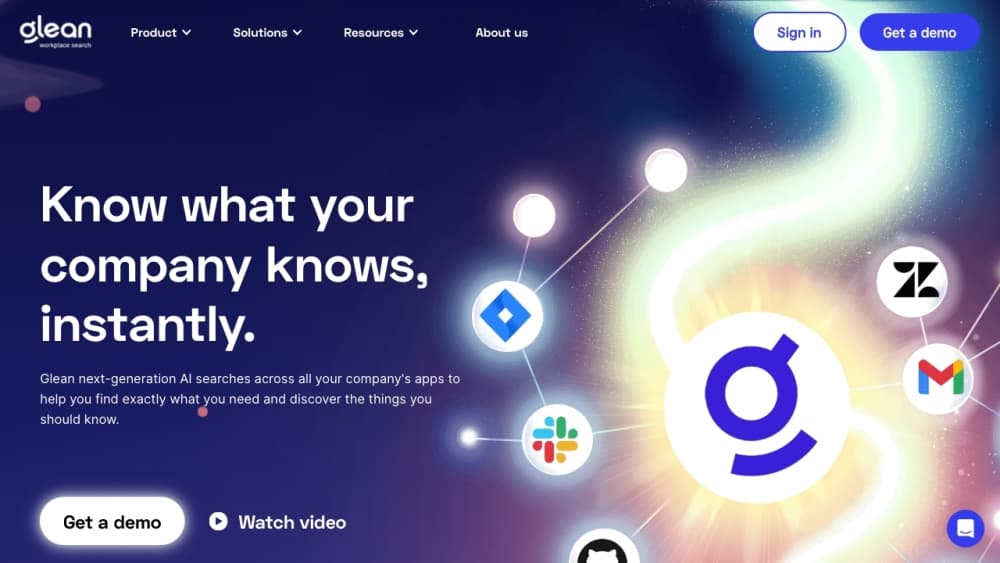
Glean is a work AI platform. It plugs into the apps a company already runs on, such as Slack, Google Drive, Jira, Confluence, SharePoint, GitHub, and Salesforce, then builds what it calls an enterprise graph of the people, content, and activity inside them. From that graph, it delivers three things: a search layer, an AI assistant, and a way to build agents.
The goal is to stop employees from hunting through a dozen tabs for one answer. It keeps the permission rules of the source systems, so a person only sees content they were already allowed to see. That permission-aware design is the reason companies hand it access to sensitive internal data.
The main limit is fit and cost. Glean is built for whole organizations, sold through a demo and a sales process rather than a public signup, and it works best once enough apps are connected. Small teams or single-tool workflows pay a lot for a platform they will not fully use.
Getting Started
- Request a demo, since Glean does not offer a self-serve signup. Onboarding runs through the vendor team.
- Connect the work apps and data sources you want covered, drawing on the platform's large library of connectors.
- Let the crawler index the connected content and build the enterprise graph, with your existing permissions carried over.
- Open the search bar or the assistant, then ask a question in plain language and check the cited sources behind each answer.
- Build or install agents for repeatable tasks, then govern what they can reach and act on.
Product Information
A quick look at Glean's pricing, supported platforms, and performance.
Best for
The users, tasks, and scenarios where this tool fits best.
Users
- Knowledge workers at large companies
- Engineering and support teams
- IT and platform teams rolling out AI company-wide
Tasks
- Finding an internal answer fast
- Onboarding a new teammate
- Automating repeatable workflows
Scenarios
- A distributed workforce spread across regions
- A company juggling dozens of SaaS tools
- An audit or compliance review
Key features
Enterprise Search Across Connected Apps
Glean indexes content from a wide set of work apps and data sources and puts one search box in front of all of them. Results are permission-aware, so the index respects who is allowed to see what. For a company running a mixed stack, that means one place to look instead of a dozen.
AI Assistant With Cited Answers
The assistant answers questions in natural language and grounds them in your company's own content, pointing back to the sources it used. That grounding is what separates it from a general chatbot, which has no idea what your company's renewal terms or internal process say.
Glean Agents
Agents let a team build, deploy, and govern AI helpers that do work rather than just answer questions. They run against enterprise context and the company's security rules, so a support agent or an ops assistant can act inside real workflows without breaking permissions.
Permission-Aware Access
Glean carries over the access rules from the systems it connects to, so users see only content they were already cleared for. This is the piece that makes enterprise adoption possible, because security teams will not open sensitive data to AI otherwise.
Broad Connector Library
The platform ships with a large catalog of connectors to common work apps and data sources, from chat and docs to code and CRM. Wide coverage matters because the value of an enterprise search layer grows with how much of the stack it can actually see.
Admin Observability and Governance
Admins can track queries, answers, and agent actions, and the platform targets compliance-heavy environments with a stack of security certifications. That visibility is what lets an organization prove how AI is being used and where its data went.
Pros and cons
Pros
- One search layer across the whole tool stack means less time hunting and more time working, which is the core promise of enterprise search.
- Answers cite their sources, so people can check the material behind a response instead of trusting it blind.
- Permission-aware access keeps the index inside existing access rules, which is what lets security teams sign off.
- A large connector library and an agent platform cover both finding information and acting on it.
- Strong enterprise security posture with recognized certifications fits regulated and compliance-heavy buyers.
Cons
- Pricing is not published. You have to go through a demo and a sales conversation, which slows any side-by-side comparison.
- It is built for organizations, not individuals, so small teams pay for capacity they may never use.
- The platform needs a meaningful number of connected apps before it pays off, which means more setup than a simple tool.
- Cost scales with adoption, and buyers report that enterprise AI spend can grow faster than expected.
Frequently asked questions
Glean is used to search a company's knowledge, ask an AI assistant questions grounded in that knowledge, and build agents that automate work across connected apps. It targets the everyday problem of information scattered across too many tools.
Related content
Explore related tools, skills, and articles for Glean.
Glean Alternatives

Base Code
Base44 (Wix) · Coding · ProductivityBase Code is a shared cloud development environment from Base44. Teammates describe changes to an existing GitHub codebase in chat, preview them live and send them back as pull requests.

Google EmbeddingGemma 2
Google DeepMind · Writing · Image · CodingGoogle EmbeddingGemma 2 is a 740M-parameter open model that turns text, code, images, audio, and video frames into vectors in one 768-dimension space, running on phones and laptops.

GitGlow
GitGlow · Coding · ProductivityGitGlow is a local-first desktop Git client that lets independent developers review their own code and their AI agents' changes in one place before shipping.