
Glide
Glide · Coding
Glide is an AI app builder that turns a spreadsheet, prompt, or file into custom business apps, aimed at teams that want internal tools without coding.
About Glide
What Is Glide
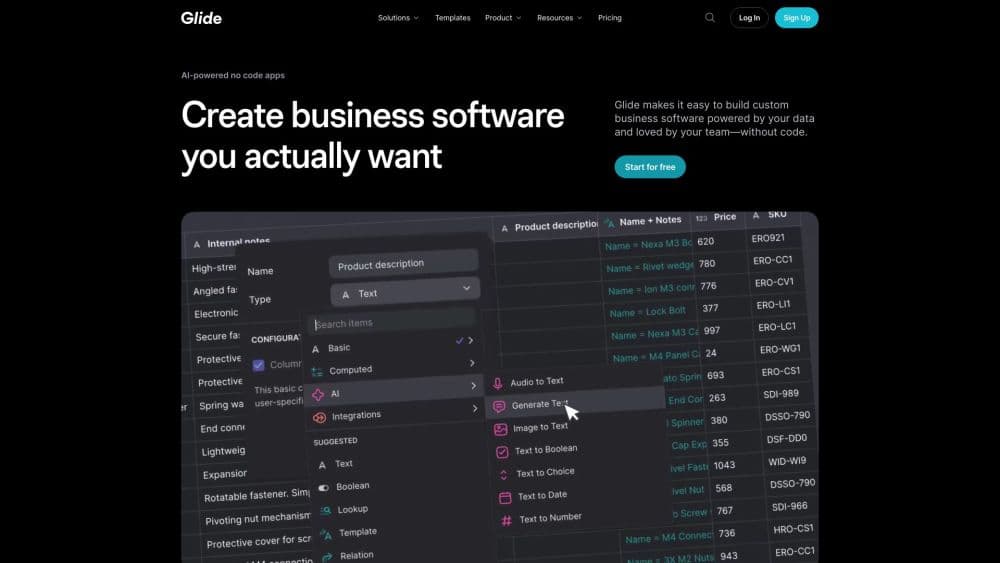
Glide is a no code app builder for business software. Its current product, GlideOS, takes a spreadsheet, a written prompt, or an uploaded file and has its AI agent generate a working app from it. You are meant to describe the software you need in plain language, then refine it in the same conversation.
The pitch is about speed and access. Glide says work that took months with coding, or weeks with no code tools, now takes minutes. Teams use it for inventory, logistics, procurement, CRM, dashboards, and internal portals. Over 100,000 organizations are said to run apps built this way.
The limits are worth knowing up front. Glide pricing runs on a credit system tied to the LLM tokens its agent spends, so heavy building uses credits faster than light editing. The company also keeps an older product, Glide Classic, on separate plans, so pick the right one before you subscribe.
Getting Started
- Sign up for a free GlideOS account at glideapps.com.
- Start an app from a prompt, or drop in a spreadsheet, CSV, or PDF as the data source.
- Describe the app you want and let the Glide Agent generate screens, logic, and AI features.
- Adjust specific parts by highlighting a page, component, or line of text and prompting for changes.
- Publish the app, then share it with your team or the public depending on your plan.
Product Information
A quick look at Glide's pricing, supported platforms, and performance.
Best for
The users, tasks, and scenarios where this tool fits best.
Users
- Operations teams at small and mid size businesses
- Non technical builders
- Field and frontline staff
Tasks
- Turning a spreadsheet into an app
- Automating repeat routines
- Building internal tools
Scenarios
- Replacing a manual process
- Rolling out the same tool across a team
- Adding AI to an existing app
Key features
Spreadsheet and File to App
GlideOS builds an app from a spreadsheet, CSV, PDF, or Google Sheet you already have. Your data is the starting point, so screens and fields map to real information rather than a blank template. That cuts the setup work for teams that live in sheets.
Conversational Building
You describe the app you want in normal language and the Glide Agent generates it. Instead of dragging components, you prompt for what you need. When something is off, you highlight a page, a component, or a line of text and ask for a targeted change.
Built in AI Features
Any app can get AI chat, summarization, and image generation by describing the feature you want. There is no separate setup or model wiring. This lets teams add assistants and content tools on top of their own data without a second platform.
Workflows and Automation
Workflows let you automate repetitive steps, like sending an approval, moving a record, or firing a notification when data changes. You define the rules once and they run on their own. This is how manual routines turn into background processes.
Publishing and Access Control
Apps can be shared with your team, made public, or kept private depending on your plan. Pro and Enterprise plans add roles, permissions, row ownership, and SSO. You decide who sees which records, which matters for internal tools that hold sensitive data.
Integrations and Bring Your Own Agent
GlideOS lists over 1,000 integrations, and Pro adds premium ones plus database connection strings. Teams can also connect their own AI agent over the Model Context Protocol, so an existing agent can drive app building inside Glide.
Pros and cons
Pros
- Starts from data you already have, so building leans on real spreadsheets rather than empty templates.
- Plain language prompts lower the barrier for people with no coding background.
- A large integration library connects apps to the tools a business already runs.
- Role and permission controls plus SSO make it usable for internal tools with sensitive data.
- AI features like chat and summarization can be added to any app by description.
Cons
- The credit system ties usage to token spend, so heavy building can burn through a plan faster than expected.
- Moving from GlideOS means rebuilding, since the older Glide Classic platform has separate plans and is not interchangeable.
- Deep custom design and unusual logic may still hit limits that a coded build would not.
- The cheapest plans cap published apps and team members, which can block wider rollouts.
Frequently asked questions
Glide builds custom business apps without code. Teams turn spreadsheets, prompts, or files into internal tools like inventory trackers, CRMs, dashboards, and portals, then share them across a company.
Related content
Explore related tools, skills, and articles for Glide.
Glide Alternatives

Base Code
Base44 (Wix) · Coding · ProductivityBase Code is a shared cloud development environment from Base44. Teammates describe changes to an existing GitHub codebase in chat, preview them live and send them back as pull requests.

Google EmbeddingGemma 2
Google DeepMind · Writing · Image · CodingGoogle EmbeddingGemma 2 is a 740M-parameter open model that turns text, code, images, audio, and video frames into vectors in one 768-dimension space, running on phones and laptops.

GitGlow
GitGlow · Coding · ProductivityGitGlow is a local-first desktop Git client that lets independent developers review their own code and their AI agents' changes in one place before shipping.