

Glif
Glif · Coding · Chatbot
Glif is an AI media generator that turns one prompt into finished images, video, and audio by choosing the right model for each job, built for creators and marketers.
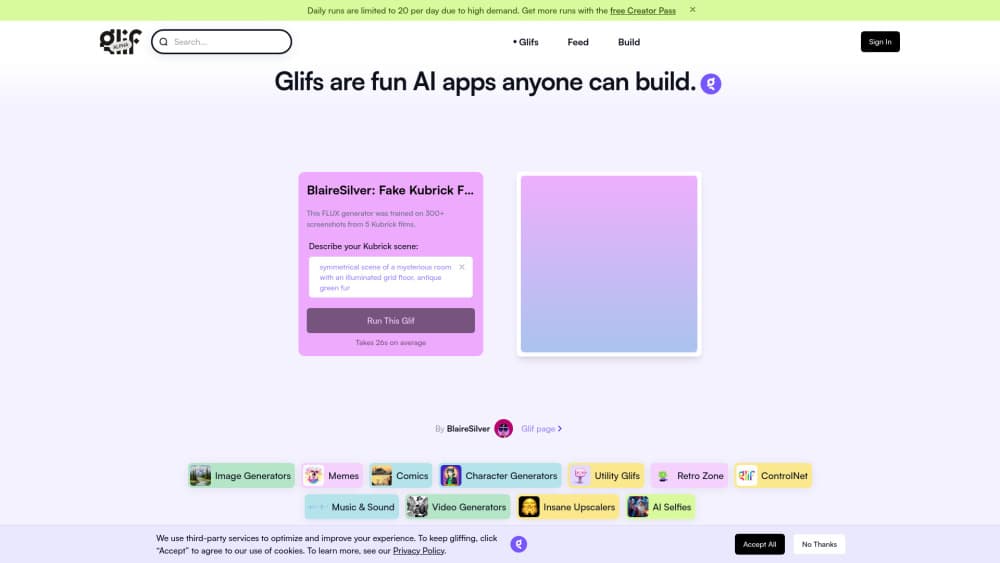
About Glif
What Is Glif
Glif is a web-based AI media generator. You describe what you want to make, and it handles the rest: it picks from a library of 100+ models across image, video, audio, and language, then produces the files. No model picker. No pipeline to wire up. The tool came out of a low-code past where you built single-purpose generators called "glifs," and that framing still shapes how it feels. You just talk to it.
The pitch is simple. Most people juggling creative work keep six or seven tabs open, one per model, and they lose track of which generator produced which file, which prompt worked, and which version the client actually approved. Glif collapses all of that into one chat. It also holds your references in place, so the hundredth asset still matches the first one you approved. That consistency matters more than raw speed once a project stretches past a few files.
The limits are worth knowing up front. There's no local install, so everything runs in the browser or through a connector. Output quality still depends on the underlying models, and credits get consumed per generation, which means heavy runs add up.
Getting Started
- Open glif.app and start a new chat, or sign in if you already have an account.
- Describe the asset you want in plain language, and attach any reference images or brand files you want it to keep.
- Let Glif choose the models for each part of the brief, then review the first results.
- Refine with follow-up messages, or connect Glif to Claude, Codex, or Cursor through the MCP server to work from your own agent.
- Download the finished image, video, or audio files, which come with full commercial rights.
Product Information
A quick look at Glif's pricing, supported platforms, and performance.
Best for
The users, tasks, and scenarios where this tool fits best.
Users
- Content creators
- Marketers and founders
- Educators and course creators
Tasks
- Turning a written brief into a first cut of images and short video
- Making an AI voiceover
- Generating character art that stays consistent
- Building explainer or infographic visuals
Scenarios
- A product launch that needs films, product shots, and a poster that feel like one campaign
- Reviewing concepts with a client or team
- Working inside an existing AI agent
Key features
One Prompt, Many Models
Glif's core move is model selection. You describe the outcome, and it decides which of its 100+ models handles each part. That means an image, a video clip, and a voiceover can all come out of one brief without you touching a model picker. For people who don't want to learn which generator is best this month, that's the whole point.
Reference and Brand Consistency
You add your references once, and Glif carries them across the project. The hundredth asset still matches the first. This is the feature that separates it from a stack of one-off tools, where consistency is something you manage by hand and usually lose by the end of a campaign.
Image, Video, and Audio in One Place
Glif isn't image-only. It covers an AI image generator, image-to-video, lipsync, voiceover, music, and sound effects, and it's honest about which models are stronger. Its public leaderboard scores 34 models out of 10 on things like photorealism, motion coherence, and identity preservation, so you can see the trade-offs instead of guessing.
Output Evaluation
Glif says it doesn't just pick a model, it also checks which of a model's outputs is the better design. That's a quieter feature with real impact: it means less time sorting through near-identical results to find the one worth keeping.
MCP Connector for Your Agent
The Glif MCP server plugs into Claude, Codex, Cursor, and other agents. Your agent sends a creative brief and gets finished files back in the same session. For teams already working inside an AI coding or writing tool, that removes the copy-paste step between thinking and making.
Commercial Rights and Scoped Credits
Every plan lists full commercial rights, which matters if the output goes into client work or a paid campaign. Usage runs on a credit model rather than unlimited generation, so you pay for what you actually produce.
Pros and cons
Pros
- One chat replaces juggling several separate AI media tools, which cuts the back-and-forth between apps.
- Keeping references across a project keeps brand visuals consistent from first asset to last.
- Model coverage is broad: image, video, audio, lipsync, music, and voiceover all live in the same place.
- The MCP connector lets you generate media without leaving Claude, Cursor, or Codex.
- Full commercial rights are included, so output can go straight into paid or client work.
Cons
- Everything runs online, so there's no offline or local option if you need one.
- Credits are spent per generation, which means big or experimental runs cost more the longer you iterate.
- Output quality tracks the underlying models, so results vary by task and you may still redo a few.
- Pricing details aren't spelled out on the public pages, so you have to check current plans before budgeting.
Frequently asked questions
Glif makes images, video, and audio, including AI images, short films, lipsync clips, voiceovers, music, and sound effects. It also builds explainer videos and infographic visuals from a script or doc. The tool picks the models; you supply the brief.
Related content
Explore related tools, skills, and articles for Glif.
Glif Alternatives

Base Code
Base44 (Wix) · Coding · ProductivityBase Code is a shared cloud development environment from Base44. Teammates describe changes to an existing GitHub codebase in chat, preview them live and send them back as pull requests.

Google EmbeddingGemma 2
Google DeepMind · Writing · Image · CodingGoogle EmbeddingGemma 2 is a 740M-parameter open model that turns text, code, images, audio, and video frames into vectors in one 768-dimension space, running on phones and laptops.

GitGlow
GitGlow · Coding · ProductivityGitGlow is a local-first desktop Git client that lets independent developers review their own code and their AI agents' changes in one place before shipping.