

Gliglish
Fabien Snauwaert (Gliglish) · Voice & Language
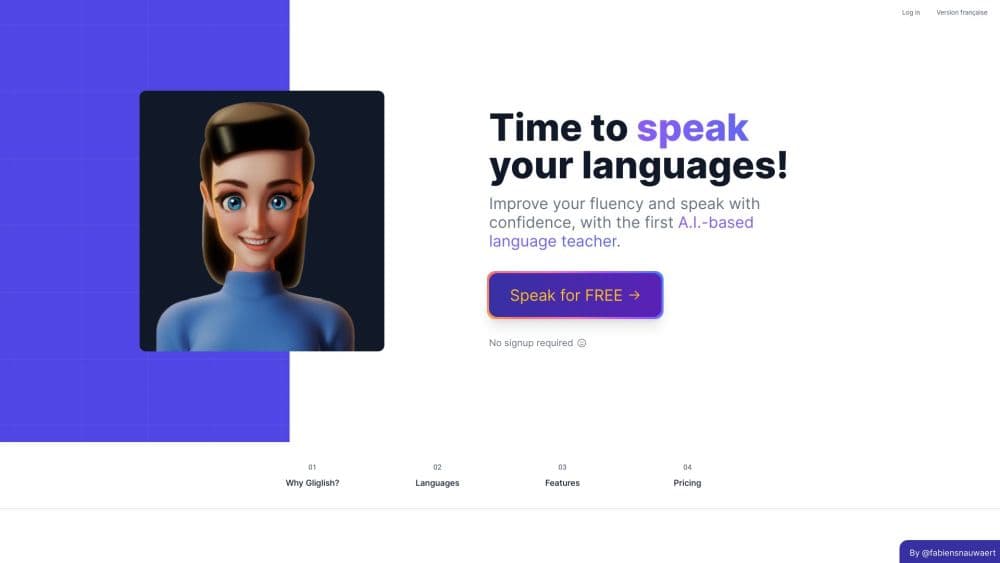
Gliglish is an AI language tutor for speaking and listening practice. You chat or roleplay real situations with a voice AI that listens, replies, and corrects you in 38 language options.
About Gliglish
What Is Gliglish
Gliglish is a browser and iOS tool built for one job: getting you to speak a new language out loud. Instead of drilling flashcards, you talk into your mic and hold a real back-and-forth with an AI teacher that listens, answers, and nudges your grammar and pronunciation along the way.
It grew out of a simple gap. Real tutors cost money and need scheduling, and most apps train reading and writing while leaving speaking untouched. Gliglish targets that gap by being voice-first from the first click. Fabien Snauwaert, a solo developer, launched it in December 2023, and it now reaches learners in 195 countries.
The main limit is depth. Corrections are light and in-context rather than graded feedback, and some research-grade pronunciation scoring is still in beta and limited to American English. There's no public API, so you can't wire it into your own systems.
Getting Started
- Open gliglish.com in a browser or install the iOS app. On the web you can start talking without creating an account.
- Pick your target language from the 38 options and set your level if you want the AI to adjust its pace.
- Allow microphone access, then choose a mode: free conversation with the AI teacher, or a roleplay scene like ordering at a bakery or a job interview.
- Speak, listen to the reply, and keep the conversation going. The AI answers in your target language and flags mistakes as you go.
- Use the suggestions and speed controls when you get stuck, then start a new topic to keep practicing.
Product Information
A quick look at Gliglish's pricing, supported platforms, and performance.
Best for
The users, tasks, and scenarios where this tool fits best.
Users
- Independent learners who freeze up in real conversations
- Students prepping for speaking exams or study abroad
- Busy professionals keeping a language sharp
Tasks
- Building a daily speaking habit
- Practicing pronunciation and listening in context
- Rehearsing specific scenarios
Scenarios
- Rebuilding confidence after a long break from a language
- Testing whether AI conversation practice suits you
- Travel prep before a trip
Key features
Voice-First Conversations with an AI Teacher
The core of Gliglish is a spoken back-and-forth with an AI that responds in your target language. You talk, it understands through speech recognition, and it answers with text-to-speech, so the whole loop runs in voice rather than typing. That makes it a natural fit for the listening and speaking skills most apps skip.
Roleplay and Real-Life Scenarios
Rather than a generic chat window, Gliglish lets you step into situations like buying a croissant, checking into a hotel, or sitting a job interview. Scenarios give the conversation a goal and a script-like frame, which helps you practice the exact exchanges you'll need instead of drifting into small talk.
38 Language and Dialect Options
Gliglish covers 38 options across roughly 30 languages, and the list leans on regional variants other tools skip. You can pick American, British, or Australian English, Spanish from Spain or Mexico, Portuguese from Brazil or Portugal, or Mandarin versus Cantonese. Choosing the right dialect matters when you're training your ear for a specific place.
Instant In-Chat Corrections
When you make a mistake, the AI flags it and shows a better way to say the same thing. Corrections are light and woven into the conversation, so they don't break the flow. It's a gentle form of feedback rather than a graded score, which suits learners who want to keep talking without getting stuck on every error.
Suggestions and Speech Speed Controls
When you run out of words, Gliglish suggests what you could say next. You can also slow down or speed up the AI's speech, which helps at the start when native pace feels too fast. Both features lower the friction of keeping a conversation alive.
Beginner-Friendly Mode and Mini-Classes
The Plus plan adds a Beginner-Friendly Mode that eases the AI's language and pace for newer learners, plus mini-classes that structure practice around specific skills. These give beginners a gentler on-ramp than free conversation alone.
Pros and cons
Pros
- Voice-first design means you practice the exact skill most apps ignore: speaking out loud.
- 38 language and dialect options, including regional variants like Mexican Spanish and Brazilian Portuguese.
- Free tier needs no signup on the web, so you can test it in minutes.
- Corrections arrive inside the conversation, so you keep talking instead of stopping to study.
- Solo-developer pricing stays simple: one Plus plan at $29/mo, or roughly $16/mo billed annually.
Cons
- The free plan caps you at 10 minutes a day and 50 messages per conversation, and peak-hour access can be limited.
- Feedback stays light and in-context, so it won't replace graded corrections from a human tutor.
- Pronunciation scoring is in beta and currently limited to American English.
- No public API, so there's no way to integrate it into your own tools or workflows.
Frequently asked questions
Gliglish is for speaking and listening practice in a new language. You hold voice conversations with an AI tutor or run through roleplay scenarios, and it corrects your grammar and pronunciation as you talk.
Related content
Explore related tools, skills, and articles for Gliglish.
Gliglish Alternatives

Foley
Hanamori Labs, LLC · Voice & Language · Productivity · AI AssistantFoley is a voice to-do list that turns a spoken sentence into a filed task, complete with project, date and time, then helps you plan the day around what is already there.

HireKey
HireKey · Voice & Language · Productivity · LeaningHireKey is an AI job search copilot built by a former tech recruiter. It checks role fit, tailors resumes, runs interview practice and tracks every application.

Fluence
Yay Software (Yannick Huchard) · Writing · Voice & Language · ProductivityFluence is an Android app that reads PDFs, EPUBs, Word files and web articles aloud, follows each sentence as it speaks, and answers questions about the text on the phone itself.