

Gobi: In-Person Capture
Follow The White Rabbit, Inc. · Voice & Language · AI Assistant
Gobi is an AI capture app that records in-person conversations, turns them into structured notes, and keeps a private memory your agent can query later.
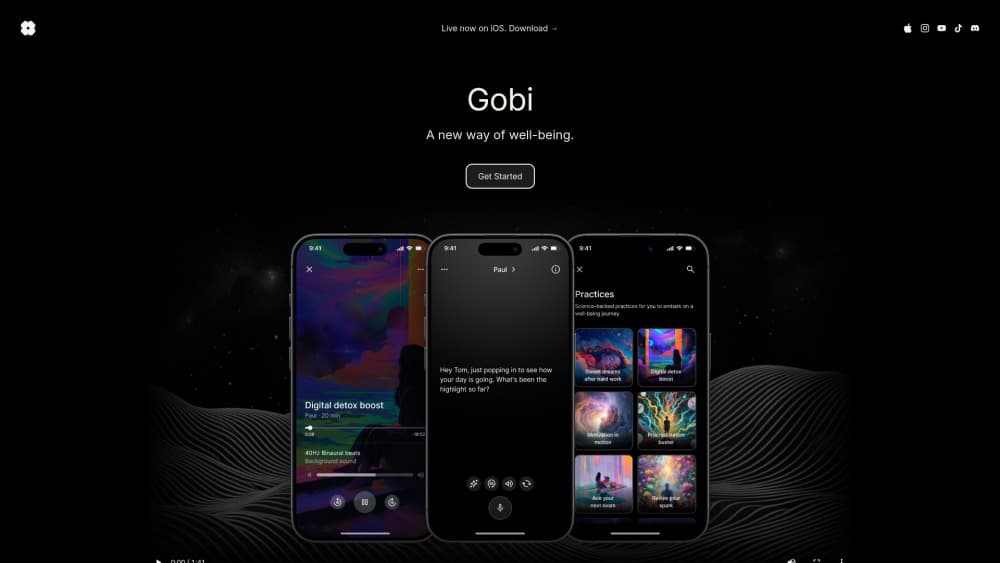
About Gobi: In-Person Capture
What Is Gobi
Gobi is a mobile app from Follow The White Rabbit, Inc. for people whose work happens face to face. Sales calls, coffees, site visits, hallway chats: the useful context gets spoken out loud and then disappears before anyone writes it down. Gobi records that conversation with one tap, transcribes it, and turns it into a note with a short summary, the decisions that were made, and the follow-ups you promised.
It works as an AI note taker for meetings that happen away from a desk, and it keeps a growing memory of the people and deals you talk about. Ask what a client said about budget three weeks ago and it answers from your own captures, not from the internet. Your personal AI agent lives in your personal space, and a separate space agent answers inside team spaces from what that team captured there.
The limits are worth knowing up front. Gobi runs on your phone and needs a connection while recording, so a basement room with no signal is a problem. It's also a consent tool by design, which means telling the person across the table that you're capturing. Covert recording isn't the use case, and in many places it isn't legal either.
Getting Started
- Install Gobi from the App Store or Google Play, then sign in with Google, Apple, or email.
- Tap the plus button and choose Start voice note, or post a photo, file, or short text note instead.
- Jot side notes while the recording runs, then tap End when the conversation is over.
- Open the finished note to read the summary, fix anything Gobi got wrong, and share it to a team space if someone else needs it.
Product Information
A quick look at Gobi: In-Person Capture's pricing, supported platforms, and performance.
Best for
The users, tasks, and scenarios where this tool fits best.
Users
- Sales and partnership teams
- Founders and consultants
- Recruiters and interviewers
- Field researchers and site staff
Tasks
- Writing follow-up emails after a meeting
- Remembering who said what
- Turning paper into context
- Sharing selected context with a team
Scenarios
- Back-to-back meetings at a conference
- Client lunches and hallway chats
- On-site visits and walkthroughs
Key features
Voice notes that become structured notes
Tap once and Gobi records the conversation, then converts it into a note with a generated title, the date, and the people involved. The audio and a speaker-labeled transcript stay attached, which is what separates it from a plain conversation transcription app. You get a notification when the note is ready, usually within a few minutes of ending the recording.
A summary built around decisions and next steps
Every note opens with four short sections: the one thing that mattered, where things stand, what was said between the lines, and what happens next. The last one lists commitments with owners where the conversation made them clear. You can edit any part of it, and your agent works from the corrected version.
Private memory you can question
The AI memory app builds a profile of the people you meet over time. Ask about a person, a deal, or a promise and the personal AI agent answers from your captures instead of guessing. This is the part most note tools skip: context accumulates instead of resetting with every meeting.
Photos, files, and quick posts in the same feed
Not everything worth keeping is speech. Gobi also takes photos of rooms, badges, and business cards, scans documents, and accepts uploaded files. Posts and notes land in feeds, one stream per kind of work, so an invoices feed and a client feed don't blur together.
Private by default, with one-tap team sharing
Your personal space has no members and no invites. Sharing a capture to a team space attaches your comment and leaves the original where it was, and you can unshare later. Inside a team space, people talk in threads and can mention Gobi for an answer drawn from that team's shared context, which turns scattered captures into usable team meeting notes.
Connect the agent you already use
Gobi gives you a one-line instruction that installs the Gobi CLI, authenticates with a single-use token, and links a space to an outside agent. Claude Code, Codex, Cursor, and anything else with terminal access can then answer questions from your captures. Each connection covers one space, and tokens expire after 24 hours.
Pros and cons
Pros
- Notes arrive already organized into a summary, decisions, and follow-ups, so you're editing instead of writing from scratch.
- Recording continues with the phone in your pocket, and it holds up in loud rooms and conversations that switch languages mid-sentence.
- Private by default: nothing leaves your personal space unless you share it, and shared originals stay put.
- The CLI hook means the AI assistant you already pay for can read your captures, with no new chat app to learn.
- Free to use on iPhone and Android while the product is in early access.
Cons
- Capture needs a live connection, so flights, basements, and dead zones are out.
- You still have to read and correct each summary, which adds a few minutes per note.
- There's no web or desktop app, so every capture starts on a phone.
- No public API. Agent access runs through the Gobi CLI, which rules out custom integrations for now.
Frequently asked questions
Yes, Gobi is free to use right now. The company says it will announce any change to that plainly rather than hiding it behind a paywall. The Gobi SENSE① capture eyewear is a separate product on a waitlist.
Related content
Explore related tools, skills, and articles for Gobi: In-Person Capture.
Gobi: In-Person Capture Alternatives

Off the Record
Weird Machines · Voice & Language · ProductivityOff the Record is a macOS app from Weird Machines that reshapes your voice in real time to block AI transcription, so people hear you normally and notetakers get nothing usable.
Cekura Bench
Cekura · Voice & Language · BusinessCekura Bench is a public benchmark that runs speech-to-speech models and deployed voice agents through 82 simulated phone calls, three times each, then publishes pass rates, latency and cost.
Griffin by Tavus
Tavus · Voice & Language · Video · ChatbotGriffin by Tavus is the first Human Interaction Model: a full-duplex, video-to-video system that watches, listens, and answers during a live video call in real time.