

The Good AI
The Good AI · Writing
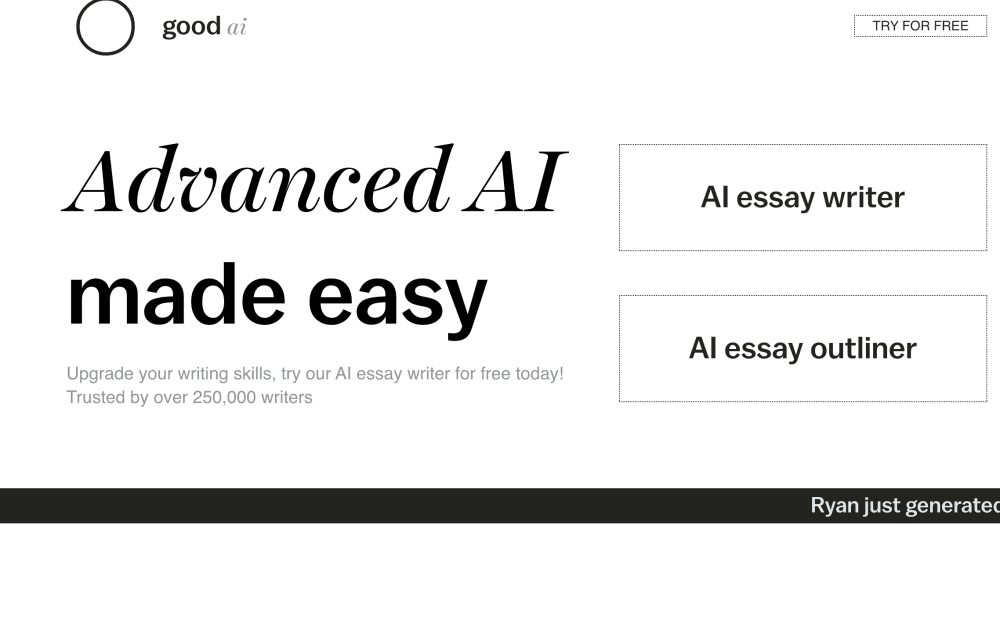
The Good AI is an AI essay writer that turns a topic and word count into a structured draft with in-text citations, plus an outliner, humanizer, and AI detector to refine it.
About The Good AI
What Is The Good AI
The Good AI is a web-based writing tool built around one job: getting a rough essay out of your head and onto the page. You type a topic, pick a length and an essay type, and it produces a draft with a thesis, body paragraphs, and references. The stated goal is beating writer's block, not writing the final paper for you.
It runs entirely in the browser with no download, and you can start without an account on the free tier. The free plan caps essays at 250 words, while the $5 per month Premium plan raises that ceiling to 3,000 words and adds auto-complete.
The main limitation is scope. It works as an essay generator, outliner, and research-style draft tool, but it's not a general chatbot and won't hold a back-and-forth conversation the way ChatGPT does. Output quality also depends heavily on how specific your topic is, so a vague prompt tends to produce a vague draft.
Getting Started
- Open the site and enter your essay topic in the prompt box.
- Set the word count, essay type, and reading level, then confirm the reference style.
- Generate an outline, keep or edit the suggested subtopics, and add a thesis statement if you want one.
- Run the writer to produce the draft, then use the humanizer or the grammar and style tools to clean it up.
- Export or copy the finished text and check the citations before you submit or publish.
Product Information
A quick look at The Good AI's pricing, supported platforms, and performance.
Best for
The users, tasks, and scenarios where this tool fits best.
Users
- Students
- Bloggers and content writers
- Non-native English speakers
Tasks
- Beating a blank page
- Building an outline
- Lowering AI-detection risk
Scenarios
- Last-minute coursework
- Blog and newsletter drafts
- Exploring a new topic
Key features
Topic-to-Essay Writer
The core tool takes your topic, word count, and essay type and writes a full draft with a thesis statement, supporting paragraphs, and in-text citations. You choose from types like Classic, Compare/Contrast, Argumentative, Persuasive, Critique, and Memoir, so the structure matches the assignment rather than following one generic shape. It's the feature most people come for, and it's the one the free tier limits to 250 words.
Essay Outliner
Before you commit to a full draft, the outliner breaks your topic into subtopics sized to your target word count. You can accept the suggestions, edit them, or swap them out, and you can add a thesis statement the writer will build around. For long papers this planning step is often the difference between a draft that holds together and one that wanders.
AI Humanizer
The humanizer rewrites text to sound less machine-generated, with adjustable intensity levels. The trade-off is explicit: higher settings read more naturally but can hurt readability, so a middle setting tends to work best for most writing. The premium plan bundles unlimited humanizing that the site values at a $40 per month equivalent.
AI Detector
The detector estimates how likely leading AI-checking platforms are to flag a passage as AI-written. It scores against models trained on text similar to what those platforms use, and the site notes the results shouldn't be used to penalize students. It's most useful as a self-check before you submit.
Custom Writing Styles
Beyond a Standard default, you can generate a personal writing style by pasting a sample of your own writing. The tool then drafts in that voice, or you can pick built-in styles such as a formal research tone, a corporate tone, or a narrative one. This matters if you want drafts that sound like you rather than like a template.
Grammar, Style, and Length Tools
Four one-click edits sit alongside the editor: Fix Grammar, Improve, Simplify, and Shorten. Fix Grammar handles punctuation and typos, Improve reworks word choice and sentence structure, Simplify lowers the reading level, and Shorten cuts length while keeping the core meaning. These are the tools you reach for once a draft exists.
Pros and cons
Pros
- Starts writing from just a topic and a word count, which removes the blank-page problem.
- Bundles a writer, outliner, humanizer, detector, and editing tools in one place instead of scattering them across apps.
- The free tier lets you try the workflow without an account before paying anything.
- The $5 per month Premium plan is cheap next to many essay tools and unlocks 3,000-word drafts.
- Reading-level and custom-style controls adapt output to different audiences.
Cons
- The 250-word free limit is too short for a real assignment, so most students need Premium for anything substantial.
- There's no live conversation, so you can't ask follow-up questions the way you would with a chatbot.
- Output quality tracks how specific your topic is, so vague prompts return vague drafts you still have to rewrite.
Frequently asked questions
It writes essay drafts from a topic, plus outlines, humanized rewrites, and AI-detection checks. You give it a topic, a length, and an essay type, and it produces a structured draft with citations you can then edit.
Related content
Explore related tools, skills, and articles for The Good AI.
The Good AI Alternatives

Google EmbeddingGemma 2
Google DeepMind · Writing · Image · CodingGoogle EmbeddingGemma 2 is a 740M-parameter open model that turns text, code, images, audio, and video frames into vectors in one 768-dimension space, running on phones and laptops.

MePersona
MePersona, Inc. · Writing · Productivity · MarketingMePersona is an AI unified inbox for creators. It learns your voice, drafts replies to fan messages from 12 platforms, and sends only what you approve.

Fluence
Yay Software (Yannick Huchard) · Writing · Voice & Language · ProductivityFluence is an Android app that reads PDFs, EPUBs, Word files and web articles aloud, follows each sentence as it speaks, and answers questions about the text on the phone itself.