

Google AI Studio
Google · Coding · Other
Google AI Studio is a free, browser-based workspace for building with Google's Gemini family of generative AI models. It gives you a chat-style sandbox to test prompts, then turns those experiments into working code and deployable apps. It's aimed at developers, students, and creators who want to try Google's newest models before they reach the wider product line, without paying a subscription just to open the door.
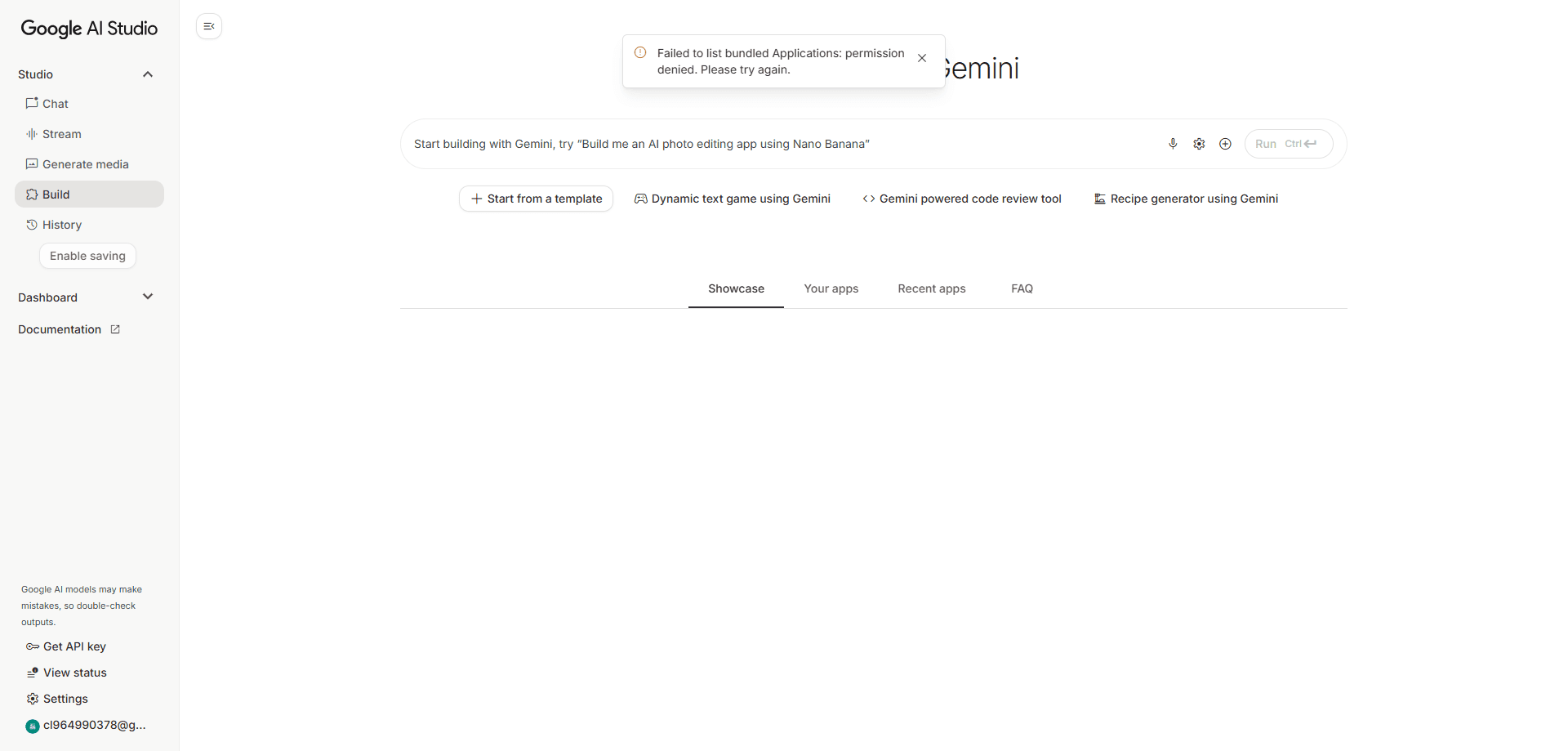
About Google AI Studio
What Is Google AI Studio
Google AI Studio is the web front end for Google's Gemini API. It's also the entry point to the same models that power Google's consumer AI products. Think of it as an AI prototyping lab where you open a browser, sign in, and start experimenting with text, image, video, and audio models in one place. No install. No setup.
Why does the browser matter so much? Because most AI tooling drowns beginners in environment setup before they write a single prompt. Here, the first experiment takes seconds.
The platform serves two kinds of people. Developers get a fast way to test prompts, tune parameters, and export working Python, JavaScript, Go, or REST code. Everyone else gets a surprisingly friendly playground where you can describe an app idea and watch it turn into a running prototype. That second use case got a lot more practical when Google added a build mode that generates complete web apps from a single prompt.
The catch is access. Google AI Studio runs on Google's infrastructure and needs a Google account, and reaching it from some regions takes a working connection. The free tier also has rate limits, so heavy production use usually means moving to a paid API plan. For prototyping and learning, the free allowance still goes further than most people expect. That balance is the whole trade. Know it early.
Getting Started
- Open the Google AI Studio website and sign in with your Google account.
- Pick a model from the model selector, such as a fast Flash model or a deeper reasoning Pro model.
- Type a prompt into the chat box, or switch to build mode to describe a full app you want created.
- Adjust settings like temperature or enable tools such as search and code execution, then run your prompt.
- Click the option to get code, copy it into your own project, and generate an API key when you're ready to ship.
Product Information
A quick look at Google AI Studio's pricing, supported platforms, and performance.
Best for
The users, tasks, and scenarios where this tool fits best.
Users
- Developers who want to test Google's newest Gemini models and export ready-to-use code without setting up a local environment first.
- Students and hobbyists who want a free, no-install way to learn how generative AI prompting works across text, image, and video.
- Product managers and designers who need to validate an AI app idea with a working prototype before committing engineering time.
Tasks
- Prototyping prompts and comparing how different Gemini models respond to the same request.
- Building a simple web app or tool from a plain-language description and previewing it in the browser.
- Generating an API key and copying starter code to integrate Gemini into an existing app.
Scenarios
- Turning a rough idea into a clickable demo for a team meeting or a client pitch.
- Testing how a model handles a document, image, or audio clip before wiring it into a product.
- Learning prompt engineering on a real platform rather than through tutorials alone.
Key features
Multimodal Prompting
You can feed Google AI Studio text, images, audio, and video in the same conversation and ask questions across all of them. It's a genuinely multimodal AI tool rather than a text box with add-ons. Hand it a YouTube link and ask what a speaker said at a specific moment, or upload a screenshot and ask it to explain the interface. One place. Every input type. That removes the usual juggling between separate tools.
Prompt-to-App Build Mode
The build mode turns a written description into a working web application. You type what you want, and the platform generates the interface, wires up logic, and runs a preview you can click through immediately. This is where you build AI apps without a full engineering team. When something breaks, an auto-fix step can catch and repair the error. It's the feature that makes the tool useful to non-coders, but complex ideas still hit real limits.
Model Selection and Tuning
A single dropdown opens the Gemini lineup. Fast Flash models handle quick answers, and reasoning Pro models take on harder problems, and you can also adjust temperature, set a system instruction, and switch on tools like search grounding or code execution. That range lets you match the model to the job instead of forcing one setting onto everything.
Image, Video, and Audio Generation
Beyond text, the platform reaches into Google's creative models. You can generate and edit images, produce short video clips, and work with audio, all from the same interface. Because the context persists, a concept you described in chat carries over into the visual you generate next, which keeps a project consistent from idea to asset. Same thread. Same concept.
One-Click Code Export
When a prompt works, you don't have to rebuild it by hand. The platform generates the equivalent code in Python, JavaScript, Go, or REST, and you can drop it straight into a real project. No rewrite needed. This is the bridge between a quick test and a shipped feature. It's why teams treat the studio as a starting point rather than a demo toy.
Free Tier With an API Key
Signing in gives you a generous free allowance and the ability to create an API key tied to the Gemini API. That key lets your own app call the same models you tested in the browser. Nothing hidden. It means the gap between "I tried this" and "I shipped this" is a copy and paste, not a rewrite.
Live and Streaming Interactions
The platform supports real-time sessions where you can talk to a model by voice or share your screen and get live help. For tasks like practicing a language or debugging something on screen, the back-and-forth feels closer to a conversation than a form submission. It's quick. It's hands-free.
Pros and cons
Pros
- Free to start, no credit card and no local setup needed.
- Direct access to Google's newest Gemini models before they show up in other products.
- Code export in multiple languages makes the jump from prototype to project short.
- Multimodal inputs cover text, images, audio, and video in one workspace.
Cons
- Requires a Google account, and access from some regions needs a stable connection.
- The free tier has rate limits that get in the way of heavy or production use.
- Build mode handles simple apps well but struggles with anything complex or unusual.
Frequently asked questions
Yes. You can sign in with a Google account and use the studio at no cost, including a free tier for the underlying Gemini API. The free tier has request limits, so if you push a lot of traffic through a live app, you'll want to look at the paid API tiers. For prototyping and learning, the free allowance is usually plenty.
Related content
Explore related tools, skills, and articles for Google AI Studio.
Google AI Studio Alternatives
Forefront
Forefront · CodingForefront is a web platform for building with open-source AI. It lets you fine-tune leading open-source language models on your own data, evaluate how they perform, and run them through an API or export them to host yourself. Developers who want the convenience of a closed-source platform but insist on owning their models and data are the target audience here.

Startkit
StartKit.AI · CodingStartkit is a boilerplate for building AI SaaS and AI wrapper products. Think of it as an AI startup boilerplate with the boring parts already wired up: authentication, Stripe and Lemon Squeezy payments, usage limits, transactional email, and an AI API starter that talks to OpenAI, Anthropic, Groq, or Llama. You clone the repo, set your price, and start on the part of your product that people actually pay for. It's Next.js under React and Tailwind, so most of the boilerplate code already feels familiar.
Testim
Tricentis · CodingTestim is an AI-powered test automation platform for building and running end-to-end tests across web, mobile, and Salesforce applications. It leans on machine learning to keep tests stable when an interface changes, so teams spend less time fixing broken selectors. Not bad for an automated testing tool you can start using today. You create tests by recording actions in a browser, then optionally add JavaScript when you need more control. It's a solid pick for busy QA teams.