

GPTRecap
GPTRecap · Marketing
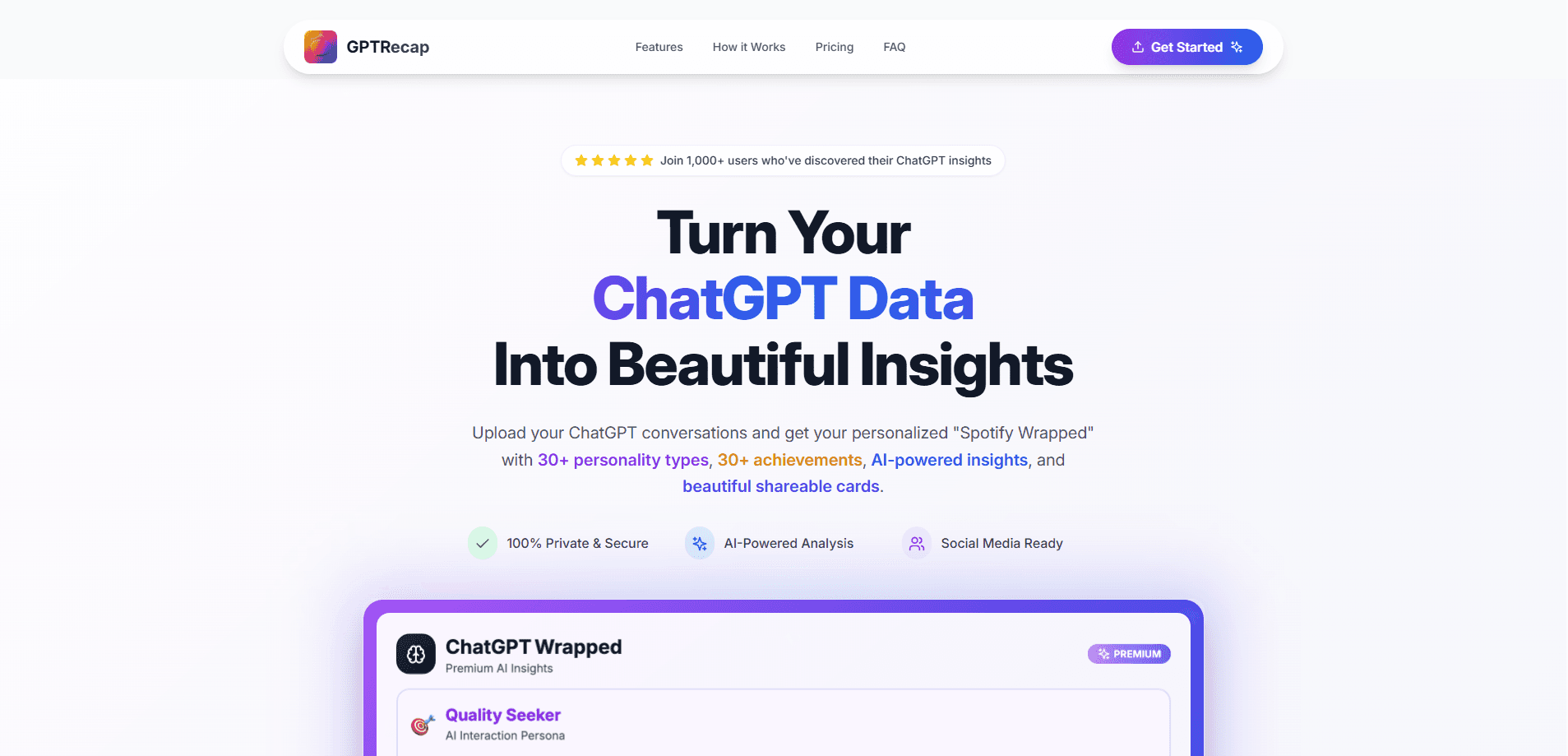
GPTRecap is a browser tool that turns your ChatGPT export into a Spotify Wrapped style report with chat stats, a personality type, and shareable cards.
About GPTRecap
What Is GPTRecap
GPTRecap is a web tool that reads your ChatGPT export and turns it into a recap, the kind of visual year in review Spotify releases each December. You upload the data.zip or conversations.json file ChatGPT gives you, and it draws charts from your own chat history. Nothing installs, and the analysis runs in your browser.
The appeal is curiosity. Think of it as a chat history analyzer for someone who uses ChatGPT every day but never sees the shape of that use. GPTRecap answers questions like how many messages you sent, which day was your longest streak, and what time of night you do your best thinking. It also tags you with one of 33 personality types and labels your chat style, so you get a short character sketch of how you talk to an AI.
The limits are worth knowing before you start. The nicer parts, like topic breakdowns, IQ analysis, and mood tracking, sit behind a paid unlock rather than in the free tier. As a ChatGPT analytics tool, it reads whatever export you feed it, but it's a small independent project and not an OpenAI product, so formatting changes could break an upload. Treat the numbers as a fun read, not a scientific assessment.
Getting Started
- Open gptrecap.com in a desktop browser and find the export upload area.
- In ChatGPT, go to Settings, then Data controls, and export your data to get a data.zip or conversations.json file.
- Drag the file into GPTRecap. The analysis runs locally in your browser, so the file doesn't get uploaded to a server.
- Read the free recap first: message totals, streaks, activity heatmap, chat style, and your personality type.
- Buy a premium unlock if you want topics, IQ analysis, and mood insights, then download the shareable cards.
Product Information
A quick look at GPTRecap's pricing, supported platforms, and performance.
Best for
The users, tasks, and scenarios where this tool fits best.
Users
- Curious ChatGPT regulars
- Social media posters
- People who journal with AI
Tasks
- Reviewing a year of chats
- Spotting habits
- Sharing a recap
Scenarios
- Wrapping up the year
- Comparing with friends
- A quick self check
Key features
Usage analytics
GPTRecap counts your total messages, active days, and longest streak, then charts them. You also get average words per message, messages per day, and a view of your most active time of day. Activity heatmaps make the busy weeks stand out at a glance.
Personality type
The tool sorts you into one of 33 personality types, with labels like Artist, Entrepreneur, Gamer, and Teacher. Each type comes with a short description written for the recap format. It is meant to be fun, and the profiling is the hook that gets people to share their result.
Chat style analysis
Beyond the personality label, GPTRecap reads how you communicate. It picks from 20 or more styles like Deep Analyzer, Lightning Responder, and Creative Explorer based on the rhythm of your conversations. Response time and message length feed into the tag.
Shareable cards
Recaps are built to be posted. GPTRecap renders high resolution cards with your stats and personality type across several themes. Premium adds two extra cards aimed at the topic and mood insights, sized for social feeds.
Topic and IQ analysis
The premium unlock covers a lot. It pulls out your top conversation topics with keyword and theme trends, estimates an IQ score with a reasoning breakdown, and reads mood and relationship dynamics. A trust score and quality breakdown round out the deeper AI conversation insights.
Private by default
Every calculation happens inside your browser, and the upload file never leaves your machine. That matters because a ChatGPT export holds months of private prompts and conversations. You can run a full recap, then close the tab, without opening an account.
Pros and cons
Pros
- Runs entirely in the browser, so your chat export stays on your device.
- The free tier needs no signup and still covers the headline stats, streak, chat style, and personality type.
- 33 personality types and a stack of shareable cards give it the fun factor of a real Wrapped recap.
- Premium goes deeper than most clones with topic trends, IQ analysis, mood tracking, and a trust score.
- Point and upload workflow makes a messy ChatGPT export readable in minutes.
Cons
- The official site has been down, and the domain now redirects to unrelated content, so the live tool may not be reachable.
- No API means you can't pull recaps into a dashboard or automate the analysis for a team.
- The best parts, like topics and IQ analysis, sit behind a paid token, and the free view is mostly summary statistics.
- IQ and mood scores are AI guesses dressed in charts, not real psychometrics, so don't read them as fact.
Frequently asked questions
GPTRecap is a browser based tool that turns your ChatGPT conversation export into a visual recap with usage stats, a personality type, and shareable cards. It works like Spotify Wrapped, but for your chat history instead of your music.
Related content
Explore related tools, skills, and articles for GPTRecap.
GPTRecap Alternatives

ngram 2.0
ngram · Video · Marketingngram 2.0 is an AI video generator for teams. It turns a prompt, a screen recording, or a product URL into a narrated explainer, product demo, or AI avatar video, and every scene stays editable.

shippedit.me
Krawlup · Marketing · Businessshippedit.me now redirects to Krawlup, a web platform that audits SEO, AEO and page speed every week, then hands the fixes to AI coding agents over MCP.

MePersona
MePersona, Inc. · Writing · Productivity · MarketingMePersona is an AI unified inbox for creators. It learns your voice, drafts replies to fan messages from 12 platforms, and sends only what you approve.