

GrammarBot
GrammarBot (independent team of indie developers and writers) · AI Detection · Other
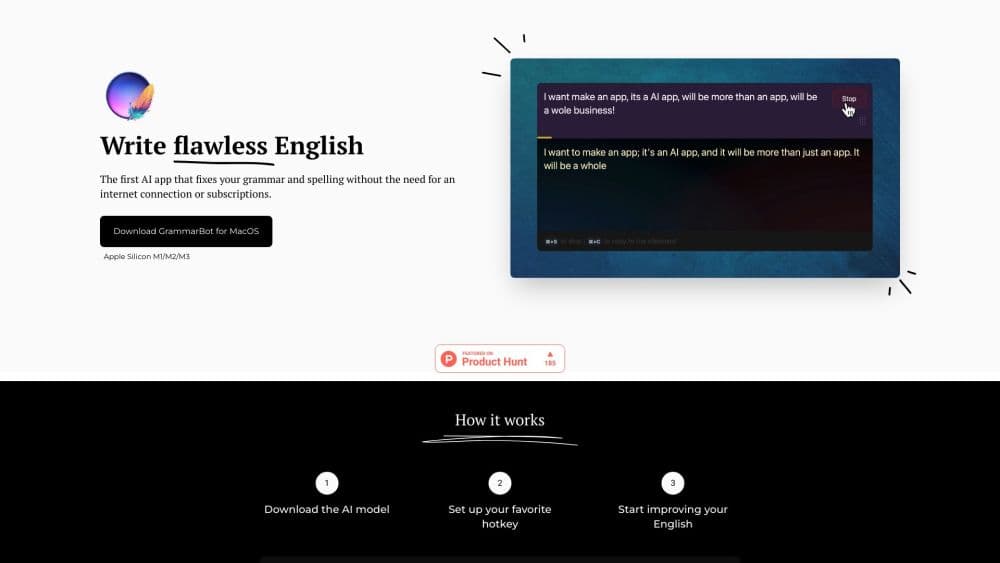
GrammarBot is a free writing analyzer that checks grammar, readability, tone, and SEO scores right inside your browser, with no signup and no text limit.
About GrammarBot
What Is GrammarBot
GrammarBot is a free writing analyzer that runs grammar, readability, tone, vocabulary, SEO, and stats checks in your browser. The team behind it built the tool because existing editors either locked the useful parts behind a paywall, flooded the screen with upsells, or made you upload your text to a remote server. GrammarBot skips all three.
You paste text into the editor and six engines fire at once. The grammar checker flags typos and awkward phrasing using the open-source LanguageTool engine. Five readability formulas score how hard your writing is to read, tone detection tells you whether a passage sounds academic, professional, or casual, and an SEO content score lines your draft up against what already ranks for your target query.
The catch is scope. GrammarBot analyzes the text you already have. It does not draft new copy, rewrite whole paragraphs, or plug into Gmail and Word the way a browser extension would. There is also no mobile app yet, and the roadmap items people ask about most are a Chrome extension and a developer API, both still in the works. For a quick, private read on a piece of writing, it still covers a lot of ground for free.
Getting Started
- Open the GrammarBot website. There is nothing to install and no account to create.
- Paste any text into the editor, from a single sentence up to 50,000 characters.
- Click analyze and wait a moment while the grammar engine, readability formulas, tone check, and SEO scoring run together.
- Read the suggestions and the score panel, then edit inline to fix the flagged issues.
- Re-run the analysis to watch your readability and content scores move as you revise.
Product Information
A quick look at GrammarBot's pricing, supported platforms, and performance.
Best for
The users, tasks, and scenarios where this tool fits best.
Users
- Writers and bloggers
- Students
- SEO marketers
- English learners
Tasks
- Checking a draft for errors
- Trimming reading level
- Auditing a client deliverable
- Scoring content for search
Scenarios
- Polishing a newsletter before it goes out
- Reviewing a batch of submitted drafts
- Writing on a shared or work machine
Key features
Grammar and Spelling Check
The grammar engine flags typos, punctuation mistakes, and awkward phrasing, then offers a fix for each one. It runs inside a browser-based editor that keeps your text local, and it leans on the open-source LanguageTool engine, so the correction logic is the same rule set used by a well-known proofreading project rather than a closed black box.
Five Readability Formulas
This is where GrammarBot doubles as a readability checker on top of a grammar pass. It calculates Flesch Reading Ease, Flesch-Kincaid, SMOG, Coleman-Liau, and Dale-Chall at the same time, each with a grade-level reading. Seeing several formulas side by side matters because they disagree by design, and the spread tells you more than any single score.
Tone and Sentiment Detection
The tool reads the formality of your text and sorts it into academic, professional, or casual, along with an emotional sentiment signal. If a cover letter drifts too stiff or a blog post reads too formal, the tone readout points it out before your reader does.
SEO Content Score
You enter a target query and GrammarBot scores keyword density, content length, semantic completeness, and readability against the average of pages already ranking for it. That comparison is the useful part, since raw keyword counts mean little without a benchmark.
Vocabulary and Statistics
Unique word count, lexical diversity, complex words, longest sentences, and most-used phrases all appear in one panel. As a writing analysis tool, it lets writers spot crutch words and repetitive phrasing they would otherwise miss on a fast read.
Reading and Speaking Time
The tool estimates how long a piece takes to read silently and to speak aloud, adjusting for how complex the text is rather than counting words alone. Useful for podcast scripts, talks, and video voiceovers where pacing is the whole point.
Pros and cons
Pros
- Completely free with no signup, no text limit, and no premium tier.
- Text is processed in the browser, so analysis does not route through a server account.
- Five readability formulas and a tone check give a fuller picture than a single score.
- SEO scoring compares your draft against real ranking pages instead of a fixed rule.
- No installs or accounts make it easy to recommend to students and colleagues.
- The grammar engine leans on the open-source LanguageTool project, so its logic is inspectable.
Cons
- There is no browser extension yet, so you copy text in rather than editing inside Gmail or Docs.
- No mobile app means phone and tablet users work through the web page only.
- The analyzer improves text you already have but will not draft or rewrite whole paragraphs.
- A public API is still on the roadmap, so developers cannot plug it into their own tools.
Frequently asked questions
Yes. Every feature runs at no cost, from the grammar check to the five readability formulas and SEO scoring. The team covers costs with optional affiliate links to SEO tools and a single display ad rather than a paid tier.
Related content
Explore related tools, skills, and articles for GrammarBot.
GrammarBot Alternatives
Isgen AI
Isgen · AI DetectionIsgen AI is a web-based AI detector that scores text for machine authorship and shows you which sentences and phrases push the number up. It's built for teachers, editors, students, and writers. Their question is simple: did this draft come from ChatGPT, GPT-5, Claude, Gemini, DeepSeek, or another model? You paste or upload content, run a scan, and get a Human, AI, and Mixed breakdown in seconds. There's also a companion editor that scores text while you write it.
Humanizeai Tools
Humanizeai Tools · Writing · AI DetectionHumanizeai Tools is a web-based AI humanizer that rewrites machine-generated text so it sounds like a person wrote it, which is the whole point of the category it belongs to. Paste a draft from ChatGPT, Claude, or Gemini, run it through the tool, and it swaps out the phrases and sentence patterns that AI detectors flag. If your goal is to make AI text sound human before you publish it, this is the kind of tool built for exactly that. It suits students, bloggers, and marketers who need copy that reads naturally and clears tools like GPTZero, Copyleaks, and Winston AI after a single pass.

Hidemyai
Hidemyai · Writing · AI DetectionHidemyai is an AI content humanizer. It rewrites text from ChatGPT, Jasper, and similar tools so the result reads like a person wrote it. You paste your draft, pick a document type and tone, and the service returns a version meant to bypass AI detectors such as Originality.ai, Turnitin, and ZeroGPT. It targets writers, marketers, and students who lean on AI drafts but can't ship copy that sounds robotic. The promise is simple: make AI content undetectable.