

GrammarPaw – AI Writing assistant on Mac
Hau-Ben Shih · AI Detection
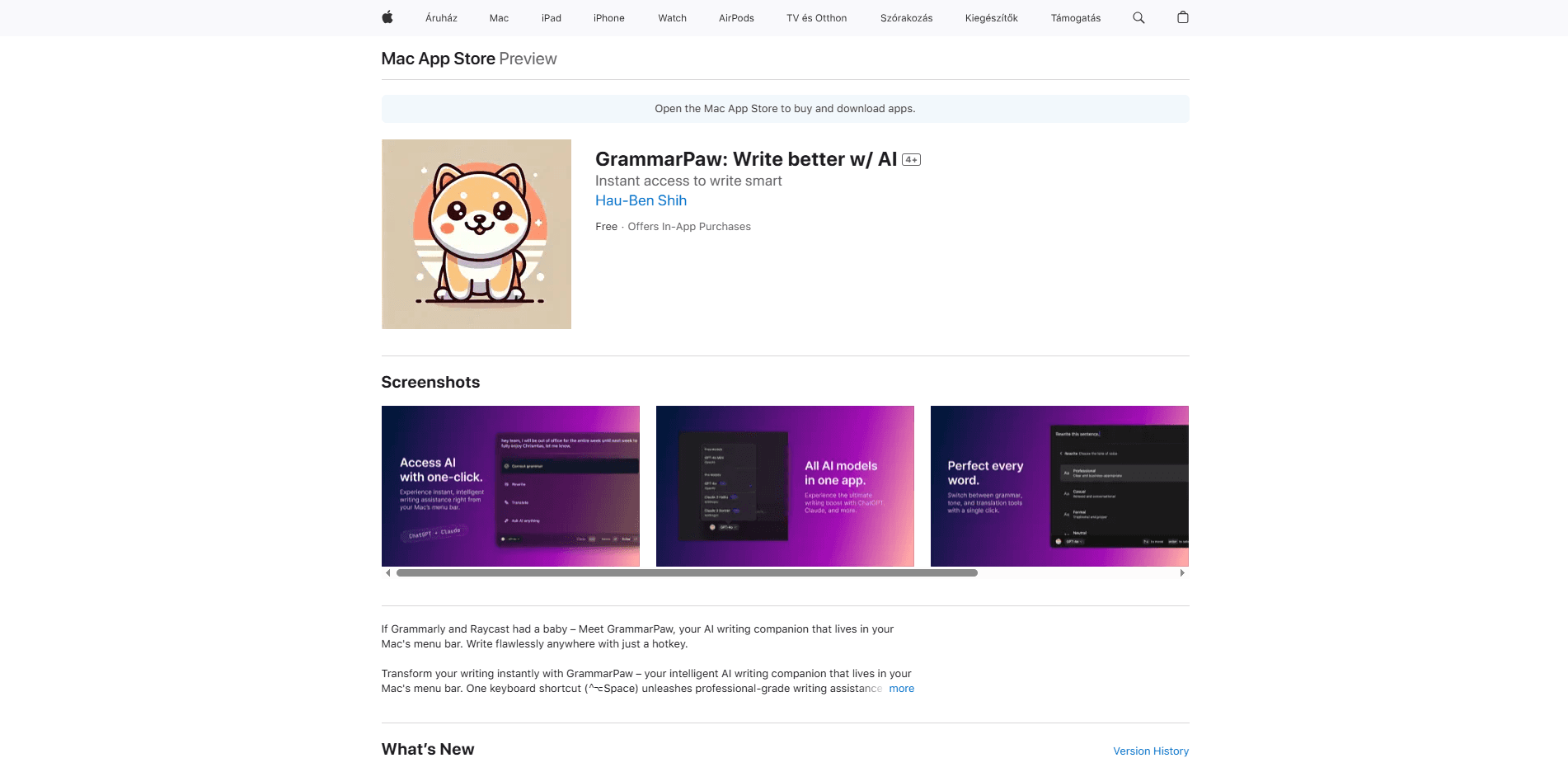
GrammarPaw is an AI writing assistant for Mac that runs from the menu bar. One shortcut fixes grammar, rewrites, adjusts tone, and translates text inside any app you're using.
About GrammarPaw – AI Writing assistant on Mac
What Is GrammarPaw
GrammarPaw is a Mac menu bar app built by developer Hau-Ben Shih. It parks in the menu bar and waits for a keyboard shortcut, so writing help is one keypress away instead of a separate window you have to switch into.
The idea is to keep your writing where it already lives. You select text in Mail, Notes, Slack, or a browser, press the shortcut, and GrammarPaw returns a corrected or rewritten version you can paste back. It handles grammar, tone, rewriting, and translation across 10+ languages.
There are two things to know before you install it. First, the deepest tools lean on cloud AI models, so your text leaves the app for processing, even if the developer says nothing is stored. Second, the app has since been renamed FetchAI on the Mac App Store, so you'll find it under that name now.
Getting Started
- Open the Mac App Store and search for GrammarPaw, or look up FetchAI, the name the app uses today.
- Click Get to install it, then enter your Apple ID password to confirm.
- Launch the app and allow the permissions it asks for, such as Accessibility, so it can read selected text.
- Press the default shortcut (Control+Option+Space) to open the window, or change it in Preferences if it clashes with another app.
- Select text in any app, choose a mode like grammar, rewrite, or translate, then apply the result.
Product Information
A quick look at GrammarPaw – AI Writing assistant on Mac's pricing, supported platforms, and performance.
Best for
The users, tasks, and scenarios where this tool fits best.
Users
- Non-native English speakers
- Students and researchers
- Professionals writing emails all day
Tasks
- Fixing grammar in a draft
- Rewriting a clunky sentence
- Translating short passages
Scenarios
- Replying to a work email fast
- Polishing a social post
- Checking a foreign-language note
Key features
Menu Bar Shortcut Access
GrammarPaw sits in the Mac menu bar and opens with one keyboard shortcut, Control+Option+Space by default. You don't launch a separate editor or switch apps. You select text where you're already typing, press the keys, and the assistant window appears over your work. The shortcut is customizable in Preferences if it conflicts with something else.
Grammar and Style Correction
The core mode checks spelling, grammar, and style, then offers fixes you can apply with one click. It flags errors in the text you selected and suggests cleaner phrasing, so a rough paragraph comes back readable. You review each suggestion or accept them together, which keeps you in control of the final wording.
Rewrite and Tone Adjustment
Beyond fixing mistakes, GrammarPaw reshapes sentences. The rewrite mode reorganizes messy or repetitive lines into clearer ones, and the tone mode shifts formality for a given audience, from casual to professional. Both modes return a version you paste back, so your voice stays in the draft rather than being replaced wholesale.
Translation Across Languages
The translate mode handles instant translation in 10+ languages, including Japanese and French. It's built for short passages, so it fits a sentence, a paragraph, or a message you're about to send. You pick the target language, run the mode, and copy the output straight into your document.
Multiple AI Model Backends
The paid tier taps premium models, and the app's newer build lists GPT-4o, Claude, and Gemini among its options. That spread matters because different models handle tone and rewriting differently, and you can lean on a stronger one when accuracy counts. The free tier works too, but with a usage cap.
System-Wide Support and Lightweight Design
GrammarPaw works in any app that accepts text, from Pages and Notes to Slack and a browser, so it isn't tied to one editor. The developer also markets it as low on resource use, which keeps it usable on older Macs. It follows the system dark mode as well.
Pros and cons
Pros
- Works inside any Mac app through one keyboard shortcut
- Handles grammar, rewriting, tone, and translation in one place
- Customizable shortcut and writing-style preferences
- Lightweight enough for older Macs, per the developer
- Free tier available before you pay for premium
Cons
- The app has been renamed FetchAI on the Mac App Store, so searching the old name can confuse you
- Deepest features depend on cloud AI models, so your text is sent for processing
- The free version caps usage, and unlimited suggestions sit behind a subscription
- Requires macOS 14.6 or later, so older Macs are out
Frequently asked questions
GrammarPaw is a menu bar writing assistant for Mac. It corrects grammar, rewrites sentences, adjusts tone, and translates text in 10+ languages, all from one keyboard shortcut inside whatever app you're already using.
Related content
Explore related tools, skills, and articles for GrammarPaw – AI Writing assistant on Mac.
GrammarPaw – AI Writing assistant on Mac Alternatives
Isgen AI
Isgen · AI DetectionIsgen AI is a web-based AI detector that scores text for machine authorship and shows you which sentences and phrases push the number up. It's built for teachers, editors, students, and writers. Their question is simple: did this draft come from ChatGPT, GPT-5, Claude, Gemini, DeepSeek, or another model? You paste or upload content, run a scan, and get a Human, AI, and Mixed breakdown in seconds. There's also a companion editor that scores text while you write it.
Humanizeai Tools
Humanizeai Tools · Writing · AI DetectionHumanizeai Tools is a web-based AI humanizer that rewrites machine-generated text so it sounds like a person wrote it, which is the whole point of the category it belongs to. Paste a draft from ChatGPT, Claude, or Gemini, run it through the tool, and it swaps out the phrases and sentence patterns that AI detectors flag. If your goal is to make AI text sound human before you publish it, this is the kind of tool built for exactly that. It suits students, bloggers, and marketers who need copy that reads naturally and clears tools like GPTZero, Copyleaks, and Winston AI after a single pass.

Hidemyai
Hidemyai · Writing · AI DetectionHidemyai is an AI content humanizer. It rewrites text from ChatGPT, Jasper, and similar tools so the result reads like a person wrote it. You paste your draft, pick a document type and tone, and the service returns a version meant to bypass AI detectors such as Originality.ai, Turnitin, and ZeroGPT. It targets writers, marketers, and students who lean on AI drafts but can't ship copy that sounds robotic. The promise is simple: make AI content undetectable.