

grepai
Yoan Bernabeu · Coding
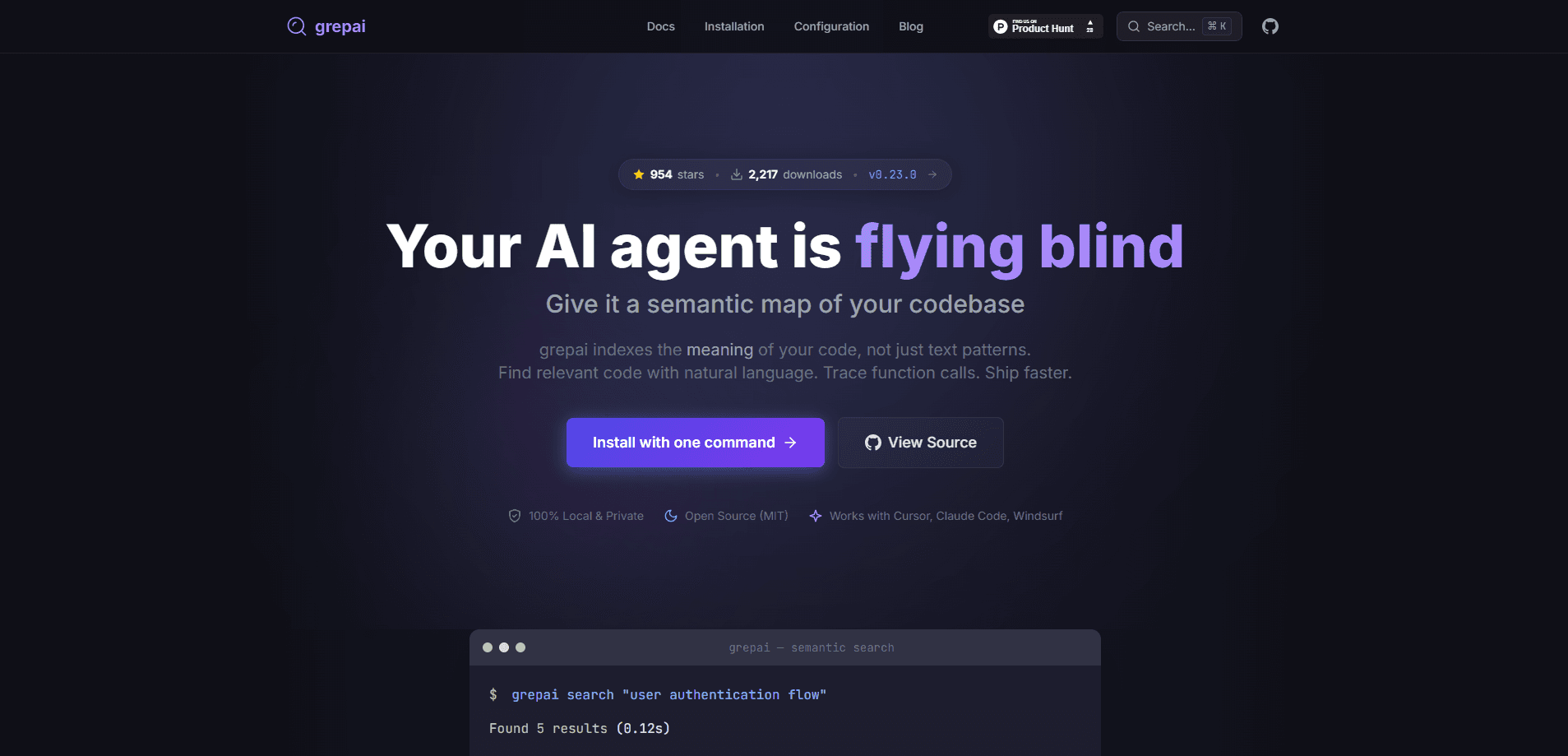
grepai is a privacy-first command line tool that searches your codebase by meaning instead of exact text. It builds a local index of your code using vector embeddings, so you can type "user authentication flow" and land on the function that handles it, even if it's named something else. Along the way it traces callers and callees, keeps the index fresh with a file watcher, and plugs into AI coding assistants like Claude Code and Cursor through an MCP server. Everything runs on your machine. Nothing gets uploaded.
About grepai
What Is grepai
grepai is an open-source CLI for semantic code search, built by developer Yoan Bernabeu and released under the MIT license. The name is a nod to the original grep from 1973, but the idea is different. Classic grep matches text patterns. grepai converts your functions and classes into vectors and matches meaning, so a search for "error handling" can surface a function called catchException you'd never have guessed to type.
The tool was made for two audiences. Developers tired of guessing symbol names across large repos are the first. The second is AI coding agents, which burn a lot of tokens grepping and re-reading files before they understand anything. By handing an agent a short list of relevant code instead of raw search output, grepai cuts the input tokens those agents need. Users on r/ClaudeAI have reported exactly that. One developer said it dropped their Claude Code input tokens sharply.
The main limitation is setup. grepai needs an embedding provider to turn code into vectors, which means you're installing Ollama and pulling a model, or handing over an API key for a cloud provider. It's not a single command you run and forget. On a low-powered machine, the first index of a big repo takes time too. For developers who live in the terminal, that's a fair trade. For everyone else, it's probably more machinery than they want.
Getting Started
- Install grepai with the one-line script for your OS, or use Homebrew on macOS. On Windows, grab the PowerShell command from the GitHub page.
- Pull an embedding model for Ollama, typically
nomic-embed-text, since local embeddings keep your code on your machine. - Run
grepai initinside your project to create the config and set up the index. - Start
grepai watchso the file watcher keeps the index current as you edit. - Search in plain English with
grepai search "error handling", or trace relationships withgrepai trace callers "Login".
Product Information
A quick look at grepai's pricing, supported platforms, and performance.
Best for
The users, tasks, and scenarios where this tool fits best.
Users
- Developers on large or unfamiliar codebases
- AI coding agent users
- Privacy-conscious teams
Tasks
- Exploring an inherited codebase
- Safe refactoring
- Feeding context to an AI assistant
Scenarios
- Joining a new project and needing to understand a feature fast
- Working offline
- Long coding sessions where token costs add up
Key features
Semantic Search in Natural Language
Instead of matching text patterns, grepai turns code into embeddings and searches by meaning. You describe what you're after, like "where do we validate input," and it returns code you couldn't find with a keyword. So why does that matter? Because real codebases never name things the way you'd expect. This is the core reason to use it over ripgrep, and it works across mismatched naming conventions.
Call Graph Tracing
The grepai trace command shows who calls a function and what that function calls in turn. Before a refactor, that tells you the blast radius of a change. It covers a long list of languages: Go, TypeScript, JavaScript, Python, PHP, Java, C#, F#, C, C++, Rust, and Zig.
100% Local and Private
As a local code search tool, grepai keeps indexing, embedding, and searching on your machine when you point it at an Ollama model. No cloud. No API calls. No code leaving your laptop. For teams with sensitive source, that removes the usual objection to AI-assisted search.
MCP Server for AI Agents
grepai ships an MCP server for code, plus a JSON output mode, so AI tools can call it directly. Claude Code, Cursor, Windsurf, Codex CLI, and Gemini CLI integrate with it. That lets agents pull focused code context instead of scrolling through raw grep results, and it's the feature that saves the most tokens over a long session.
Real-Time Index Updates
A file watcher keeps the index fresh while you work, so you don't re-index by hand after every change. Search results reflect your latest edits, which matters when you're iterating quickly.
Single Binary, Fast Setup
grepai installs as one binary with no dependencies. On the project's own numbers, it can index 10k files in seconds and return searches in milliseconds. That keeps it usable on large repos.
Pros and cons
Pros
- Finds code by meaning, so mismatched naming stops being a blocker.
- Runs entirely locally with Ollama, keeping source code off any server.
- Integrates with Claude Code, Cursor, and other agents through MCP, cutting token use.
- Free and open source under MIT, with a one-line install and single binary.
Cons
- Requires an embedding provider, so setup means installing Ollama or sharing a cloud API key.
- First-time indexing of a large repo takes a while on modest hardware.
- Call graph tracing depends on language support, so some languages aren't covered.
Frequently asked questions
It indexes your code by meaning and lets you search it with natural language, so you find relevant functions even when you don't know their names. It also traces call relationships and can feed results to AI coding agents.
Related content
Explore related tools, skills, and articles for grepai.
grepai Alternatives
Forefront
Forefront · CodingForefront is a web platform for building with open-source AI. It lets you fine-tune leading open-source language models on your own data, evaluate how they perform, and run them through an API or export them to host yourself. Developers who want the convenience of a closed-source platform but insist on owning their models and data are the target audience here.

Startkit
StartKit.AI · CodingStartkit is a boilerplate for building AI SaaS and AI wrapper products. Think of it as an AI startup boilerplate with the boring parts already wired up: authentication, Stripe and Lemon Squeezy payments, usage limits, transactional email, and an AI API starter that talks to OpenAI, Anthropic, Groq, or Llama. You clone the repo, set your price, and start on the part of your product that people actually pay for. It's Next.js under React and Tailwind, so most of the boilerplate code already feels familiar.
Testim
Tricentis · CodingTestim is an AI-powered test automation platform for building and running end-to-end tests across web, mobile, and Salesforce applications. It leans on machine learning to keep tests stable when an interface changes, so teams spend less time fixing broken selectors. Not bad for an automated testing tool you can start using today. You create tests by recording actions in a browser, then optionally add JavaScript when you need more control. It's a solid pick for busy QA teams.