

Grok by SpaceXAI for Word
SpaceXAI · Writing · Productivity
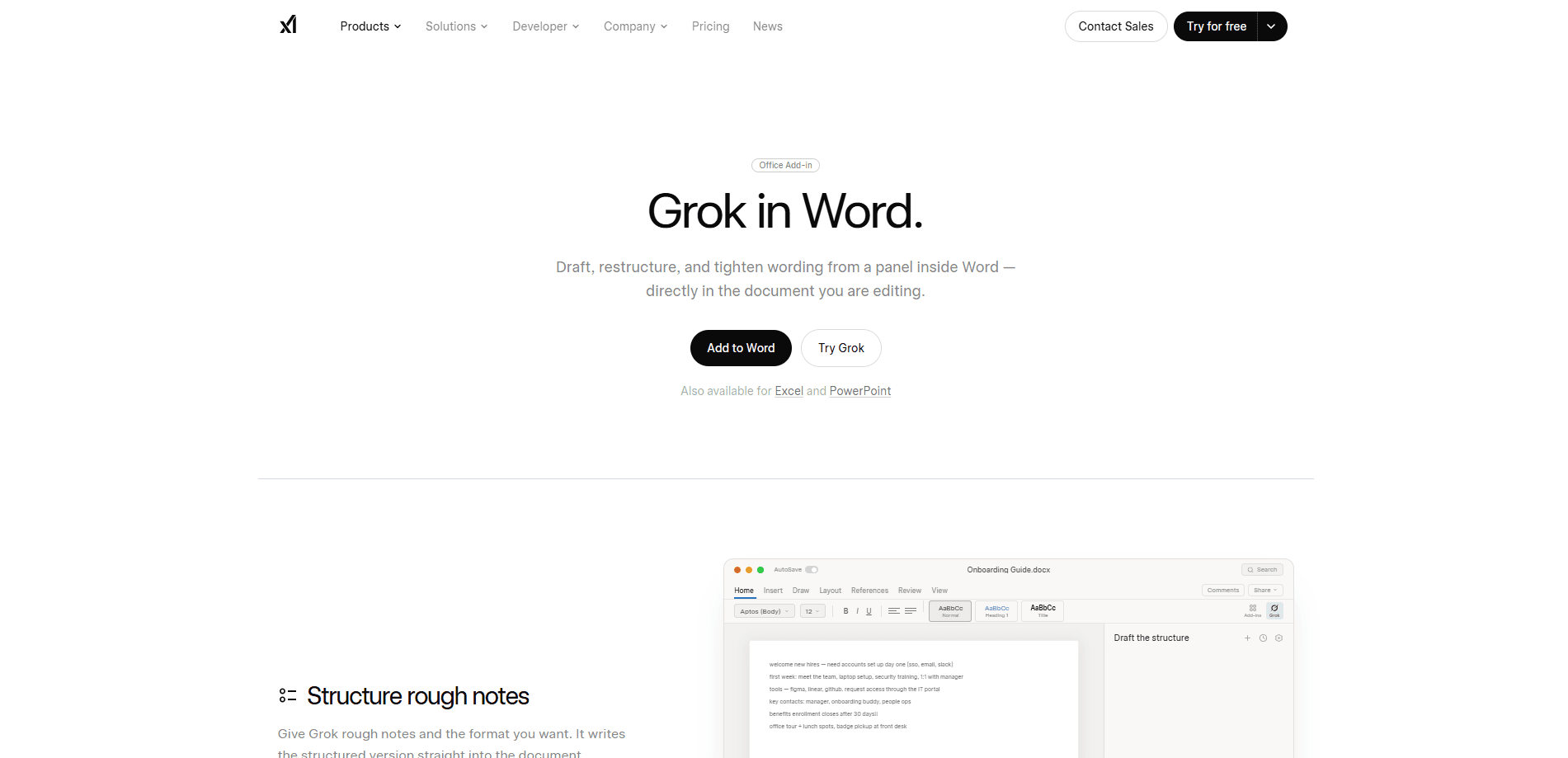
**Grok by SpaceXAI for Word** is a free Microsoft 365 add-in that docks an AI side panel inside Word. You describe what you want in plain language, and the assistant drafts text, restructures sections, and applies in-document edits you can undo. It's built for people who live in long documents and want a second pair of hands without switching apps. Think of it as an AI writing assistant that stays in Word. It also works as a light AI document editor, but it won't replace a full long-form tool. Word AI tools usually force a tab switch. This one doesn't. Key strengths: native side-panel access, undoable edits, and free installation through the Microsoft Marketplace. Main limits: it needs a paid X or SuperGrok subscription to work, and the preview is region-restricted. You install it from the Microsoft add-in store, not from an app store.
About Grok by SpaceXAI for Word
What Is Grok by SpaceXAI for Word
Grok is the AI model family from SpaceXAI, the team formerly known as xAI before it merged into SpaceX. This Word add-in brings Grok into Microsoft Word as a side panel that sits next to your document. Instead of copying text into a separate chatbot tab, you keep working on the page while the assistant reads context, proposes changes, and applies edits you can review and reverse.
The add-in is part of a wider push to put Grok inside the Office suite. SpaceXAI shipped companion add-ins for Excel and PowerPoint, and Microsoft later folded Grok into Microsoft 365 Copilot as an additional model choice. The Word add-in targets professionals who write reports, proposals, and long-form drafts, and it works best when it can see the surrounding paragraphs rather than a single highlighted sentence.
So who is this really for? Anyone who writes in Word all day. Consultants. Analysts. Students.
Getting Started
- Open Microsoft Word and go to the Insert tab, then choose Get Add-ins to open the Microsoft Marketplace.
- Search for "Grok by SpaceXAI" and add the Word extension to your account.
- Sign in with an X or SuperGrok paid subscription when the side panel prompts you.
- Open a document, describe your goal in the chat box, and review the suggested text before accepting it.
- Use Word's undo to roll back any edit you don't want, then keep refining in the same conversation.
Product Information
A quick look at Grok by SpaceXAI for Word's pricing, supported platforms, and performance.
Best for
The users, tasks, and scenarios where this tool fits best.
Users
- Business writers who draft reports, memos, and proposals in Word
- Students and researchers shaping long documents
- Teams that already pay for X or SuperGrok and want AI inside Office
Tasks
- Drafting and expanding sections from a short prompt
- Restructuring outlines and reordering paragraphs
- Applying in-document edits with an undo option
Scenarios
- Tightening a 40-page report without leaving the page
- Rewriting a paragraph to match the tone of the rest of the document
- Turning rough notes into a clean first draft
Key features
Side-Panel Access Inside Word
The assistant lives in a panel beside your document, so you never leave the page. You highlight a section or describe your goal, and Grok responds in context. That setup matters for long files, where jumping to another tab breaks your focus and loses the thread of the argument you were building. It just sits there, waiting. No context switching. No copy-paste.
Plain-Language Drafting
You type what you want in everyday language, such as "draft an intro for this proposal" or "summarize this section in three bullets." The add-in turns that into text you can drop straight into the document. It reads the surrounding paragraphs to keep suggestions consistent with what's already written.
Undoable In-Document Edits
Edits land in the document rather than in a chat log, and Word's own undo control reverses them. That design keeps you in charge. You can accept a suggestion, undo it, and try a different angle without losing the rest of your work. Nothing sticks unless you let it.
Style Consistency Across Long Documents
Grok reads the broader context, which helps it match the tone and phrasing of a long draft. If one section sounds formal and another sounds casual, you can ask it to align them. This is the kind of task that's tedious by hand and easy to hand off. Tone drift is real. It creeps in. Grok catches it.
Free Install Through the Marketplace
The add-in installs free from the Microsoft add-in store, the same place you'd add any Word extension. There's no separate download, no installer file, and no manual setup. You do need a paid X or SuperGrok subscription before the panel will work, since the free install only covers the client.
Companion Add-ins for Excel and PowerPoint
SpaceXAI shipped matching add-ins for Excel and PowerPoint, so Grok shows up across the Office suite. If you build a report in Word and the numbers live in a spreadsheet, you can move between the tools without switching to a standalone chatbot.
Pros and cons
Pros
- Free to install from the Microsoft Marketplace
- Works inside Word, so no tab-switching
- Edits are undoable through Word's native controls
- Reads surrounding context to keep long drafts consistent
- Part of a wider Office add-in set for Excel and PowerPoint
Cons
- Needs a paid X or SuperGrok subscription to function
- Preview availability is limited by region
- No public API during the preview period
- Fewer controls than a dedicated long-form writing tool
Frequently asked questions
Yes. The add-in itself is free to install, but the side panel needs a paid X or SuperGrok subscription before it will work. The free download only covers the client, not the model access behind it.
Related content
Explore related tools, skills, and articles for Grok by SpaceXAI for Word.
Grok by SpaceXAI for Word Alternatives

Google EmbeddingGemma 2
Google DeepMind · Writing · Image · CodingGoogle EmbeddingGemma 2 is a 740M-parameter open model that turns text, code, images, audio, and video frames into vectors in one 768-dimension space, running on phones and laptops.

MePersona
MePersona, Inc. · Writing · Productivity · MarketingMePersona is an AI unified inbox for creators. It learns your voice, drafts replies to fan messages from 12 platforms, and sends only what you approve.

Fluence
Yay Software (Yannick Huchard) · Writing · Voice & Language · ProductivityFluence is an Android app that reads PDFs, EPUBs, Word files and web articles aloud, follows each sentence as it speaks, and answers questions about the text on the phone itself.