

GrowthTrack AI
GrowthTrack AI · Coding · Marketing
GrowthTrack AI is a free website growth analyzer that returns AI-written suggestions for speed, SEO, design and conversion. You paste a URL and get a report.
About GrowthTrack AI
What Is GrowthTrack AI
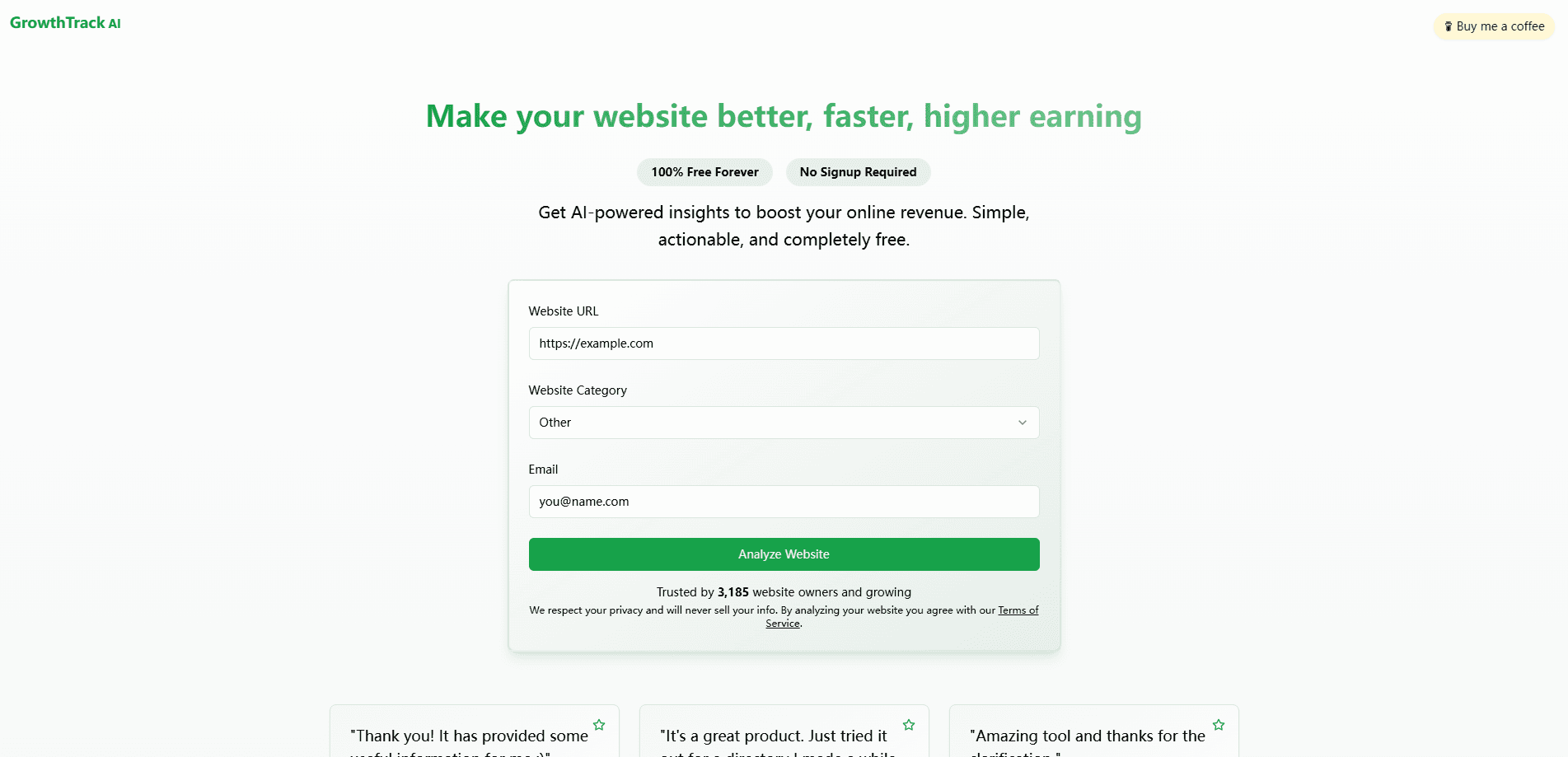
GrowthTrack AI is a browser-based analyzer that looks at a website and hands back a list of fixes aimed at earning more from the same traffic. You enter a URL, pick a site category, and the tool runs a scan that mixes Google's PageSpeed Insights API with its own web scraping. A minute or so later you get a report grouped by theme, from page speed to conversion.
The pitch is narrow on purpose. It doesn't host your site, manage your campaigns or replace an analytics suite. It reads what's already public about a page and points at the things worth changing: slow images, weak calls to action, missing metadata, funnel steps that lose visitors. The AI website analysis turns those raw signals into plain-language recommendations you can act on the same day.
Two limits shape how you should use it. The reads come from public data and a performance API, so private analytics, logged-in screens, and your actual revenue numbers stay out of the picture. And since it takes any URL without a signup, the output is a starting checklist, not a verified business review.
Getting Started
- Open growthtrack.ai and paste the URL of the page you want analyzed
- Pick the closest website category so the recommendations match your business type
- Wait while the scanner pulls performance data and scrapes the page, usually about a minute
- Read the grouped report, then start with the highest-impact items and re-run the tool after you ship changes
Product Information
A quick look at GrowthTrack AI's pricing, supported platforms, and performance.
Best for
The users, tasks, and scenarios where this tool fits best.
Users
- Small business owners
- Freelance web designers
- Content marketers
- Solo founders running a directory or niche site
Tasks
- Page speed checks
- On-page SEO review
- Conversion review
- Design feedback
- Tool shortlisting
Scenarios
- Just launched a landing page
- Inherited a client site
- Traffic is steady but sales are flat
- Prepping a redesign
- Testing a competitor's public page
Key features
Page Speed Analysis
The scanner pulls performance data through Google's PageSpeed Insights API and pairs it with its own crawl of the page. You get a breakdown of what's dragging load times down, with specific suggestions instead of a bare score. That matters because a slow page quietly costs you both rankings and sales.
Conversion Optimization
The tool reads your page the way a visitor would and flags the spots where people tend to drop off. Recommendations cover calls to action, funnel steps and page structure, so you can test changes that turn existing visitors into customers rather than only chasing more traffic.
SEO Recommendations
A scan checks on-page signals such as titles, headings and metadata, then points at gaps that limit how you rank. The suggestions aim at the basics that move rankings fastest, which suits owners who don't want to live inside an SEO suite.
AI-Written Report
Everything the scan finds gets rewritten into plain language by an AI layer. Sections are grouped by theme, from performance to revenue, so you can skim and act. The value here is translation: raw metrics become a short list of things you can actually do.
Tool Suggestions
When the report finds a gap the tool can't fix on its own, it points to products that can. That includes paid services for tracking, automation or affiliate management, matched to the business type you selected. Treat these as leads to check, not endorsements.
No-Signup, Always Free
You don't make an account to run a scan. The site describes the product as 100% free forever, and there's no paywall between you and the report. For someone testing an idea, that removes the usual barrier of a trial that expires.
Pros and cons
Pros
- Runs without an account, so you can test a URL in under two minutes
- Combines a real performance API with page scraping instead of guessing from markup alone
- Turns dense metrics into plain recommendations a non-specialist can act on
- Grouped report keeps speed, SEO, design and conversion in one place
- Costs nothing, which makes it easy to run before and after a change
Cons
- Only reads public data, so it can't see your analytics, revenue or logged-in views
- Recommendations are generic enough that you still need judgment to rank them
- No verified benchmarks for how accurate its suggestions are against real results
- Tool suggestions lean toward paid products, which blurs advice and referral
Frequently asked questions
It scans a public web page and returns AI-written suggestions for improving speed, SEO, design and conversion. You paste a URL, pick a category, and wait about a minute for the report.
Related content
Explore related tools, skills, and articles for GrowthTrack AI.
GrowthTrack AI Alternatives

Base Code
Base44 (Wix) · Coding · ProductivityBase Code is a shared cloud development environment from Base44. Teammates describe changes to an existing GitHub codebase in chat, preview them live and send them back as pull requests.

Google EmbeddingGemma 2
Google DeepMind · Writing · Image · CodingGoogle EmbeddingGemma 2 is a 740M-parameter open model that turns text, code, images, audio, and video frames into vectors in one 768-dimension space, running on phones and laptops.

GitGlow
GitGlow · Coding · ProductivityGitGlow is a local-first desktop Git client that lets independent developers review their own code and their AI agents' changes in one place before shipping.