

grubby.ai
grubby.ai · Writing
grubby.ai is an AI text humanizer for writers, students, and marketers who need AI-generated drafts to read like human writing.
About grubby.ai
What Is grubby.ai
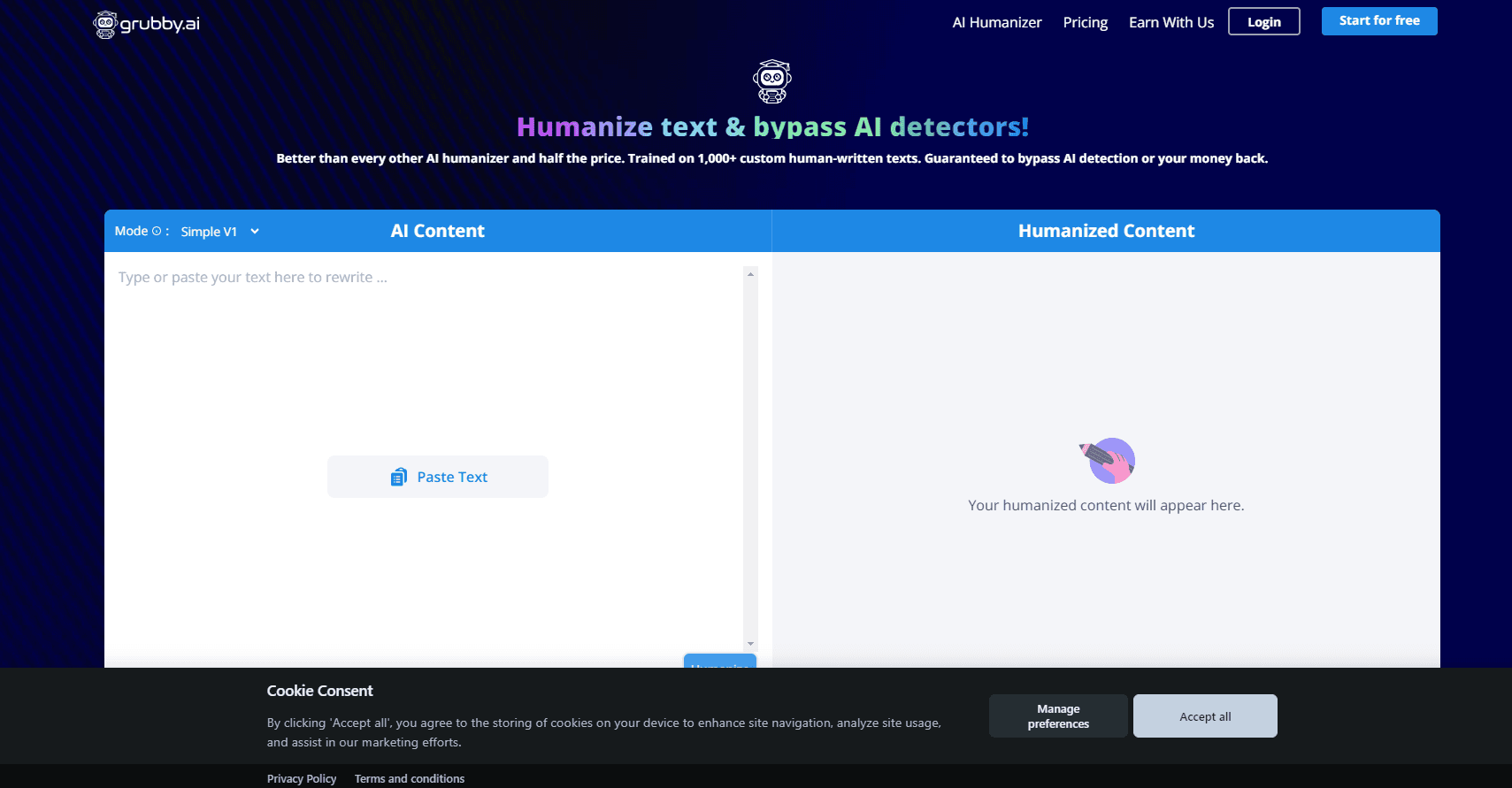
grubby.ai is an AI text humanizer. You paste in text that a model like ChatGPT, Claude, or Gemini produced, and the tool rewrites it into something a person would actually write. The goal is human-like text that slips past the common AI detectors flagging machine-written content. It sounds simple. It mostly is.
That matters if you publish content for a living. Freelancers get briefs that ban AI drafts. Students run essays through generators that check for them. Marketers ship blog posts and ad copy that clients will scan for that telltale robotic rhythm, and grubby.ai sits at the end of that chain to clean up the fingerprints.
The catch is that humanizing tools trade polish for naturalness. A rewrite can smooth away a phrase you liked, and no tool can promise every detector on every settings update, because detection models get retrained all the time. Treat the output as a strong first pass you still read and edit, not a finished piece. That part is on you.
Getting Started
- Create a free account on the grubby.ai website.
- Paste or type the AI-generated text into the input box.
- Choose your settings, such as the tone or the humanizing strength you want.
- Run the humanizer and review the rewritten text.
- Copy the result and use it in your essay, blog post, or client deliverable.
Product Information
A quick look at grubby.ai's pricing, supported platforms, and performance.
Best for
The users, tasks, and scenarios where this tool fits best.
Users
- Freelance writers
- Students
- Content marketers
Tasks
- Humanizing chat model drafts
- Softening AI detection flags
- Reworking academic prose
Scenarios
- Finishing a deliverable the night before a deadline
- Localizing a blog post for a global audience
- Publishing marketing copy that clients will check
Key features
AI Text Humanizer
The core tool takes AI-generated writing and rewrites it into human-sounding prose. You feed it a draft, and it returns text with varied sentence structure and a more conversational rhythm. This is the feature most people come for: a one-click way to humanize AI text.
AI Detection Bypass
grubby.ai is built to get past the major AI detectors that score text as machine-written. The humanizer targets the patterns those systems look for, aiming for undetectable AI text. Results can shift as detectors update. Treat any bypass as something to verify, not a guarantee.
Tone and Style Controls
You can steer how the rewrite sounds rather than accept a single default voice. Different settings suit a casual blog post versus a formal report. That flexibility is what keeps the output usable across different kinds of work, so a single account can cover pretty much any brief you take on.
Built for Multiple Content Types
The tool handles essays, blog posts, marketing copy, and general web text, which means you don't need a separate product for an academic paper and another one just to punch up an ad headline. One workflow covers the common writing jobs that come up again and again.
Web-Based Access
grubby.ai runs in the browser, so there's nothing to install and no operating system to worry about. You open the site, paste your text, and work. No downloads. No setup. That keeps the barrier to entry low.
Free Tier to Start
You can begin without paying, which lets you test the humanizer on your own text before committing to a plan, and that matters when you're not yet sure how the rewrites will land on your particular style of writing. Upgrading unlocks higher limits for heavier use. It's a sensible way to judge the output quality first.
Pros and cons
Pros
- Rewrites AI drafts into text that reads more naturally, which helps with both readability and detection.
- Aims at the major AI detectors rather than only rephrasing surface words.
- Runs in the browser, so there's no app to install and nothing to update.
- Free tier lets you test the output before paying.
- Tone settings make it useful for casual and formal writing alike.
Cons
- No API. You can't wire the humanizer into your own app or automation.
- Detection bypass isn't guaranteed to hold, since detector models change over time.
- Humanizing can strip out phrasing you wanted, so manual editing stays necessary.
Frequently asked questions
It rewrites AI-generated text so it sounds like a human wrote it, and it aims to get that text past AI detectors. You paste in a draft, and the tool returns a more natural version.
Related content
Explore related tools, skills, and articles for grubby.ai.
grubby.ai Alternatives

Google EmbeddingGemma 2
Google DeepMind · Writing · Image · CodingGoogle EmbeddingGemma 2 is a 740M-parameter open model that turns text, code, images, audio, and video frames into vectors in one 768-dimension space, running on phones and laptops.

MePersona
MePersona, Inc. · Writing · Productivity · MarketingMePersona is an AI unified inbox for creators. It learns your voice, drafts replies to fan messages from 12 platforms, and sends only what you approve.

Fluence
Yay Software (Yannick Huchard) · Writing · Voice & Language · ProductivityFluence is an Android app that reads PDFs, EPUBs, Word files and web articles aloud, follows each sentence as it speaks, and answers questions about the text on the phone itself.