

H3LLO - Your Ultimate Chat Assistant
s2dio, inc. · Writing
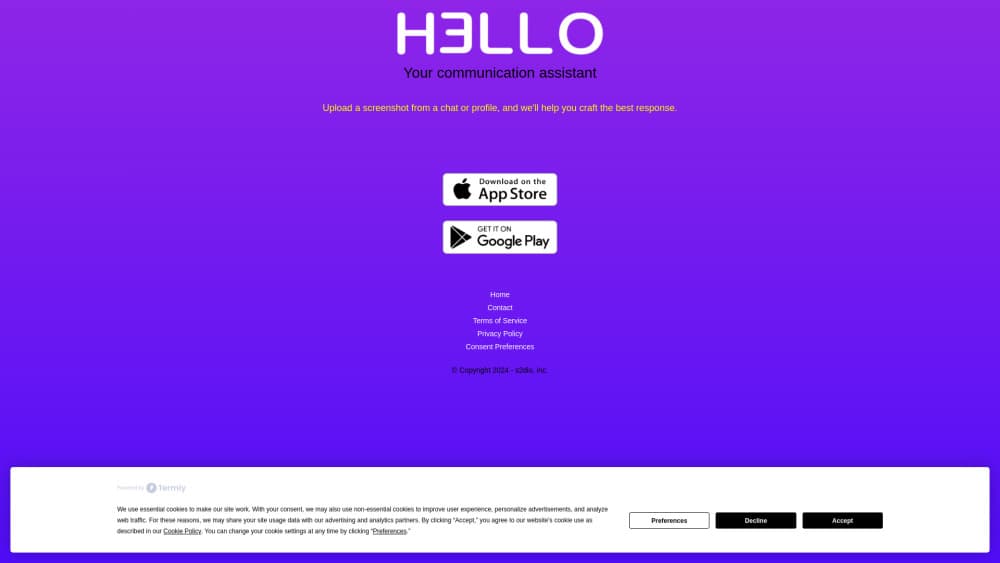
H3LLO is an AI chat assistant that turns a screenshot of a chat or email into ready to send replies. Pick a witty, funny, street or formal tone, then copy the answer back.
About H3LLO - Your Ultimate Chat Assistant
What Is H3LLO
H3LLO is a mobile AI messaging assistant from s2dio, inc. that handles one narrow job: writing your next message. You screenshot a conversation, upload it, and the app returns a few reply options in the tone you choose. It runs on iPhone and Android and works with whatever app the screenshot came from.
Most people don't freeze up because they lack words. They freeze because the stakes feel high. A first message on a dating app, a tense text from a coworker, an email to a client who's already annoyed. H3LLO cuts that pause to a few seconds.
The limits matter too. There's no keyboard extension or chat integration, so every reply starts with a manual screenshot. Suggestions come from a language model reading an image, which means it can miss sarcasm, misread a name, or answer a question that was rhetorical. The terms of service say as much: you decide whether a suggestion fits.
Getting Started
- Download H3LLO from the App Store or Google Play and create an account.
- Screenshot the chat, email or profile you want to answer. Crop out anything you'd rather not upload.
- Upload the image and pick a tone: Witty, Funny, Street or Formal.
- Copy the reply you like, paste it into the original app, and edit the wording before you hit send.
Product Information
A quick look at H3LLO - Your Ultimate Chat Assistant's pricing, supported platforms, and performance.
Best for
The users, tasks, and scenarios where this tool fits best.
Users
- Dating app users who stall on openers
- Non-native English speakers
- Sales and support staff
Tasks
- Writing an opener from a profile
- Answering a tense message
- Turning a long email thread into a short reply
Scenarios
- A match replies with one word and you're on the bus
- A client email lands between meetings
- A group chat joke lands flat
Key features
Screenshot Reply Suggestions
Upload a screenshot of any chat and H3LLO returns several replies built from the visible context. It reads names, questions and the last few turns, then writes an answer that fits. Each round takes a few seconds, so screenshot replies land while the conversation is still live. These are smart replies in the practical sense: short, on topic and easy to edit.
Conversation Starters
When there's nothing to answer yet, upload a profile or a single message and the app proposes openers. Conversation starters lean on details in the screenshot, such as a photo caption or a listed hobby, so they read less like a template.
Tone Selection
Four tones cover most situations: Witty, Funny, Street and Formal. Tone selection changes vocabulary and sentence length, not just emoji. Formal output drops slang and reads like a work email. Street uses the phrasing you'd send a friend.
Works Inside Any Chat App
H3LLO doesn't plug into WhatsApp, Telegram or iMessage. It doesn't need to. A screenshot works everywhere, including SMS, Signal, Gmail and apps that never ship an API. Broad coverage, one extra step. That's the trade.
Profile and Bio Reads
Dating profiles and social bios carry details a text box would flatten: photos, prompts, listed interests. H3LLO reads them and folds those details into a reply, which is why its openers often sound more specific than a stock line. The app earned an AI dating wingman reputation on Android for exactly this.
Copy and Share in One Tap
Every suggestion has a copy button and a share sheet. You paste the text back into the chat you came from, tweak a word, and send. Nothing goes out automatically, so the final edit stays yours. Treat it as a reply generator, not an autopilot. Most people change at least one word.
Pros and cons
Pros
- Works with every messaging app because it only needs a screenshot.
- Four tones produce genuinely different wording rather than emoji swaps.
- Openers built from profile details beat generic pickup lines.
- Free to download, so you can test reply quality before paying.
- Fast turnaround, usually a few seconds per upload.
Cons
- No keyboard extension or chat integration, so each reply costs a screenshot and a paste.
- The model can misread sarcasm or context, and a bad suggestion in a sensitive chat can cost you.
- Screenshots leave your phone and include whatever was on screen, so crop before uploading.
- English-first, which limits use for conversations in other languages.
Frequently asked questions
It reads a screenshot of a chat, email or profile and writes reply options you can copy into the original app.
Related content
Explore related tools, skills, and articles for H3LLO - Your Ultimate Chat Assistant.
H3LLO - Your Ultimate Chat Assistant Alternatives

Google EmbeddingGemma 2
Google DeepMind · Writing · Image · CodingGoogle EmbeddingGemma 2 is a 740M-parameter open model that turns text, code, images, audio, and video frames into vectors in one 768-dimension space, running on phones and laptops.

MePersona
MePersona, Inc. · Writing · Productivity · MarketingMePersona is an AI unified inbox for creators. It learns your voice, drafts replies to fan messages from 12 platforms, and sends only what you approve.

Fluence
Yay Software (Yannick Huchard) · Writing · Voice & Language · ProductivityFluence is an Android app that reads PDFs, EPUBs, Word files and web articles aloud, follows each sentence as it speaks, and answers questions about the text on the phone itself.