

Happy Scribe
Happy Scribe · Writing
Happy Scribe turns audio and video into transcripts and subtitles in 150+ languages, with AI and human options plus one-click translation.
About Happy Scribe
What Is Happy Scribe
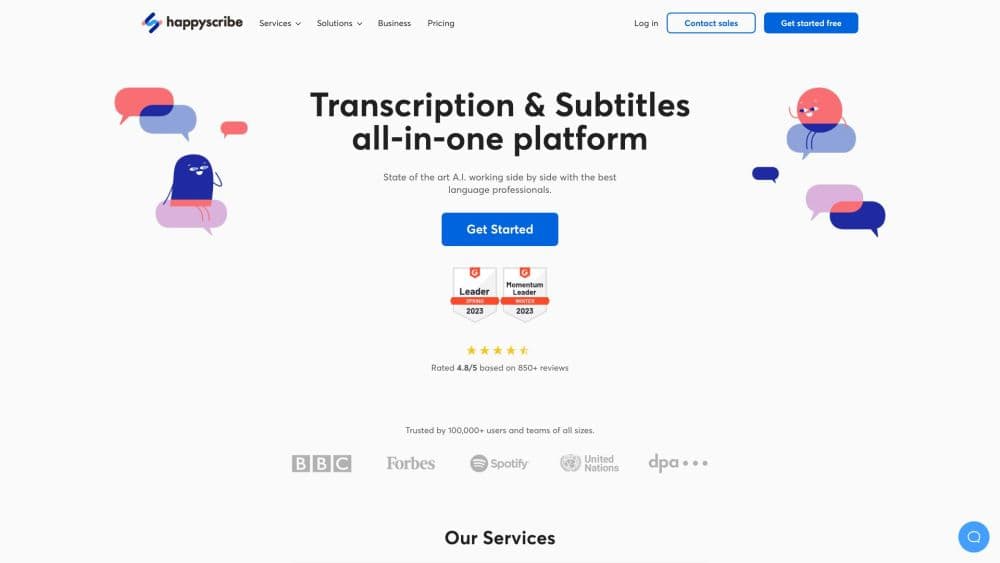
Happy Scribe is a web platform that converts audio and video into text. You upload a file, paste a link, or let its notetaker join a call, and it returns a transcript, subtitles, or a translation. The same workspace handles meetings, interviews, lectures, and broadcast footage, so you don't juggle separate tools for each job. It's built in Europe and stores recordings there, which matters for teams with strict data rules.
The reason people pick this transcription software over a general dictation app is range. It covers more than 150 languages and dialects, detects speakers automatically, and can hand a draft to a human proofreader when a client needs publish-ready accuracy. The AI pass is quick and cheap. The human pass costs more and takes longer, so the platform is really two services under one login.
Two limits are worth knowing. The free plan grants only a small slice of AI minutes, so heavy use means a paid plan. And the highest accuracy comes from human work, which is billed per minute. If you want raw speed and low cost, the AI route fits. If you're publishing legal or broadcast material, budget for the human layer.
Getting Started
- Create an account at happyscribe.com. You can start on the free plan without a credit card, which gives a short trial of AI minutes.
- Add your media. Upload an audio or video file, paste a URL, or connect the notetaker so it joins your Zoom, Google Meet, or Microsoft Teams calls from your calendar.
- Pick the language and output. The tool detects the spoken language automatically, or you set it yourself, and you choose transcription, subtitling, or translation.
- Edit in the browser. Review the result in the interactive editor, fix the text, name the speakers, and apply your glossary so names and jargon stay consistent.
- Export or share. Download in the format you need, from SRT and VTT subtitles to DOCX, PDF, and editing formats, or send it to a connected app.
Product Information
A quick look at Happy Scribe's pricing, supported platforms, and performance.
Best for
The users, tasks, and scenarios where this tool fits best.
Users
- Journalists and newsrooms
- Researchers and academics
- Sales and support teams
- Video creators and podcasters
Tasks
- Turning interviews into searchable text
- Adding subtitles to video
- Capturing meeting notes
- Translating audio and captions
- Cleaning up a transcript for publication
Scenarios
- Submitting a broadcast-ready transcript under deadline
- Running multilingual research across many interviews
- Handling sensitive recordings that can't leave the region
- Covering regular team meetings without a bot
Key features
AI Transcription in 150+ Languages
The core engine turns audio and video into text across more than 150 languages and dialects, with automatic language detection so you don't have to set it before recording. On the platform's own tests, its accuracy runs up to 15 points higher than some competing transcription tools, depending on the language. You can upload a file, paste a link, or pull a YouTube video, and the draft lands in the editor for review. It covers the common publishing formats you'd need for captions or a document.
AI Notetaker for Meetings
The notetaker joins Zoom, Google Meet, and Microsoft Teams calls from your calendar and transcribes them live. It can auto-join scheduled meetings, send notes to participants afterward, and pull meeting summaries with action items. There's a browser recorder too, and recording on Mac or phone means no bot appears in the call. For teams that live in meetings, this is the part that replaces manual note-taking and turns every call into a record you can search.
Subtitles and Translation
This subtitle generator turns any video into captions, then a subtitle translation step moves them into another language in one click. Export formats span the ones editors and platforms expect, including SRT, VTT, STL, Premiere XML, and FCPXML, and you can burn hardcoded subtitles into an MP4. Translation covers a large set of languages, so a single recording can reach several audiences. It's aimed at creators, educators, and media teams that need captions as part of the workflow rather than as an afterthought.
The Interactive Editor and Glossary
The browser editor lets you fix the transcript, label speakers, and adjust timestamps without leaving the page. An AI glossary stores product names, people, and acronyms once so every transcript and summary uses your spelling. Style guides and glossaries scale on the higher plans, which keeps terminology consistent when several people handle the same project. This is where the raw AI draft becomes something you'd actually publish.
Collaboration and Workspace Controls
Paid plans include shared workspaces, seats, and roles, so a team works on the same files with permissions that match how the organization runs. Business plans add unlimited style guides and glossaries, usage analytics, and centralized billing. Real-time editing and comments mean review happens inside the tool. For agencies and larger teams, that structure is the difference between a personal tool and something the whole department can rely on.
API, Integrations, and the MCP Server
The REST API gives developers full access to transcription, subtitling, and export, with token authentication, folder management, and webhooks that fire when a job finishes. That means you can build Happy Scribe into a pipeline rather than using the app by hand. On top of the API, native integrations cover Google Drive, Dropbox, YouTube, and Vimeo, while Zapier links thousands of other apps. There's also an MCP server so assistants like Claude and ChatGPT can pull from your recordings.
Pros and cons
Pros
- It handles transcription, subtitling, translation, and meeting notes in one workspace, so you don't pay for several separate tools.
- More than 150 languages and dialects with automatic detection make it usable for international work without manual setup.
- The human proofreading option reaches close to 99% accuracy, which AI alone can't promise for publication.
- EU hosting plus SOC 2 Type 2 and GDPR compliance suits teams that can't send recordings to US-only services.
- The REST API, webhooks, and MCP server let you automate the workflow instead of using the web app by hand.
Cons
- The free plan includes only a tiny amount of AI minutes, so anything beyond a trial needs a subscription.
- Human transcription and subtitling cost from around $2 per minute, which adds up fast on long or frequent projects.
- Meeting recording length is capped on the cheaper plans, with minute limits that a busy team can hit within a month.
- Some advertised features, like the desktop app and custom summary templates, are still marked as coming soon rather than available.
Frequently asked questions
Happy Scribe converts audio and video into text. It produces transcripts, subtitles, and translations, and its notetaker records meetings and returns summaries with action items. It's used by newsrooms, researchers, sales teams, educators, and video creators.
Related content
Explore related tools, skills, and articles for Happy Scribe.
Happy Scribe Alternatives

Google EmbeddingGemma 2
Google DeepMind · Writing · Image · CodingGoogle EmbeddingGemma 2 is a 740M-parameter open model that turns text, code, images, audio, and video frames into vectors in one 768-dimension space, running on phones and laptops.

MePersona
MePersona, Inc. · Writing · Productivity · MarketingMePersona is an AI unified inbox for creators. It learns your voice, drafts replies to fan messages from 12 platforms, and sends only what you approve.

Fluence
Yay Software (Yannick Huchard) · Writing · Voice & Language · ProductivityFluence is an Android app that reads PDFs, EPUBs, Word files and web articles aloud, follows each sentence as it speaks, and answers questions about the text on the phone itself.