

Hashtag Expert
App Holdings (WL Online Marketing LLC) · Marketing
Hashtag Expert is an AI hashtag generator for Instagram and TikTok, delivered as an iPhone app with caption writing, posting time advice, and hashtag analytics.
About Hashtag Expert
What Is Hashtag Expert
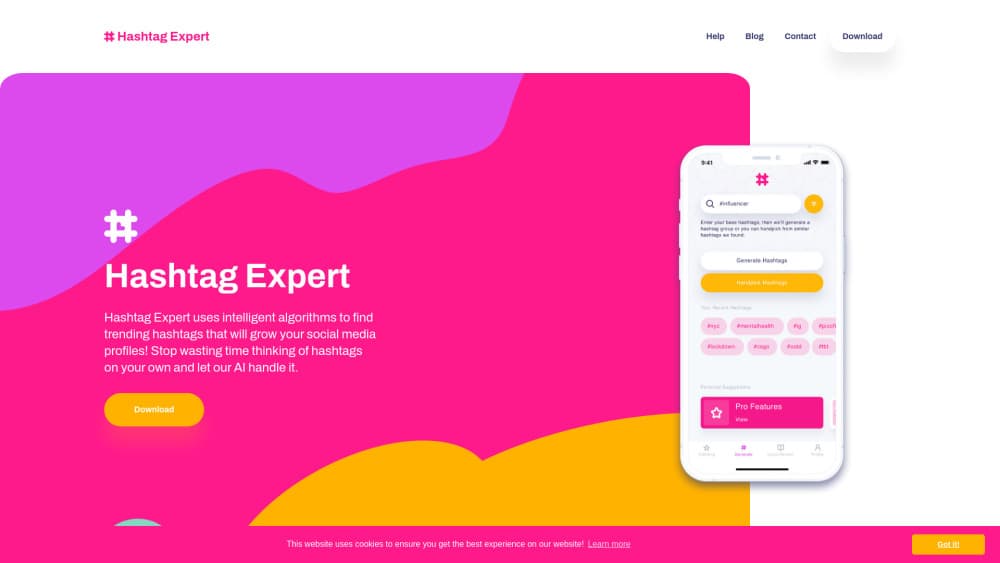
Hashtag Expert is a hashtag app for iPhone built around one loop: you type a keyword, it returns a group of tags you can paste into a post. The tag pool comes from millions of Instagram and TikTok data points, so suggestions lean on what people actually search and follow rather than on a static list someone wrote once.
The app has widened past tags. You get an AI caption generator for the days when the blank box wins, posting time suggestions pulled from follower activity, curated tag packs for holidays and events, and hashtag analytics that show post counts and predict how a set will perform. A custom keyboard puts the same tag library inside Instagram and TikTok, which saves the copy and paste shuffle if you post straight from your phone.
The limits sit in the platform. There is no Android build, no web app, no desktop version, and no API. The generator also sits behind a subscription, so downloading the app for free gets you a look rather than a working tag workflow. Analytics measures hashtag data, not your own account insights, so treat it as a planning tool and not a reporting dashboard.
Getting Started
- Download Hashtag Expert from the App Store and create an account or sign in.
- Pick a subscription plan, then choose a category from the 35 niches the app covers.
- Type the keyword or base hashtag that describes the post, then adjust the copy style if you want separators or extra formatting.
- Copy the generated group into your post, or use the Hashtag Expert keyboard to insert tags without leaving Instagram or TikTok.
Product Information
A quick look at Hashtag Expert's pricing, supported platforms, and performance.
Best for
The users, tasks, and scenarios where this tool fits best.
Users
- Solo creators and influencers
- Small business owners
- Social media managers running several accounts
- Freelancers and small agencies
Tasks
- Building an Instagram hashtag set or TikTok hashtags before a post
- Writing a caption that matches the tags
- Deciding when to publish
- Reusing a tag strategy across posts
Scenarios
- Launching a product or service on a new account
- Holiday and event campaigns
- Batch producing a week of content
Key features
Hashtag Generator Built on Instagram and TikTok Data
The core tool takes a keyword or base hashtag and returns a group drawn from millions of Instagram and TikTok data points. You can filter by category, then pick an algorithm style if you want the mix skewed toward reach or toward tighter niches. The output arrives formatted for pasting, so you don't spend time deleting stray characters before a post goes live.
AI Caption Generator
Captions cover the half of a post that hashtags can't. The AI caption generator produces draft text you can rewrite in your own voice, which helps on days when you know what the photo shows but not how to open the sentence. Treat the drafts as a starting point: the tone is generic until you edit it.
Best Time to Post Suggestions
The app looks at follower activity and suggests windows for publishing. For a small account that posts whenever editing finishes, that's a useful nudge toward a busier hour. It won't replace your own testing, since audience habits shift with season and format.
Curated Hashtag Packs for Holidays and Events
Seasonal packs cover dates from Thanksgiving through New Year's, plus wider moments that trend on social feeds. When a holiday lands, you get a ready list instead of guessing which tags are current. Packs refresh often enough that last year's saved group isn't your only option.
Hashtag Analytics and Success Prediction
Analytics shows post counts per tag and predicts how a set is likely to perform, with graphs for the numbers that matter. That's a planning signal: it tells you whether a tag is crowded or open. It doesn't pull your account's own reach or engagement figures, so it fills a different slot than Instagram Insights.
Custom Keyboard for Tagging in Other Apps
The Hashtag Expert keyboard puts the tag library inside Instagram, TikTok, or any app with a text field. You search, tap, and the tags land in the caption. It's the fastest path if you publish from your phone, and it keeps you from bouncing between two apps mid-post.
Collections and Copy Formatting
Favourites and collections hold the groups you use often, sorted by brand, niche, or campaign. Copy settings control separators, line breaks, and formatting so a tag block arrives the way your caption needs it. If you manage more than one account, this is the part that keeps each one consistent.
Pros and cons
Pros
- Tag suggestions come from live Instagram and TikTok data, not a fixed list written years ago.
- 35 categories cover narrow niches such as dance, photography, and cooking, which matters for local businesses.
- Captions, tag research, and posting times sit in one app, so a post gets planned in a single pass.
- The custom keyboard cuts the copy and paste loop when you publish from your phone.
- Collections and copy settings make a repeatable tag strategy practical across accounts.
Cons
- iPhone only. There's no Android app, web version, or desktop tool, so a mixed team can't share the workflow.
- The generator needs a subscription. The free download shows the app but doesn't hand you a working tag set.
- No API and no scheduling. You still paste tags and publish by hand, which adds friction to a multi-post week.
- Hashtag analytics measures tag data, not your account performance, so it won't show your actual reach or saves.
Frequently asked questions
It generates hashtag groups from a keyword and adds captions, posting time suggestions, and tag analytics. Think of it as a planning app for Instagram and TikTok posts rather than a publishing tool.
Related content
Explore related tools, skills, and articles for Hashtag Expert.
Hashtag Expert Alternatives

ngram 2.0
ngram · Video · Marketingngram 2.0 is an AI video generator for teams. It turns a prompt, a screen recording, or a product URL into a narrated explainer, product demo, or AI avatar video, and every scene stays editable.

shippedit.me
Krawlup · Marketing · Businessshippedit.me now redirects to Krawlup, a web platform that audits SEO, AEO and page speed every week, then hands the fixes to AI coding agents over MCP.

MePersona
MePersona, Inc. · Writing · Productivity · MarketingMePersona is an AI unified inbox for creators. It learns your voice, drafts replies to fan messages from 12 platforms, and sends only what you approve.