

hasl.ink
hasl.ink · Coding
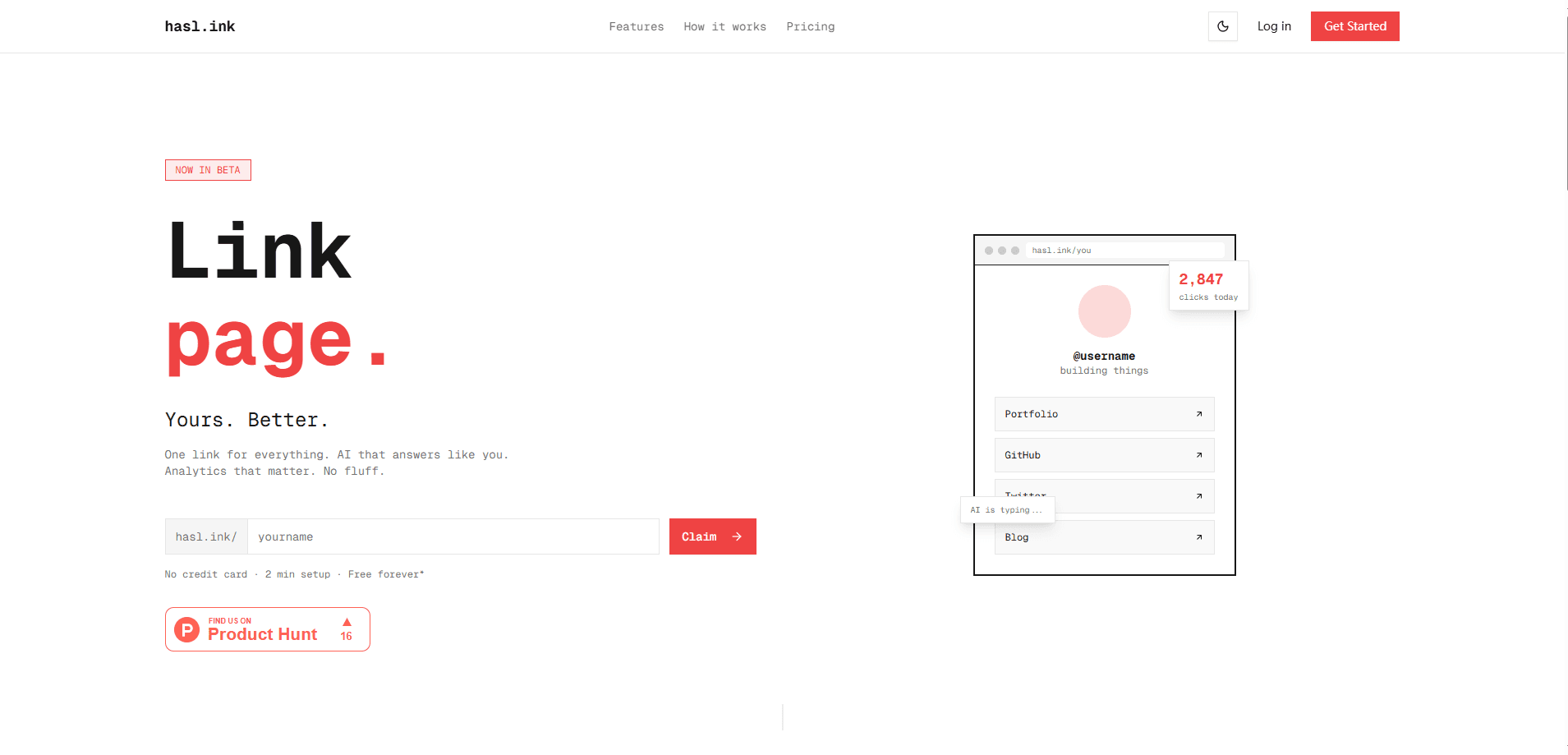
hasl.ink is an AI link in bio platform that turns a plain list of URLs into a page that answers questions for you. Alongside the usual links and socials, it adds an AI persona chat that replies to visitors in your voice, a full analytics dashboard that stays free, and a design studio you describe in words. Creators, freelancers, and small sellers use it. The pitch is simple. Most link pages just sit there. This one talks back.
About hasl.ink
What Is hasl.ink
hasl.ink is a web-based link in bio service built around a simple idea: most link pages are mute. You drop a few URLs, visitors tap one, and you never learn what they wanted. This one adds an AI chat layer on top, so the page can answer common questions about your rates, availability, or policies while you're offline.
The platform runs entirely in the browser. You claim a name like hasl.ink/you, paste your links, and write a short plain-text knowledge base the AI draws from. That knowledge base is the limit of what the chat knows, so it won't invent prices or make promises you never made. One toggle turns the AI off and gives you a normal link page back.
The catch is the same one every AI feature carries. Thin notes mean thin answers. There's also no standalone mobile app, so setup and edits happen on the web. And the AI chat only speaks from what you type, never from your connected accounts, so it can't pull live availability from a calendar on its own.
Getting Started
- Claim your name at hasl.ink/you using Google or an email magic link. There's no password to set.
- Add links and socials. Paste the URLs and the tool fetches the previews for you.
- Write a few FAQ answers in plain text so the AI persona has something to work from.
- Pick a theme by describing it, or start from a free one and adjust the colors and fonts by hand.
- Share the link or the QR code, then watch clicks show up in the analytics dashboard.
Product Information
A quick look at hasl.ink's pricing, supported platforms, and performance.
Best for
The users, tasks, and scenarios where this tool fits best.
Users
- Freelancers who field the same pricing questions daily
- Creators with several links to share
- Small shop owners
Tasks
- Answering routine visitor questions
- Tracking which links earn clicks
- Styling a page without a designer
Scenarios
- Sharing one link in an Instagram or TikTok bio where you can't post several URLs.
- Leaving the page running overnight so late-night visitors still get answers.
- Testing a new offer by pointing people to a single link and reading the results the next day.
Key features
AI Persona Chat
You write a plain-text knowledge base once, covering things like rates, availability, and policies. The AI then answers visitor questions in your voice, grounded only in what you wrote, so it won't make up a price. It recommends your own links inside its replies too, handing a visitor the commission form or the shop page the moment they ask about it. You read every conversation in your dashboard.
Free Full Analytics
The dashboard shows clicks per link, page views, devices, browsers, top referrers, and geography, with time-series charts that go down to 5-minute intervals. On many link in bio tools, real analytics sit behind a paid tier, so a free plan often means guesses. Here they're included from the start. That makes the page a feedback loop, not just a menu.
AI Design Studio
Describe a vibe in a sentence, like "neon cyberpunk, high contrast," and the studio generates a full theme with backgrounds, colors, link styles, and fonts. Every palette gets checked for WCAG contrast, so the page stays readable rather than merely loud. Tweak anything by hand or export the theme as JSON.
Talk-to-Your-Page Setup
The three-step flow is short by design: claim a name, add links, share it. Claiming doesn't need a password at all. Sign in with Google or an email magic link and you're in. Why does that matter? Because the boring parts are exactly where most people quit. Pasting a URL pulls the preview automatically, which saves the fiddly work of adding titles and images by hand.
Knowledge-Base Grounding
The chat only speaks from the knowledge base you provide, which keeps answers accurate and on-brand. Answers are visible to you afterward. One toggle turns the AI off if you'd rather run a plain link page. Grounding is what makes the chat trustworthy rather than a liability, and it's the difference between a tool you'd leave running and one you'd nervously switch off.
Pros and cons
Pros
- Per-link clicks, referrers, and geography ship free, which many competitors charge for.
- The AI chat replies in your voice and stays inside the facts you supply.
- A prompt-to-theme studio removes the need for design skills.
- Setup takes about two minutes and skips passwords entirely.
- You can switch the AI off and get an ordinary link page at any time.
Cons
- The AI is only as useful as your written knowledge base, so thin notes give thin answers.
- There's no mobile app, so edits happen in a browser.
- The chat can't pull live data from other tools you use, since it only reads what you type.
- Free-tier AI chat caps at 100 messages a month, which heavy pages will outgrow.
Frequently asked questions
It replaces a standard link in bio page with one that can answer visitor questions. You still list your links, but an AI chat handles routine queries like pricing and shipping so you don't have to reply to each one.
Related content
Explore related tools, skills, and articles for hasl.ink.
hasl.ink Alternatives

Base Code
Base44 (Wix) · Coding · ProductivityBase Code is a shared cloud development environment from Base44. Teammates describe changes to an existing GitHub codebase in chat, preview them live and send them back as pull requests.

Google EmbeddingGemma 2
Google DeepMind · Writing · Image · CodingGoogle EmbeddingGemma 2 is a 740M-parameter open model that turns text, code, images, audio, and video frames into vectors in one 768-dimension space, running on phones and laptops.

GitGlow
GitGlow · Coding · ProductivityGitGlow is a local-first desktop Git client that lets independent developers review their own code and their AI agents' changes in one place before shipping.