

Haye AI
Boring Design · Writing
Haye AI is a macOS AI assistant that puts GPT, Claude, Gemini, and DeepSeek behind one keyboard shortcut, so you can summarize, translate, and rewrite text inside any app.
About Haye AI
What Is Haye AI
Haye AI is an AI chat app for Mac, built by the design studio Boring Design. It sits above your other applications and answers from a shortcut instead of a browser tab. The pitch is simple: keep the AI where the work already happens.
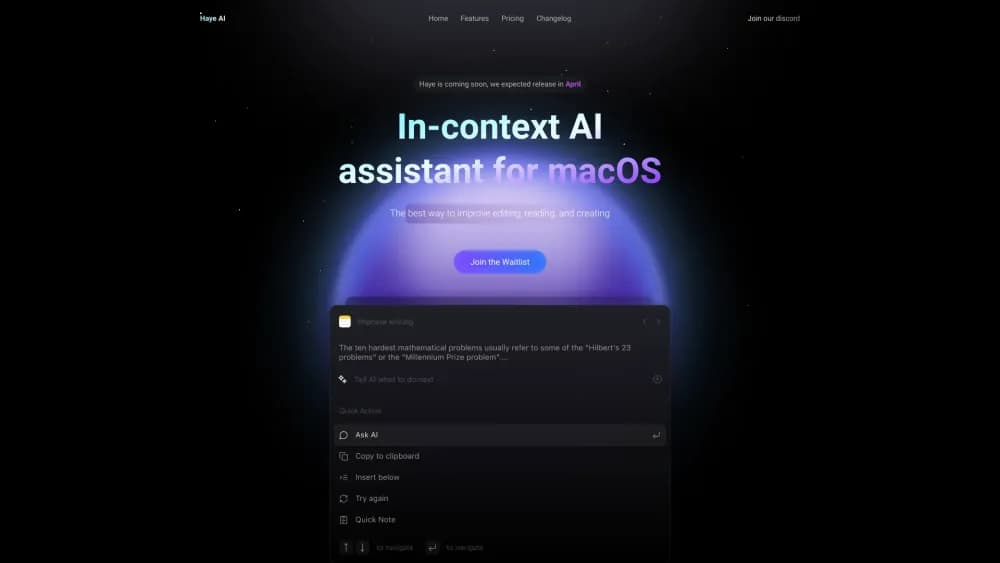
Most people who use AI at a desk juggle three or four chat windows and copy text back and forth. Haye removes that loop. Select a paragraph in Mail, hit Command + E, and the assistant reads the selection, offers an action, and returns the result in place. The same shortcut opens a normal chat window when you want to think something through.
The limits matter as much as the features. There's a macOS version only, and the team says ports to other systems will come slowly. There's no public API for developers, and no free tier beyond a quota-limited trial. Anyone on Windows or Linux can't use it today.
Getting Started
- Download Haye from the official site or the Mac App Store, then install it on your Mac.
- Create an account on first launch and pick a plan: the free trial, Haye Lifetime, or Haye Pro.
- Press Command + E to open the assistant, or select text in any app and use the same shortcut.
- Choose a task such as summarize, translate, or rewrite, or type your own prompt.
- Add your own model keys in Settings if you want to route requests through Gemini, Claude, OpenAI, DeepSeek, or OpenRouter.
Product Information
A quick look at Haye AI's pricing, supported platforms, and performance.
Best for
The users, tasks, and scenarios where this tool fits best.
Users
- Mac-based writers and editors
- Students and researchers
- Privacy-conscious professionals
Tasks
- Summarizing long PDFs and reports
- Rewriting emails and messages
- Translating while you read
- Comparing model answers
Scenarios
- Reading a research paper on a deadline
- Working through a inbox backlog
- Quick lookups during focused work
Key features
One Shortcut Across Every App
Command + E calls Haye from anywhere on the desktop, including inside text fields. Select a sentence and the assistant offers actions for it. That system-level placement is the main reason people choose it over a web chat.
Multiple Frontier Models in One Window
Haye connects to GPT, Claude, Gemini, and DeepSeek class models and lets you switch between them without separate subscriptions. You can also send the same prompt to several models and compare answers in a split view. Model availability shifts over time, so check the current list before you buy.
Chat With PDFs and Local Files
AI PDF chat lets you open a PDF or local document and ask questions about it in plain language. This works well for contracts, papers, and long reports where you need a specific clause or figure. The answer stays grounded in the file you loaded, which cuts down on invented details.
AI Search With Source Links
The assistant can search the web and return answers with links to the pages it used. That makes it easier to check a claim before you repeat it. Results arrive in the same window as your chat, so you don't lose the thread.
Writing, Reply, Translate, and Summarize Tools
Four built-in actions cover most daily text work: draft something new, suggest a reply, translate a passage, or compress a long document. The AI summarizer handles reports that run to dozens of pages. Each runs on the current selection, which keeps the editing loop short. The AI writing assistant is the part most users touch first.
Custom Models and Rules
You can plug in your own keys for OpenAI, Anthropic, Google, DeepSeek, or OpenRouter and pay those providers directly. A rules panel lets you set standing instructions for tone, format, and language. Together they turn a general chat app into something closer to your own setup.
Pros and cons
Pros
- The Command + E shortcut removes the copy-and-paste step that slows down most AI workflows.
- One app covers several premium models, which can cost less than stacking separate subscriptions.
- Haye Lifetime at $19.99 is a one-time payment with no renewal, and it includes custom model configuration.
- Custom API keys let you use your own provider accounts and keep billing transparent.
- The company states it has no access to the content users generate, which matters for confidential drafts.
Cons
- macOS only, so Windows and Linux users are locked out with no clear release date for other platforms.
- No free tier. The trial has a time and quota limit, and the official FAQ confirms the product is paid only.
- No public API, which rules it out for teams that want to build Haye into their own tools.
- It's an Electron app with native components, so it can feel heavier than a fully native Mac utility.
Frequently asked questions
It's a macOS assistant for reading, writing, and translation. You call it with Command + E, and it works on whatever text you've selected or on files you load into the chat.
Related content
Explore related tools, skills, and articles for Haye AI.
Haye AI Alternatives

Google EmbeddingGemma 2
Google DeepMind · Writing · Image · CodingGoogle EmbeddingGemma 2 is a 740M-parameter open model that turns text, code, images, audio, and video frames into vectors in one 768-dimension space, running on phones and laptops.

MePersona
MePersona, Inc. · Writing · Productivity · MarketingMePersona is an AI unified inbox for creators. It learns your voice, drafts replies to fan messages from 12 platforms, and sends only what you approve.

Fluence
Yay Software (Yannick Huchard) · Writing · Voice & Language · ProductivityFluence is an Android app that reads PDFs, EPUBs, Word files and web articles aloud, follows each sentence as it speaks, and answers questions about the text on the phone itself.