

hCaptcha
Intuition Machines · Other
hCaptcha is a bot detection and CAPTCHA platform that protects websites and apps from automated abuse while keeping user data private.
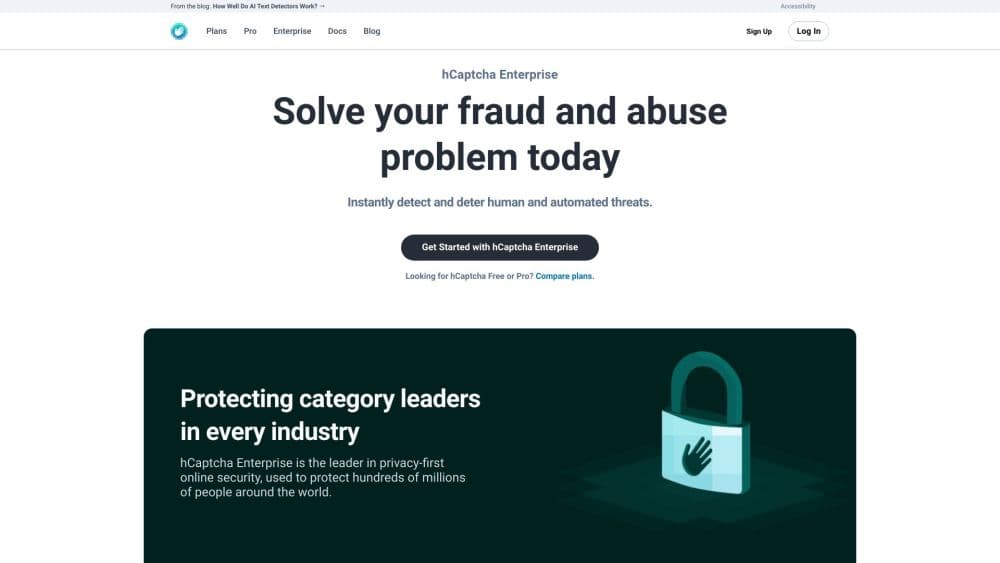
About hCaptcha
What Is hCaptcha
hCaptcha is an anti-bot platform built by Intuition Machines. Site owners drop a small widget into a signup, login, or checkout form, and hCaptcha decides in real time whether the visitor is a real person or an automated script. It's the largest independent CAPTCHA service of its kind, and it sits where Google's reCAPTCHA usually sits.
The pitch is privacy plus accuracy. hCaptcha scores each interaction without collecting personal information, so pages that handle sensitive data can still run a privacy-first CAPTCHA check. It also pays site owners a share of the challenge-solving work, which is why some sites that once used reCAPTCHA switched over.
The catch is that the free tier is built for straightforward bot blocking. The stronger tools, like risk scores, passive No-CAPTCHA mode, and fraud protection, live behind hCaptcha Enterprise and Pro plans, and the top tier is priced by quote rather than a posted number. If you're comparing hCaptcha pricing, the jump between the free and paid plans is really a jump in how much detection you get.
Getting Started
- Create an hCaptcha account in the dashboard, then copy your public sitekey and your secret key.
- Add the JavaScript SDK to your page and drop the widget container inside the form you want to protect.
- Verify the token server side by posting it with your secret to the hCaptcha siteverify endpoint.
- Test the flow with the provided test keys, then swap in your live keys before launch.
Product Information
A quick look at hCaptcha's pricing, supported platforms, and performance.
Best for
The users, tasks, and scenarios where this tool fits best.
Users
- Site owners
- Developers
- Privacy-focused teams
Tasks
- Stopping spam signups
- Protecting logins
- Filtering scraping bots
- Blocking payment fraud
Scenarios
- A growing web app adding a bot check
- A store checking out carts
- A team migrating off reCAPTCHA
Key features
Drop-in CAPTCHA Widget
The core of hCaptcha is a challenge widget that goes inside any HTML form. When a visitor passes, the script adds an h-captcha-response token that your server checks. It supports visible, invisible, and checkbox modes, so you pick how much friction users see.
reCAPTCHA-Compatible Switch
hCaptcha's methods line up with reCAPTCHA's, including render() and onload(), and it reads the same theme and size attributes. That means a site already using Google's tool can move over with only a few code changes instead of a rewrite.
Server Side Token Verification
Every token gets checked against the siteverify endpoint before you trust it. Tokens are single use and expire quickly, and you can pass the visitor's IP to improve accuracy. This is what stops a faked frontend callback from unlocking a protected action.
Passive No-CAPTCHA Mode
On higher plans, hCaptcha can run passively and challenge fewer than 0.1% of real users. Most visitors pass without seeing anything. That keeps a checkout or login flow moving while the platform still scores the traffic behind the scenes.
Risk Scores and Fraud Models
Pro and Enterprise plans return a risk score alongside the pass or fail result, drawn from behavioral signals rather than browser fingerprints. For payment and account security teams, that score drives decisions beyond a simple block.
Built-in Accessibility
hCaptcha ships options that meet WCAG 2.1, including text-based challenges and a passive accessibility system. Site owners who need an auditable accessibility path can request a VPAT, which matters for public sector and regulated work.
Mobile and Framework Integrations
Native SDKs cover iOS and Android, and ready-made integrations exist for React, Vue, Angular, WordPress, Node, and Express, among others. A team rarely builds the widget from scratch.
Enterprise Controls and SSO
Enterprise adds multi-user dashboards, SAML SSO through providers like Okta and Azure AD, fine-grained difficulty levels, and first-party hosting so requests go to your own subdomain. Those controls fit larger organizations that need shared management and stricter data routing.
Pros and cons
Pros
- The free plan is genuinely usable, with world-class bot protection and no credit card required to start.
- It's a real reCAPTCHA alternative: the API and attributes match, so migration is a few lines of code rather than a rebuild.
- A privacy-first design means sites can run bot checks without collecting personal data, which helps with GDPR and CCPA work.
- Passive mode on paid plans keeps friction near zero for real users while still scoring traffic.
- Broad framework and mobile SDK support cuts the build time for common stacks.
Cons
- The strongest features, like risk scores and No-CAPTCHA mode, sit behind Pro and Enterprise, so the free tier is basic blocking only.
- Enterprise pricing isn't posted, so a team that needs the top tier has to talk to sales before it can budget.
- The free plan charges nothing but still expects you to handle server side verification correctly, and a sloppy setup leaves a gap attackers can use.
- As a hosted service, you depend on hCaptcha staying reachable, so an outage on their side stalls any protected form.
Frequently asked questions
hCaptcha blocks bots and automated abuse on websites and apps. Site owners add a widget to forms like signup, login, or checkout, and hCaptcha decides whether the visitor is a real person before the form is allowed through.
Related content
Explore related tools, skills, and articles for hCaptcha.
hCaptcha Alternatives

Odyssey 3
Odyssey · OtherOdyssey-3 is Odyssey's foundation world model. It simulates physics in real time, turns a prompt into an interactive environment, and adapts to robots, cars and games.

JarvisCore
Prescott Data · Coding · Productivity · OtherJarvisCore is an open source Python runtime where AI agents work as equal peers on an agent mesh, claim tasks from a shared ledger, and reach external services through a zero-trust broker.
Clef
Cloudflare · Business · OtherClef is Cloudflare's open-source decision model for Workers AI. It returns calibrated probabilities for typed questions, not generated text, so agents can classify, route, and act fast.