
Hearless: Voice Note to Text
Talha Dev · Writing · Voice & Language
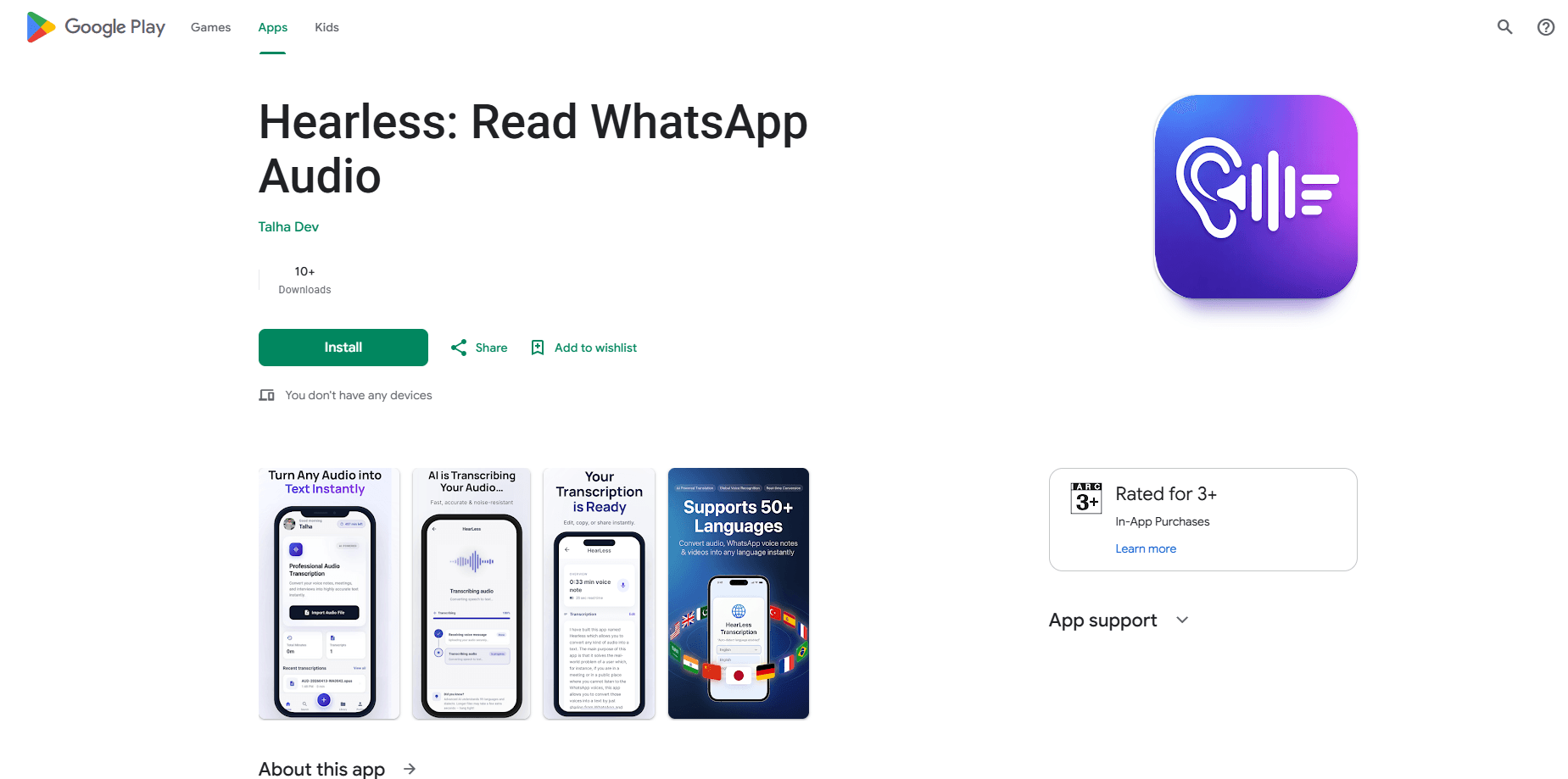
Hearless is an Android app that converts WhatsApp voice notes into text you can read in seconds, which means you can finally handle a long message when you can't listen. Instead of replaying a two-minute message, you share it to Hearless and get a clean transcript.
About Hearless: Voice Note to Text
What Is Hearless
Hearless is a speech to text app built by Talha Dev. It focuses on one job. Turning audio messages into readable text so you never have to listen again. The app works from the Android share menu. That means it fits into WhatsApp, WhatsApp Business, Telegram, Instagram, and Signal without any setup. A single share action sends the audio to the app and returns a punctuated transcript. It runs transcription on its own servers, which keeps accuracy high and the install size small. Because your audio never sits on the phone, the app stays light while the heavy work happens remotely.
Beyond messaging apps, Hearless handles audio and video files too. You can drop in MP3, WAV, M4A, OGG, AAC, FLAC, and MP4 files for lectures, interviews, podcasts, or meeting recordings. Every transcript is saved to a personal library you can search later. The app supports 65 languages and adds a Roman script option for languages like Urdu, Hindi, Punjabi, Arabic, and Persian, so the text comes back in the letters you read fastest. Reading a voice message quietly on a train or in a shared office becomes simple. Copying the text takes one tap.
Getting Started
- Install Hearless from the Android app store and sign in with a free Google account.
- Open WhatsApp or another messaging app and long-press the voice note you want to read.
- Tap Share and choose Hearless from the list of apps.
- Wait a few seconds while the audio is transcribed, then read the text on screen.
- Copy the transcript, share it onward, or find it later in your library.
Product Information
A quick look at Hearless: Voice Note to Text's pricing, supported platforms, and performance.
Best for
The users, tasks, and scenarios where this tool fits best.
Users
- People who receive long voice notes they can't listen to right away
- Students turning recorded lectures into readable notes
- Journalists and researchers transcribing interviews
- Anyone who reads faster than they listen
Tasks
- Converting WhatsApp voice messages into text
- Transcribing audio and video files like MP3, WAV, or MP4
- Writing Urdu, Hindi, Punjabi, Arabic, or Persian voice notes in Roman script
- Searching old transcripts by keyword
Scenarios
- Reading a voice note during a meeting without breaking focus
- Listening-free review of messages on public transport or in a quiet office
- Keeping a searchable record of interviews and voice memos
- Following family voice notes sent in a language you speak but don't read easily
Key features
Share Menu Transcription
Hearless plugs into the Android share menu. There's no import screen to learn. You long-press a voice message in WhatsApp or another app, tap Share, and pick the app. It returns a clean, punctuated transcript without replaying or rewinding the audio. The same route works for WhatsApp Business, Telegram, Instagram, and Signal.
65 Languages With Auto-Detect
The app transcribes speech in German, English, Turkish, Arabic, Urdu, Hindi, Spanish, French, Portuguese, Russian, Polish, Italian, Dutch, and more than 50 others. Auto-detect handles mixed-language speech, so a message that switches between two languages still comes back correct. What if a friend mixes two languages mid-message? No problem. You don't need to pick a language before sharing. That takes the guesswork out of every message.
Roman Script for Non-Latin Languages
This is where Hearless stands apart. Voice notes in Urdu, Hindi, Punjabi, Arabic, or Persian can be returned in Roman script instead of the native alphabet. So if you speak the language but read Latin letters more comfortably, the transcript becomes far easier to scan. A "Show Original" option lets you switch back to the native script at any time.
Audio and Video File Import
Messaging apps are just the start. Hearless transcribes MP3, WAV, M4A, OGG, AAC, FLAC, and MP4 files, covering lectures, interviews, meeting recordings, voice memos, and podcasts. You can feed it files from a recorder or a file manager, and the output looks the same as a shared voice note. That makes the app a fit for anyone who already records long audio and wants it in text.
Silent Reading Anywhere
Hearless lets you read a voice message instead of playing it. No need for earphones, no speaker, and no awkward playback at full volume. Ever been stuck on a packed bus with a three-minute voice note? You can catch up on messages on public transport, in an open-plan office, or next to a sleeping baby without disturbing anyone. Nobody gets woken up, and you don't miss the details.
Searchable Transcript Library
Every transcription is saved to your library. You can search your history by keyword, revisit old transcripts, and copy any text to the clipboard with one tap. Over time, the library becomes a searchable record of everything you've turned into text. That record stays with your account, so it follows you to a new phone.
Pros and cons
Pros
- Works directly from the Android share menu with no import step
- Supports 65 languages, including auto-detect for mixed speech
- Roman script output for Urdu, Hindi, Punjabi, Arabic, and Persian
- Handles audio and video files, not just messaging voice notes
- Free to download with a searchable transcript library
Cons
- Requires an internet connection because transcription runs on the company's servers
- Android only, with no iOS version available
- The free tier starts with just one minute of transcription
- The site lists no public API for developers
Frequently asked questions
Hearless is free to download and includes one free minute of transcription so you can test accuracy on your own audio. After that you can earn more minutes by watching a short rewarded ad or buy a minutes pack. There's no silent cap and no surprise paywall mid-transcript, and you always see exactly how many minutes you have left before you start a new message.
Related content
Explore related tools, skills, and articles for Hearless: Voice Note to Text.
Hearless: Voice Note to Text Alternatives

Google EmbeddingGemma 2
Google DeepMind · Writing · Image · CodingGoogle EmbeddingGemma 2 is a 740M-parameter open model that turns text, code, images, audio, and video frames into vectors in one 768-dimension space, running on phones and laptops.

MePersona
MePersona, Inc. · Writing · Productivity · MarketingMePersona is an AI unified inbox for creators. It learns your voice, drafts replies to fan messages from 12 platforms, and sends only what you approve.

Fluence
Yay Software (Yannick Huchard) · Writing · Voice & Language · ProductivityFluence is an Android app that reads PDFs, EPUBs, Word files and web articles aloud, follows each sentence as it speaks, and answers questions about the text on the phone itself.