

Help.center
micro.company · Marketing · Chatbot
Help.center is an AI knowledge base and chatbot that answers customer questions instantly. It gives your team a self-service help site and a shared support inbox.
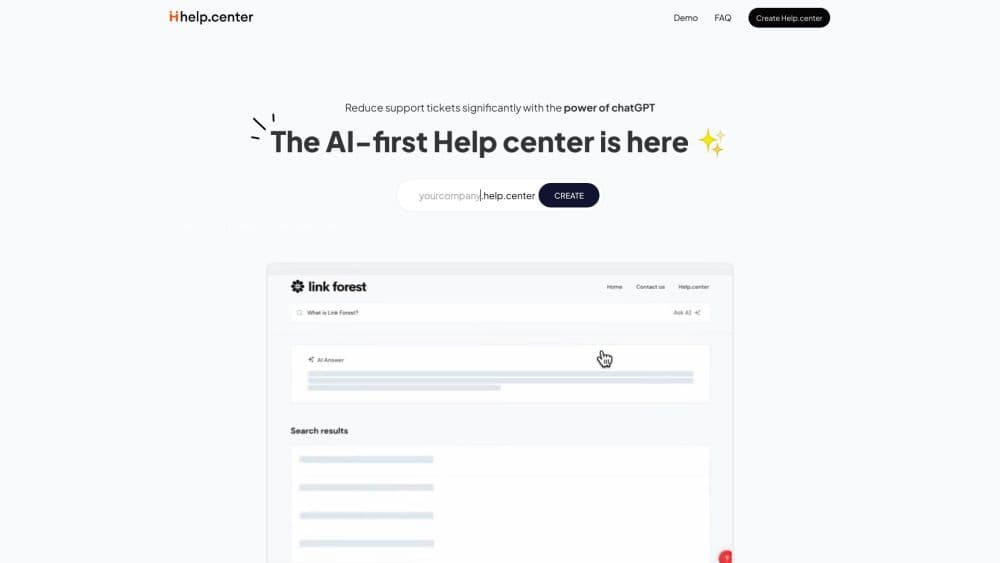
About Help.center
What Is Help.center
Help.center is an AI chatbot for customer support that turns your help articles into an assistant. It's customer support software built around the docs you already have. You get a self-service help center at yourcompany.help.center, plus a chat widget you can drop on any site. Both pull their answers from the same articles, so a fix in one place improves every channel.
The goal is support ticket deflection: answer the routine questions before they become tickets. Customers search or chat, the AI summarizes the relevant article, and only the tough cases reach a human. That leaves your team working on the issues that actually need a person.
Two limits are worth knowing. The AI only knows what you feed it, so thin articles mean thin answers; quality tracks your documentation. And the deeper features, more AI answers, custom domains, and branding removal, sit behind paid plans. The free tier covers a basic public site.
Getting Started
- Sign up at dashboard.help.center and create your help center. It takes an email and no payment details.
- Add articles with the built-in editor, or import existing content from Intercom, Zendesk, Crisp, or Freshdesk in one click.
- Arrange articles into categories and pick a color scheme that matches your brand.
- Turn on AI search and copy the chatbot widget snippet onto your site so customers can ask questions in chat.
- Share the link or connect a custom domain, then manage incoming conversations from the shared inbox.
Product Information
A quick look at Help.center's pricing, supported platforms, and performance.
Best for
The users, tasks, and scenarios where this tool fits best.
Users
- Small support teams
- Solo founders and indie makers
- SaaS and ecommerce companies
Tasks
- Answering repeat questions
- Writing missing docs
- Importing an existing help center
- Managing support email
Scenarios
- Handling a traffic spike
- Supporting customers in other languages
- Keeping docs current through a coding assistant
Key features
AI Knowledge Base
Your help center becomes a searchable site that answers questions instead of just listing articles. AI search reads a customer's query, finds the relevant pages, and returns a summarized answer at the top of the results. It runs 24x7, so a customer at 2 a.m. gets the same help as one at noon. The knowledge base is mobile and SEO friendly, which matters because many people find help pages through a search engine first.
AI Support Chatbot
The chatbot is a widget you add to your website or product dashboard. Customers ask a question, the AI finds matching articles, and it replies with a clear summary in a chat window. If the AI can't help, the customer can request email support without leaving the conversation. The widget needs no drag-and-drop builder or coding: it learns from your articles automatically.
One Shared Team Inbox
When the AI hits its limit, the conversation moves to a shared email inbox your team works from. Agents reply to tickets, assign them to teammates, and resolve them in one place. Everything that started in the chatbot stays connected to the same thread, so a customer never has to repeat themselves.
Multi-language Answers
The chatbot answers in the language your customers write in, so a small team can support an international audience without hiring for every market. You document once and let the AI handle the rest of the conversation.
AI FAQs and Content Gaps
Custom FAQs are short question-and-answer pairs you add on top of your articles. They sharpen the AI on questions you see often and cut down on wrong answers. Separately, the platform scans customer conversations to flag the questions nothing covers, which turns your support log into a to-do list for new articles.
Agent Skill for Doc Updates
The Agent Skill connects Help.center to AI coding assistants such as Claude Code and Codex. From the terminal, an assistant can create, update, and publish articles without opening a dashboard. It's a fit for software teams who let docs drift because writing them means switching tools.
Pros and cons
Pros
- The free plan publishes a real public knowledge base, so you can test the product before spending anything.
- AI search and the chatbot share one article set, so a single edit improves both the website and the widget.
- The shared inbox means you don't pay separately for a ticket system.
- One-click import from Intercom, Zendesk, Crisp, and Freshdesk removes the migration grind.
- Flat pricing of $99/mo for the whole team means the cost doesn't climb as you add agents.
Cons
- AI answer quality depends entirely on your articles. Thin or outdated docs produce vague replies.
- The free plan caps AI answers at 50 per month, which a busy support queue will burn through fast.
- Custom domains and branding removal aren't available on the free tier, so a polished public site needs a paid plan.
- The platform leans on OpenAI models with no option to bring your own, which limits control over the underlying AI.
Frequently asked questions
Help.center builds an AI-powered help center for your business. It hosts a public knowledge base, adds a chatbot widget to your site, and gives your team a shared inbox. Customers get instant answers, and the questions the AI can't solve reach a person.
Related content
Explore related tools, skills, and articles for Help.center.
Help.center Alternatives

ngram 2.0
ngram · Video · Marketingngram 2.0 is an AI video generator for teams. It turns a prompt, a screen recording, or a product URL into a narrated explainer, product demo, or AI avatar video, and every scene stays editable.

shippedit.me
Krawlup · Marketing · Businessshippedit.me now redirects to Krawlup, a web platform that audits SEO, AEO and page speed every week, then hands the fixes to AI coding agents over MCP.

MePersona
MePersona, Inc. · Writing · Productivity · MarketingMePersona is an AI unified inbox for creators. It learns your voice, drafts replies to fan messages from 12 platforms, and sends only what you approve.