

Helploom
Helploom · Marketing · Leaning
Helploom is a customer support platform built for solo founders and small teams who don't want to pay per agent or per message. It bundles unlimited live chat, an unlimited help center, and an AI agent that answers from your own knowledge base. Pricing starts free and tops out at $59 per month, which puts it well below most mainstream help desk tools.
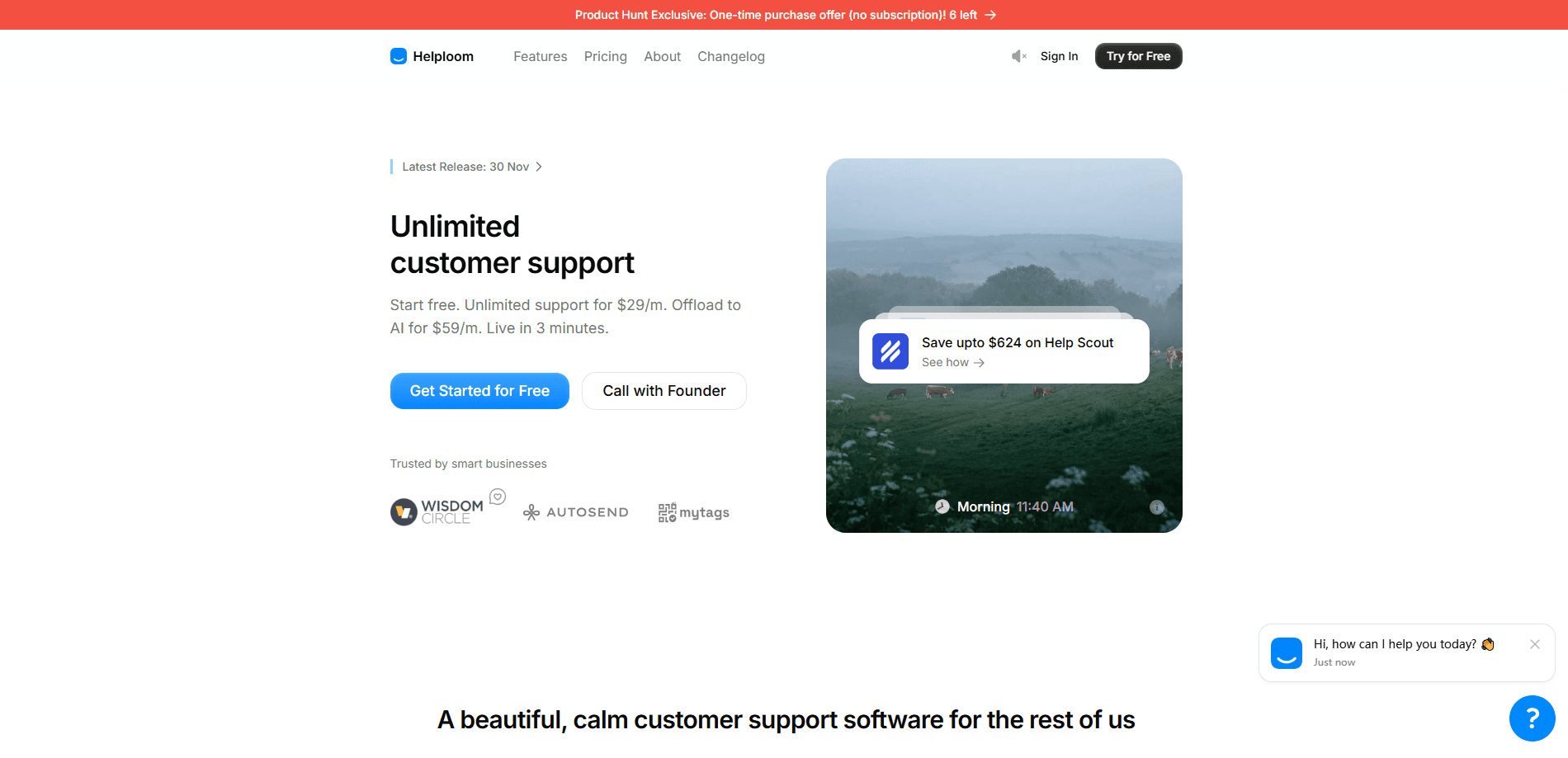
About Helploom
What Is Helploom
Helploom is a customer support tool that handles live chat, a self-serve help center, and AI-assisted replies in one dashboard. The team behind it pitches it as the calm alternative to bloated help desks, and the pricing backs that up: no per-agent seats, no per-customer billing, no message caps on the chat side.
The problem it targets is growth tax. Most support tools charge more as your team or your user base grows, so a small business gets punished for succeeding, and the bill keeps climbing even when nothing about your workflow has actually changed. Helploom charges flat. If you run a two-person startup or a one-person shop, that difference shows up fast in the monthly bill.
The main limit is scope. This isn't a heavy enterprise suite with complex routing, deep CRM integrations, or advanced reporting. If you need multi-brand workspaces or custom SLAs, you'll outgrow it. For everyday chat and self-serve answers, it covers the basics without the clutter. As an AI customer service layer for a lean team, that trade-off usually works in your favor.
Getting Started
- Create your Helploom account and pick a workspace name (no credit card needed on the free plan).
- Set up your channels: configure the chat widget and, if you're on a paid plan, add your custom email domain.
- Customize the widget's colors, greeting text, and position so it matches your site.
- Paste the copy-paste snippet into your website. It loads at roughly 0.5 KB, so it won't slow your pages.
- Write a few help center articles, then invite your teammates and start answering conversations in the shared inbox.
Product Information
A quick look at Helploom's pricing, supported platforms, and performance.
Best for
The users, tasks, and scenarios where this tool fits best.
Users
- Solo founders
- Small support teams
- Bootstrapped startups
Tasks
- Answering website visitors in real time
- Deflecting repeat questions
- Handling after-hours questions
Scenarios
- Launching your first support channel
- Running support without a dedicated hire
- Keeping support costs predictable while growing
Key features
Unlimited Live Chat
Helploom doesn't cap your chat. There are no disappearing messages, no tiers, and no per-user billing on the chat side. You add the widget once and every visitor can start a conversation. No counting. No surprises at the end of the month. For teams that expect spiky traffic, like a product launch or a sale, that removes a whole category of worry, because the busiest day of your year costs exactly the same as the quietest one.
Unlimited Help Center
You get a help center with articles, collections, and built-in search, with no content limits on paid plans. Customers can look up answers themselves instead of waiting in a queue, which cuts down on repeat tickets and frees your team to spend their time on the questions that actually need a human brain. The free plan includes the core help center essentials.
AI Agent for 24/7 Support
The AI agent learns from your knowledge base and answers questions on its own, then hands off to a person when it can't. Think of it as an AI chatbot for support that never clocks out. It runs around the clock, which matters if your customers are in different time zones, and it keeps working while your team sleeps. The Plus plan includes 5,000 AI messages per month and a 250 MB knowledge base that accepts PDFs, docs, and URLs. So how often do your customers wait hours for a reply?
Shared Team Inbox
Everyone works from one inbox rather than juggling separate tools. You can invite unlimited teammates on paid plans, so a growing team doesn't mean a growing bill. One inbox. Everyone in it. Email notifications keep people informed when a customer sends a new message, so nobody misses a thread just because they stepped away from the dashboard for a few hours.
Slack and Email Notifications
Helploom connects to Slack so your team gets pinged when a conversation needs attention, even if nobody has the dashboard open and everyone is heads-down on something else. Paid plans add a custom email domain, which makes replies look like they come from your own brand.
Quick, Lightweight Setup
Installation is a single snippet you paste into your site, and the widget loads at about 0.5 KB. That's tiny. Small enough that it won't noticeably affect page speed. Helploom says most setups take under three minutes.
Customizable Chat Widget
You control the widget's look, including colors and greeting, so it blends with your site instead of sticking out. Small details matter. The chat box is often the first thing a visitor interacts with, and a widget that clashes with your branding sends a subtle signal that the rest of the experience might be just as careless.
Pros and cons
Pros
- Flat pricing with no per-agent or per-message fees on chat, so costs stay predictable as you grow.
- Unlimited live chat and unlimited help center content on paid plans.
- AI agent answers 24/7 from your own knowledge base and escalates to humans.
- Fast setup via a copy-paste snippet with a small footprint.
- Free plan is genuinely usable, with 30 active threads, 3 seats, and no credit card.
Cons
- No public API listed, so teams that need custom integrations may hit a wall.
- The free plan caps you at 30 active threads and 3 team seats, which is tight once volume picks up.
- Lighter on enterprise features like advanced routing, reporting, and multi-brand support, so large support orgs will outgrow it.
Frequently asked questions
Helploom is customer support software for live chat, a self-serve help center, and AI-assisted answers. It's aimed at small teams and solo founders who want support basics without enterprise bloat or per-seat pricing.
Related content
Explore related tools, skills, and articles for Helploom.
Helploom Alternatives

Emailwritr
Emailwritr · Writing · MarketingEmailwritr is an AI email copywriting tool built for affiliates, course creators, and online businesses that want more revenue from the list they already own. Instead of blank pages or generic chatbot prompts, this AI email writer generates welcome sequences, launch campaigns, cart recovery emails, and promo series from frameworks modeled on well-known direct-response copywriters. You connect your autoresponder, answer a few questions about your offer, and it writes the copy for you.

Prosp
Prosp · Writing · Voice & Language · MarketingProsp is an AI LinkedIn outreach tool built for agencies and sales teams, and it writes the message and the voice note in your own voice for each prospect so they actually reply. You connect your accounts, find leads, and let the AI draft and send personalized messages at scale, all from one inbox. It's built for people running outbound at volume. That's the whole pitch. Every touchpoint still has to feel human.

On Model
On Model · Image · MarketingOn Model is an AI fashion model tool that places your clothing on virtual models so online stores can get on-model product photos without booking a photoshoot. It runs as a Shopify app, letting you swap the model in an existing image, change backgrounds, and generate faces for cropped or headless shots. The goal is simple: match your product photos to your customers and stand out from competitors using the same supplier images.