

Hemory
Beautiful ONES Inc. · Voice & Language · Productivity · AI Assistant
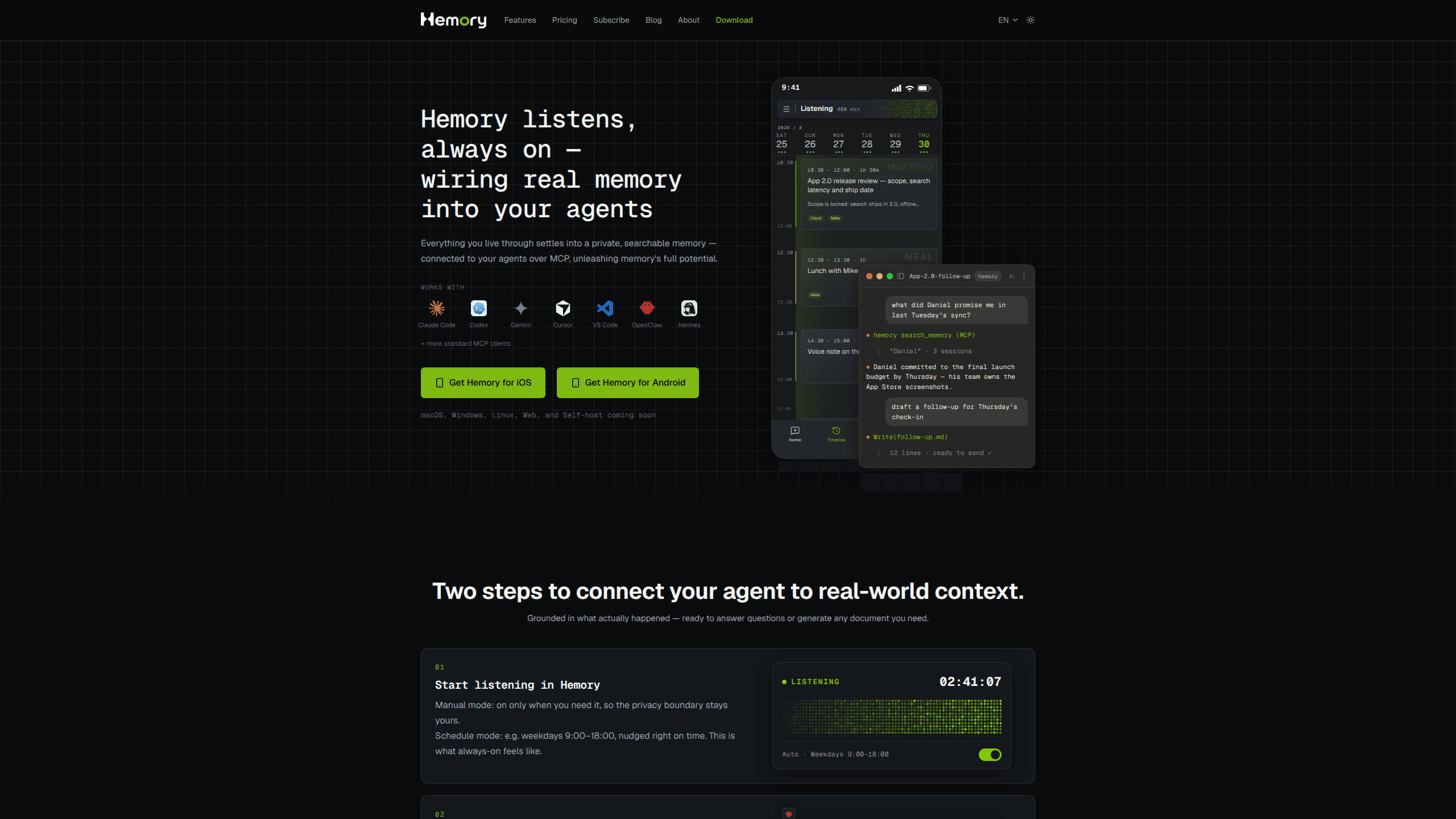
Hemory is an always-on AI memory app for iPhone and Apple Watch. It transcribes the conversations around you and lets AI agents search them over MCP.
About Hemory
What Is Hemory
Hemory is an always-on AI memory app from Beautiful ONES Inc. that keeps a searchable voice memory of the conversations around you. Leave it running on a phone or a watch, and it turns speech into transcripts, sorts the day into activities, and writes a summary that fits what happened.
Underneath the recording, it works as a personal memory assistant. What it heard is exposed through an MCP memory server, so Claude Code, Codex, or another agent can search your own past conversations and draft a report, a journal entry, or a document built on things you actually said. Chatbots still forget everything once a thread ends, which is the gap this fills.
Limits matter here. Hemory listens, so consent is your job: the people in the room should know a device is capturing, and local law decides what you may record. iPhone and Apple Watch run it today, Android and Wear OS are on Google Play, and macOS, Windows, Linux, a web app, and a self-hosted version are listed as coming soon. Hours are metered, and once the monthly quota runs out the app keeps listening but stops processing.
Getting Started
- Install Hemory from the App Store on iPhone or Apple Watch, or from Google Play on Android and Wear OS. The free trial includes 10 hours of listening and asks for no payment method.
- Sign in and choose a mode. Manual mode starts and stops when you tap; schedule mode covers a window such as weekdays from 9:00 to 18:00.
- Let it listen through a meeting or an afternoon out. Voice-activity detection skips silence, so only speech counts against your hours.
- Open the transcript to correct a name or a speaker label, then read the summary. Tapping a line replays that moment on the device that recorded it.
- Add the Hemory MCP server in your agent's settings, then ask that agent what it can find in your memory.
Product Information
A quick look at Hemory's pricing, supported platforms, and performance.
Best for
The users, tasks, and scenarios where this tool fits best.
Users
- Consultants and account managers
- Founders and product managers
- Journalists and researchers
- People who think out loud
Tasks
- Writing meeting notes
- Building a monthly report
- Keeping a journal
- Drafting a PRD
Scenarios
- All-day workshops
- Hands-free note taking on a commute
- Interview studies that stretch across weeks
Key features
Listening on iPhone and Apple Watch
Hemory records from the phone or straight from the watch, which uploads on its own. According to Hemory, an Apple Watch Ultra 3 or Series 11 supports about 10 hours of listening with no more than 30 percent extra battery use. A phone call pauses the session, and it resumes without a tap.
Manual and scheduled listening
Manual mode keeps the decision with you, since listening runs only while you leave it on. Schedule mode covers a recurring window, for example weekdays from 9:00 to 18:00, and nudges you at the start. Both feed the same timeline, so nothing is filed twice.
Transcripts in 100 languages
An AI transcription app lives or dies on the text it produces. Hemory returns a timestamped transcript with speaker tags and a cleaning pass that trims filler and fixes punctuation. The interface ships in nine languages, transcription covers a hundred, and tapping a line plays that moment back on the device that captured it.
A day split into activities
The app sorts what it heard into six activity types: meeting, work, meal, social, learning, and chit-chat. Classification comes from the conversation itself, so there's nothing to tag by hand. You get a timeline you can scan in a minute instead of a wall of text.
Summaries that match the activity
A meeting gets structured minutes with an agenda, decisions, and action items. A meal or a chat gets a short note, which keeps small talk from turning into a report. That difference matters when you review a week, because the meetings that counted stand out from the noise.
Speaker recognition across sessions
Hemory separates voices and remembers them, so a name you confirm once carries into later recordings. Unnamed voices stay anonymous until you accept a suggestion such as "Possibly Alex". A correction applies everywhere that voice appears.
A built-in Q&A agent
You can question your memory inside the app, with follow-up turns that stay grounded in your transcripts. Ask what was decided about a launch date and you get the moment where it was said, not a guess. A gap in listening shows up as a gap in the answer.
An MCP memory server for your agents
Hemory runs a standard MCP memory server, so mainstream agents can search the same memory the app uses. Set it up once in Claude Code, Codex, or another MCP client, then prompt inside your normal workflow. The tool list keeps growing, and access stays tied to your account.
Pros and cons
Pros
- Voice-activity detection meters only speech, so all-day listening uses far fewer hours than clock time suggests.
- Watch support means you can capture a walk or a call without a phone in reach.
- MCP access turns your own conversations into context that mainstream agents can use.
- All four plans include every feature; the only difference is how many listening hours you get.
- The trial gives 10 hours without a card, enough to test the pipeline on real days.
Cons
- Desktop and browser versions aren't out yet, so Windows, macOS, Linux, and web users wait.
- Speaker labels need confirmation, and an unnamed voice stays anonymous until you approve it.
- Subscriptions run through the App Store or Google Play, so refunds follow the store's rules rather than Hemory's.
- Once the monthly quota is gone, new audio stays on the device and isn't transcribed until you top up.
Frequently asked questions
It listens to conversations on your phone or watch, transcribes them, sorts the day into activities, and writes summaries. The part that matters is the searchable memory underneath, which you can query in the app or hand to an AI agent over MCP.
Related content
Explore related tools, skills, and articles for Hemory.
Hemory Alternatives

Foley
Hanamori Labs, LLC · Voice & Language · Productivity · AI AssistantFoley is a voice to-do list that turns a spoken sentence into a filed task, complete with project, date and time, then helps you plan the day around what is already there.

HireKey
HireKey · Voice & Language · Productivity · LeaningHireKey is an AI job search copilot built by a former tech recruiter. It checks role fit, tailors resumes, runs interview practice and tracks every application.

Fluence
Yay Software (Yannick Huchard) · Writing · Voice & Language · ProductivityFluence is an Android app that reads PDFs, EPUBs, Word files and web articles aloud, follows each sentence as it speaks, and answers questions about the text on the phone itself.