

Heym
Heym · Coding
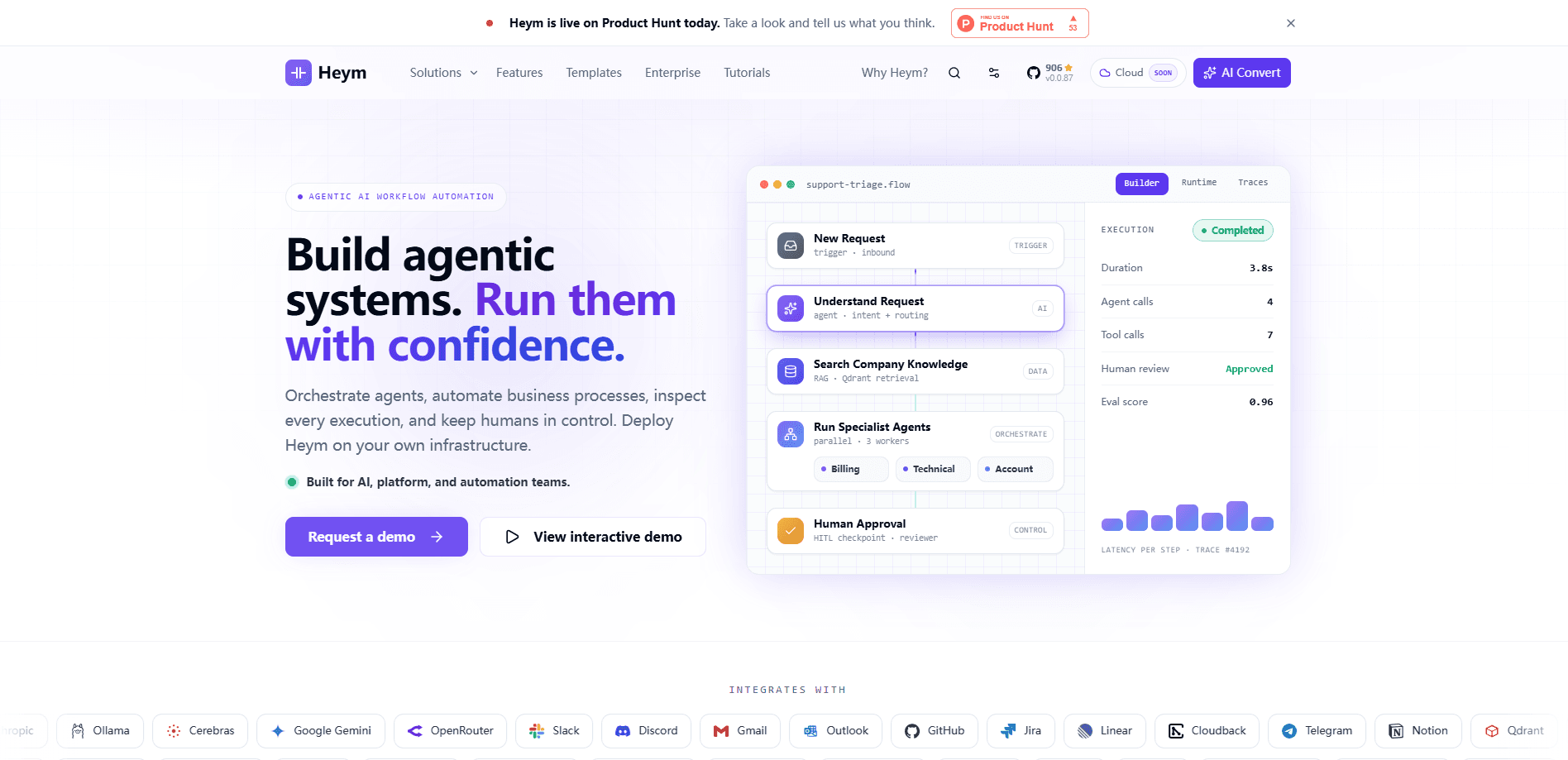
Heym is a source-available AI workflow automation platform you run on your own servers. It pairs a visual workflow editor with multi-agent orchestration, built-in RAG, MCP support, and human review checkpoints, so teams can build AI pipelines on a canvas instead of gluing scripts together. It ships under Commons Clause plus MIT, which means you can read the code, patch it, and keep every run inside your own network.
About Heym
What Is Heym
Heym is an AI agent runtime, not a general automation tool with a chatbot bolted on. The execution model centers on LLM steps: agents that call tools, retrieve documents, pause for approval, and leave a trace you can inspect later. Most workflow platforms were built for deterministic jobs, moving rows between spreadsheets or syncing CRM records, and they treat a model call as one more action. Heym starts from the opposite end. It assumes the model call is the whole reason the workflow exists.
The platform is built by two co-founders and engineers for teams that need production-grade automation without sending data to someone else's cloud. You deploy it with Docker Compose or Kubernetes inside your own VPC, point model inference at Ollama or vLLM to keep everything local, and connect identity through your existing OpenID Connect provider.
The tradeoff is real. Self-hosting means you own the database, the upgrades, and the vector store, so someone on your team needs to be comfortable with Docker and environment variables. If nobody wants that job, a hosted tool will be faster to start.
Getting Started
- Clone the repository from GitHub and run
./run.shfor a local setup, or bring up the Docker Compose stack for a server install. - Open the visual editor and add model credentials in the Credentials tab, then point any optional vector store or OAuth settings at your own endpoints.
- Drag nodes onto the canvas to wire a workflow, or describe what you want in plain language and let the AI Assistant generate the nodes and edges for you.
- Test the run, add a human-in-the-loop checkpoint where a person should sign off, then publish it and connect a trigger.
- Scale out by joining extra worker instances to the same PostgreSQL database behind your load balancer.
Product Information
A quick look at Heym's pricing, supported platforms, and performance.
Best for
The users, tasks, and scenarios where this tool fits best.
Users
- Platform and DevOps engineers who need AI workflows to run inside a private network
- AI product teams building agent features without a hosting bill from a vendor
- Security-conscious organizations that need an audit trail of every privileged action
Tasks
- Support ticket triage
- Document intelligence
- Multi-step agent research
- Content moderation
Scenarios
- Piloting an AI pipeline on a single server before deciding whether to scale
- Running production replicas across a Kubernetes cluster behind your own load balancer as workflow volume grows.
- Keeping model inference local with Ollama or vLLM so prompts, documents, and credentials never leave your boundary.
Key features
Visual Workflow Editor
Heym builds workflows on a drag-and-drop canvas powered by Vue Flow, with 62 node types across seven categories covering triggers, AI, logic, data, integrations, automation, and utilities. You wire the graph by hand, then run independent nodes concurrently because the runtime follows the shape of the graph. Debugging a sprawling Python script at 2 a.m. is nobody's idea of fun. The visual layout is the whole point.
AI Assistant That Writes the Canvas
Describe the workflow you want in natural language or voice, and the in-editor assistant generates nodes and edges and applies them directly to the canvas. It's a fast way to sketch a first draft, and you can edit every node it produces. Always review the output before shipping it. Still, it saves the tedious part.
Multi-Agent Orchestration
One agent orchestrates named sub-agents and sub-workflows, all wired visually. You set reasoning effort per agent, give each one tool access, and turn on automatic model fallback so a provider outage doesn't stop the run. This is where Heym stops looking like a flowchart app and starts acting like an agent runtime.
Built-in RAG Pipeline
Upload PDFs, Markdown, CSV, or JSON into a managed vector store, backed by Qdrant or Postgres with pgvector. Drop a RAG node into any workflow for semantic search over your own documents. No separate service to stand up and secure.
MCP Client and Server Support
Heym connects to MCP servers as a client, and it can expose your workflows as an MCP server for Claude Desktop, Cursor, and other clients. Want your Heym workflow to show up as a tool inside another assistant? That's the path. It cuts both ways. You pull outside tools into a Heym pipeline, or you publish a Heym workflow as a tool other assistants can call.
Human-in-the-Loop Approvals
Pause execution for user approval before the workflow continues, with resumable approval links so a reviewer can sign off and let the run pick up where it stopped. Support replies and high-stakes decisions get a person in the loop without anyone babysitting the run.
Observability and Evaluation
Heym traces every LLM call, runs evaluation suites against your workflows, and tracks cost. Threshold alerts fire on errors, duration, spend, and run count over a time window. When something drifts, you can see which step did it.
Enterprise Identity and Audit Trail
Single sign-on runs through OpenID Connect against Keycloak, Okta, Entra ID, Auth0, Google, or any other OIDC provider, with role-based permissions across teams. Audit logging is always on, recording the actor, the target, and whether each privileged action succeeded, failed, or was denied.
Pros and cons
Pros
- Fully self-hosted, so prompts, documents, and API keys stay inside your own network.
- Source-available under Commons Clause plus MIT, which lets engineers audit and patch the code.
- Native agent features, including tool calling, human review checkpoints, and traceable model calls.
- 62 node types plus MCP client and server support give it broad reach without custom glue code.
- Always-on audit logging and OIDC single sign-on ship in the free, source-available product.
Cons
- Self-hosting puts database, upgrades, and vector store maintenance on you, which needs someone comfortable with Docker and infrastructure.
- Reselling it as a hosted automation service requires commercial licensing, so it isn't a fit for building a SaaS product on top of it.
- At v0.0.x it's still early, so you should expect frequent releases and occasional breaking changes rather than a frozen API.
Frequently asked questions
Heym is used to build and run AI workflows on your own infrastructure. Teams use it for support ticket triage, document intelligence, sales research, content moderation, and multi-step agent pipelines that need human sign-off along the way.
Related content
Explore related tools, skills, and articles for Heym.
Heym Alternatives
Forefront
Forefront · CodingForefront is a web platform for building with open-source AI. It lets you fine-tune leading open-source language models on your own data, evaluate how they perform, and run them through an API or export them to host yourself. Developers who want the convenience of a closed-source platform but insist on owning their models and data are the target audience here.

Startkit
StartKit.AI · CodingStartkit is a boilerplate for building AI SaaS and AI wrapper products. Think of it as an AI startup boilerplate with the boring parts already wired up: authentication, Stripe and Lemon Squeezy payments, usage limits, transactional email, and an AI API starter that talks to OpenAI, Anthropic, Groq, or Llama. You clone the repo, set your price, and start on the part of your product that people actually pay for. It's Next.js under React and Tailwind, so most of the boilerplate code already feels familiar.
Testim
Tricentis · CodingTestim is an AI-powered test automation platform for building and running end-to-end tests across web, mobile, and Salesforce applications. It leans on machine learning to keep tests stable when an interface changes, so teams spend less time fixing broken selectors. Not bad for an automated testing tool you can start using today. You create tests by recording actions in a browser, then optionally add JavaScript when you need more control. It's a solid pick for busy QA teams.