

Hinge Openers AI
Datemaxx (formerly Hinge Openers AI) · Marketing · AI Assistant
Hinge Openers AI writes openers, conversation starters and replies from dating app screenshots, and now runs as Datemaxx. It covers Hinge, Tinder, Bumble and social DMs.
About Hinge Openers AI
What Is Hinge Openers AI
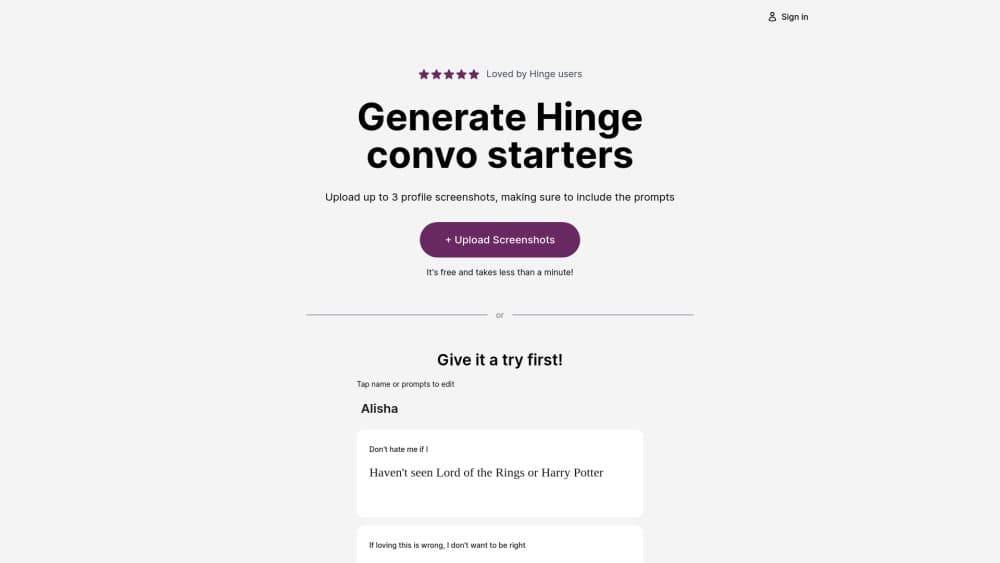
Hinge Openers AI is a web tool that writes the first message for you. You upload a screenshot of a dating profile or an active chat, and it returns openers or replies that fit the conversation. The site now redirects to Datemaxx, the AI dating assistant the same team runs today, so this page describes what you get when you sign in from that address.
The problem it solves is narrow and real. Most matches die in the first two messages, not because people have nothing to say, but because they freeze at the blank box. A generic pickup line makes it worse. As a dating app opener generator, it reads the profile or the thread in the screenshot and builds a line from those details. That's the part a plain chatbot can't do unless you type everything out by hand.
The limit is the format. Everything starts with an image, so it works best on a phone where screenshots take one tap. You get text back, nothing else. There's no built in chat client, no match tracking and no native app, and the free window is short enough that you need to decide quickly.
Getting Started
- Open hingeopeners.com, which takes you to the Datemaxx sign in page, and start the 3 day trial.
- Take a screenshot of the profile or conversation you want help with. You can add up to three images per request.
- Pick the tone you want and describe the situation if the screenshot doesn't show it.
- Read the suggested openers or replies, copy the one that sounds like you, and send it in your own app.
- For profile help, answer the short quiz and upload screenshots of your photos and prompts to get a review.
Product Information
A quick look at Hinge Openers AI's pricing, supported platforms, and performance.
Best for
The users, tasks, and scenarios where this tool fits best.
Users
- People who match often but stall in the first message
- Users of Hinge, Tinder and Bumble at the same time
- Anyone rewriting a dating profile
Tasks
- Writing a first message from a profile prompt
- Reviving a chat that went quiet
- Answering a question you don't want to answer badly
- Cleaning up a bio or prompt answers
Scenarios
- Sunday night swipe sessions
- Messaging on the train with one thumb
- Coming back after a long break
Key features
Screenshot to Opener
You upload up to three screenshots of a profile or a chat and the AI reads the visible text and photos. That removes the copy and paste step that makes general chatbots tedious on a phone. The output is a short set of openers tied to what's actually in the image.
Reply Suggestions for Live Chats
The same upload box doubles as an AI reply generator for an active conversation. It returns replies that follow the thread, so you get options that answer the last message instead of starting over. Useful when a match asks something specific and you don't want to sound like a template.
Unlimited Openers on Pro
The Pro plan lifts the cap on how many openers you get per generation, so you can rerun the same screenshot until one lands. The paid model is also the faster one, which matters when you're answering in the middle of a conversation.
AI Profile Review
For profile help, you answer an intro quiz and send screenshots of your profile. The review covers photo order, bio content and prompt strategy. It reads like editing notes rather than a score, which is more useful than a number you can't act on.
Works Across Apps and DMs
Screenshots from Hinge, Tinder, Bumble, Instagram and plain text messages all go into the same box. You stay in the app where the conversation lives and bring the text back by hand. That keeps the workflow simple, at the cost of one copy step.
Browser Only, No Install
The whole product runs in a browser, on desktop or phone. There's no iOS or Android download, so nothing sits on your home screen and nothing needs an update. The trade is that you can't call it from inside a dating app the way keyboard based assistants work.
Pros and cons
Pros
- Screenshot input skips the typing, which is the main reason people give up on general AI chat tools for dating messages.
- One subscription covers Hinge, Tinder, Bumble, Instagram and text, instead of one tool per app.
- The 3 day trial gives you full Pro access, so you can judge the output on your own matches before paying.
- Annual billing at $29.99 works out to about $2.50 a month, a steep cut from the monthly rate.
- Profile review and message generation sit in the same place, so you fix the profile and the opener in one session.
Cons
- There's no permanent free plan. Once the trial ends, everything sits behind the $9.99 monthly or $29.99 annual plan.
- Web only means no keyboard extension, so you leave the dating app for every message you generate.
- Three screenshots per request is a hard ceiling. Long threads have to be trimmed to the part that matters.
- Output quality depends on the screenshot. Blurry images or profiles with little text give vaguer lines, and you still have to edit before sending.
Frequently asked questions
It's a web app that writes dating app openers and replies from screenshots. You upload a profile or a chat, and it returns lines you can copy into Hinge, Tinder, Bumble or a DM. The domain now redirects to Datemaxx, the current name of the same AI dating assistant.
Related content
Explore related tools, skills, and articles for Hinge Openers AI.
Hinge Openers AI Alternatives

ngram 2.0
ngram · Video · Marketingngram 2.0 is an AI video generator for teams. It turns a prompt, a screen recording, or a product URL into a narrated explainer, product demo, or AI avatar video, and every scene stays editable.

shippedit.me
Krawlup · Marketing · Businessshippedit.me now redirects to Krawlup, a web platform that audits SEO, AEO and page speed every week, then hands the fixes to AI coding agents over MCP.

MePersona
MePersona, Inc. · Writing · Productivity · MarketingMePersona is an AI unified inbox for creators. It learns your voice, drafts replies to fan messages from 12 platforms, and sends only what you approve.