
HitPaw Voice Changer
HitPaw · Voice & Language
HitPaw Voice Changer (now sold as HitPaw VoicePea) is a real-time AI voice changer for Windows and Mac with 300+ voices, a soundboard, and AI cover songs.
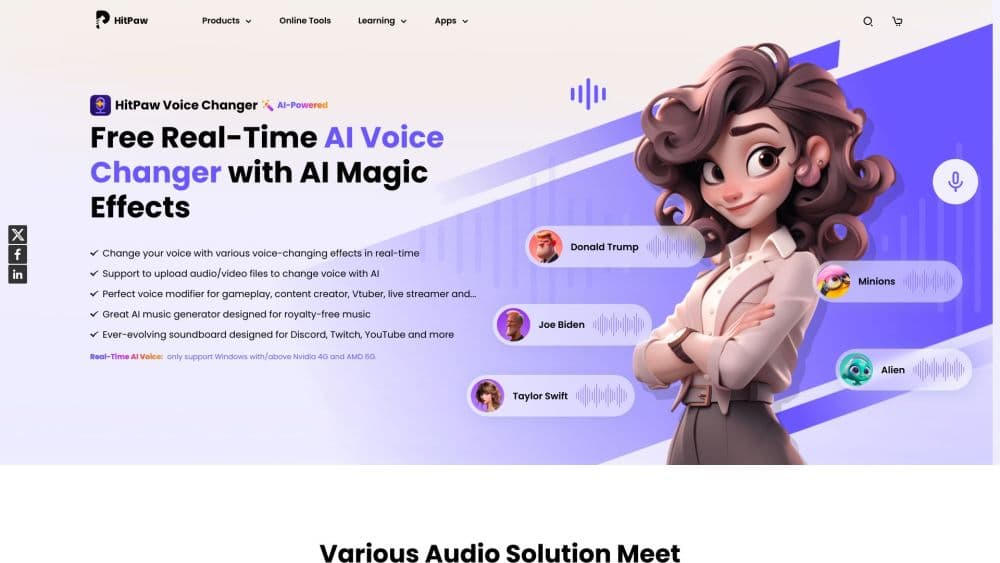
About HitPaw Voice Changer
What Is HitPaw Voice Changer
HitPaw Voice Changer is a desktop app for Windows and Mac that changes your voice while you talk. HitPaw now sells it as HitPaw VoicePea, and the old name still points to the same software. The app runs in the background, watches your microphone, and feeds a changed voice into whatever program you already use.
The point is fitting in anywhere your voice goes. A gamer who wants to roleplay as a character in Fortnite or Minecraft, a streamer building a persona on Twitch, and a worker who'd rather not sound like themselves in a Zoom call all use it for the same reason: the mic signal changes, everything else stays the same.
The trade-off is that it's desktop only. As a voice changer for PC and Mac, it has no iPhone or Android version, so anyone who wants to change a voice on a phone needs a different tool. The free version is also limited to a single random effect, with the wider voice library locked behind paid plans.
Getting Started
- Download the Windows or macOS build from the official HitPaw site and install it.
- Open Settings and pick the microphone you speak into and the output the app sends the changed voice through.
- Choose an AI voice from the library and tune volume, pitch, and timbre until it sounds right.
- Turn on noise reduction, then test your voice inside the app before you join a call or game.
- Set a keybind if you want to switch voices or trigger soundboard clips with a shortcut.
Product Information
A quick look at HitPaw Voice Changer's pricing, supported platforms, and performance.
Best for
The users, tasks, and scenarios where this tool fits best.
Users
- Gamers and roleplayers
- Streamers and content creators
- Remote workers and students
Tasks
- Changing your voice live on a call
- Making AI cover songs
- Turning scripts into voiceovers
Scenarios
- Pranking friends in a voice chat
- Keeping a stream entertaining
- Cleaning up a recording
Key features
Real-Time Voice Changing
This is the core job. The app changes your voice as you speak with low enough delay that a conversation still flows. You apply a voice, set your volume, pitch, and timbre, and the change rides along on your mic into Discord, Zoom, Teams, or a game. No export step sits between you and the other person.
300+ AI Voices
HitPaw ships a large library of voices that covers characters, celebrities, and effects. The voices are grouped in the app so you can scan for the type you want instead of scrolling one huge list. The free version unlocks a single random effect, and the full set comes with a paid plan.
Built-In Meme Soundboard
A one-click soundboard plays meme clips and sound effects during a chat, stream, or game. You can add custom sounds, so a specific reaction is never more than a keystroke away. It works on Discord, Twitch, and YouTube alongside the voice change.
AI Cover Songs
You feed the tool a song, either by file or a YouTube link, then pick a voice and get an AI cover that swaps the original vocal for a character or celebrity voice. HitPaw says it finishes in seconds, which makes it a fit for short entertainment clips rather than a polished release.
File Voice Changer and Audio Enhancement
Beyond live use, you can drop in audio and video files in 50+ formats and swap the voice on the recording. A separate cleanup pass removes background noise, reduces echo, and balances volume, which helps a rough voiceover sound closer to studio quality.
AI Music and Text to Speech
The app generates royalty-free background music from a prompt or a genre pick, which suits videos and podcasts that can't license a track. The text to speech tool reads a script in a natural AI voice, and you can adjust pitch, speed, and volume to match the tone you want.
Pros and cons
Pros
- Changes your voice in real time with low enough latency for live calls and streams
- 300+ AI voices plus a soundboard cover both serious and entertainment use
- Works with Discord, Zoom, Teams, Twitch, YouTube, and Kick without extra setup
- File voice changer handles audio and video in 50+ formats for post-recording edits
- AI cover songs, text to speech, and noise removal extend it past a simple voice swap
Cons
- Desktop only, with no iPhone or Android app for changing a voice on a phone
- The free version limits you to one random effect, so the full library needs a paid plan
- Real-time quality depends on your CPU and a stable microphone setup
- AI cover songs and music lean on entertainment value rather than studio-grade output
Frequently asked questions
It changes your voice in real time while you talk, so a call, stream, or game hears a different voice than your own. It also makes AI cover songs, turns text into voiceovers, and cleans up noise in audio and video files.
Related content
Explore related tools, skills, and articles for HitPaw Voice Changer.
HitPaw Voice Changer Alternatives

Foley
Hanamori Labs, LLC · Voice & Language · Productivity · AI AssistantFoley is a voice to-do list that turns a spoken sentence into a filed task, complete with project, date and time, then helps you plan the day around what is already there.

HireKey
HireKey · Voice & Language · Productivity · LeaningHireKey is an AI job search copilot built by a former tech recruiter. It checks role fit, tailors resumes, runs interview practice and tracks every application.

Fluence
Yay Software (Yannick Huchard) · Writing · Voice & Language · ProductivityFluence is an Android app that reads PDFs, EPUBs, Word files and web articles aloud, follows each sentence as it speaks, and answers questions about the text on the phone itself.