

Hocoos AI Website Builder
Hocoos · Coding
Hocoos AI Website Builder turned a short business questionnaire into a multi-page small business website with copy, images and hosting included. The platform shut down in April 2026.
About Hocoos AI Website Builder
What Is Hocoos AI Website Builder
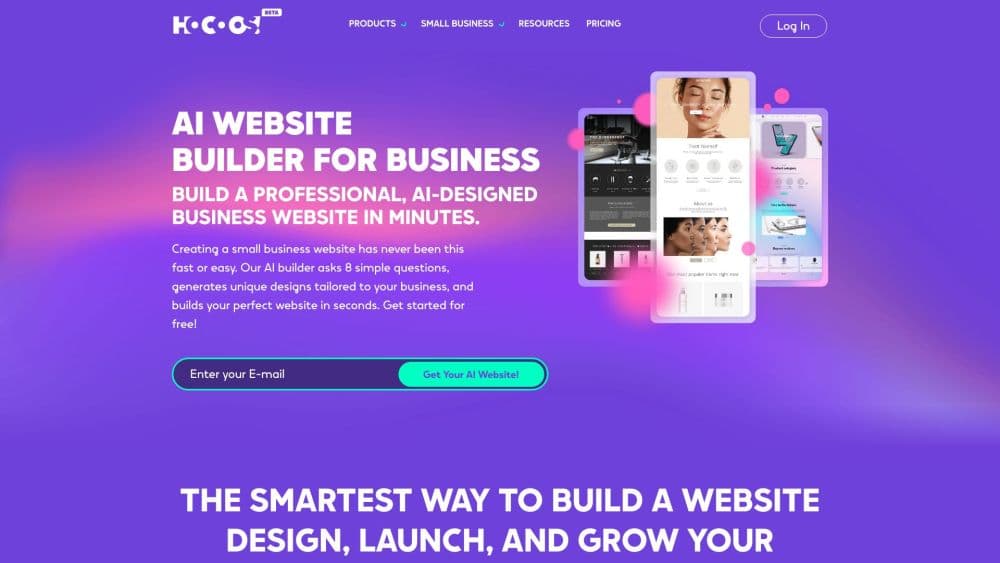
Hocoos AI Website Builder was a browser-based tool for people who needed a working small business website without hiring a designer. You answered a handful of questions about your trade, your services and the look you wanted, and the AI assembled pages, headlines, stock photos and a contact form. Three layouts came back at once, so the first decision was visual rather than technical. As an AI site generator it skipped the blank canvas entirely, and the same content could later be swapped against a library of website templates.
The pitch was breadth at one price. Hosting, an SSL certificate, a custom domain, an online store, appointment booking, a blog, email marketing and Google Analytics connections all sat inside the same dashboard. Salon owners, cleaners, tutors and consultants were the target, and the company said more than 500,000 small businesses had used it. Nothing required code, and the editor worked by clicking an element and picking a suggestion.
Two limits mattered. Layout control stopped where the editor stopped, so unusual page structures fought the tool. The store, the booking calendar and the forms also ran on Hocoos servers, which decided what happened next.
Hocoos is no longer operating. Its pricing page shows a shutdown notice instead of plans. The editor and dashboard were disabled, owners could export an HTML copy of each site until 23 April 2026, and everything left on the servers was deleted after that date, including store orders, mailing lists and booking records. Active subscriptions were refunded pro rata.
Getting Started
- Create an account with an email address. No card was needed to build the first draft.
- Answer the setup questions about your business, your services and the style you like.
- Pick one of the three generated designs.
- Edit text, images and sections in the click and edit editor, or ask the AI co-writer for new copy.
- Connect a domain and publish. The annual plan included a free domain for the first year.
New accounts cannot be created now. The steps above describe how the product worked while it was live.
Product Information
A quick look at Hocoos AI Website Builder's pricing, supported platforms, and performance.
Best for
The users, tasks, and scenarios where this tool fits best.
Users
- Solo service providers
- Small shops
- First-time site owners
Tasks
- Launching a service site
- Taking bookings
- Publishing a blog
Scenarios
- A local business that needs a website this week
- Testing a new offer before committing budget
- Running store, bookings and email from one bill
Key features
Questionnaire to Website in Minutes
The setup flow asked about the business, the services and the preferred look, then generated a complete site with copy, images and page structure. The company promised a launch in under five minutes, and in practice the first draft arrived fast enough to judge. That draft was a starting point, not a finished site.
Three Design Options at Once
Instead of one template, Hocoos returned three layouts built around the same content. Picking between them was a visual comparison rather than a settings task, which suited people who know what they like but not what the option is called.
Click and Edit Editor
Every element responded to a click: text, images, buttons and sections. Suggestions appeared for the selected item, so changing a headline or swapping a photo took one or two steps. Drag and drop was not needed, which removed the usual way beginners break a layout.
Built-In Store and Booking
The store handled products, inventory and online payments inside the plan. The booking app published appointment slots and staff schedules and kept a calendar. Neither matched a dedicated commerce or scheduling platform, and both depended on Hocoos servers to run.
SEO and Marketing Tools
Owners could connect Google Search Console, edit URLs, page structure and meta descriptions, and link Google Analytics. Email campaigns, lead forms, pop-ups, testimonials and live chat integrations were part of the same dashboard, and ad accounts for Google, Microsoft and Meta could be attached with an ID.
Hosting, Domain and Mailbox in One Bill
Hosting, SSL and backups were included with every site. A custom domain cost $15 a year, free for the first year on the annual plan, and a professional mailbox was $2.50 a month. One invoice covered the whole stack, which is the main reason small teams picked it.
Pros and cons
Pros
- Fast first draft: a usable set of pages appeared in one sitting, with copy and images already in place.
- Real breadth for the price: store, booking, blog, email marketing and analytics came with the same plan instead of four subscriptions.
- No code and no drag and drop: the click and edit editor kept beginners out of layout trouble.
- Bundled domain and mailbox: the annual plan covered both, so setup involved fewer vendors.
- Static HTML export: owners could take their pages and media out before the shutdown.
Cons
- The platform is closed: no new sites can be built, and the editor no longer opens.
- Exported sites are static: contact forms, booking, checkout and third-party integrations stopped working once the files left Hocoos servers.
- Layout freedom was thin: the editor covered common sections well and unusual page ideas poorly.
- Store and booking were basic: stock rules, taxes and staff scheduling covered simple cases only.
- Migration cost fell on owners: moving a site meant new hosting, new forms and a rebuilt booking flow.
Frequently asked questions
No. Hocoos stopped operating, and the pricing page now carries a shutdown notice instead of plans. Website downloads were offered until 23 April 2026, and the platform and its stored data were shut down after that date.
Related content
Explore related tools, skills, and articles for Hocoos AI Website Builder.
Hocoos AI Website Builder Alternatives

Base Code
Base44 (Wix) · Coding · ProductivityBase Code is a shared cloud development environment from Base44. Teammates describe changes to an existing GitHub codebase in chat, preview them live and send them back as pull requests.

Google EmbeddingGemma 2
Google DeepMind · Writing · Image · CodingGoogle EmbeddingGemma 2 is a 740M-parameter open model that turns text, code, images, audio, and video frames into vectors in one 768-dimension space, running on phones and laptops.

GitGlow
GitGlow · Coding · ProductivityGitGlow is a local-first desktop Git client that lets independent developers review their own code and their AI agents' changes in one place before shipping.