

Homeway
Homeway · Other
Homeway is a free cloud service for Home Assistant that adds secure remote access, an AI voice assistant called Sage, and a hosted MCP server for Claude, ChatGPT, and Gemini.
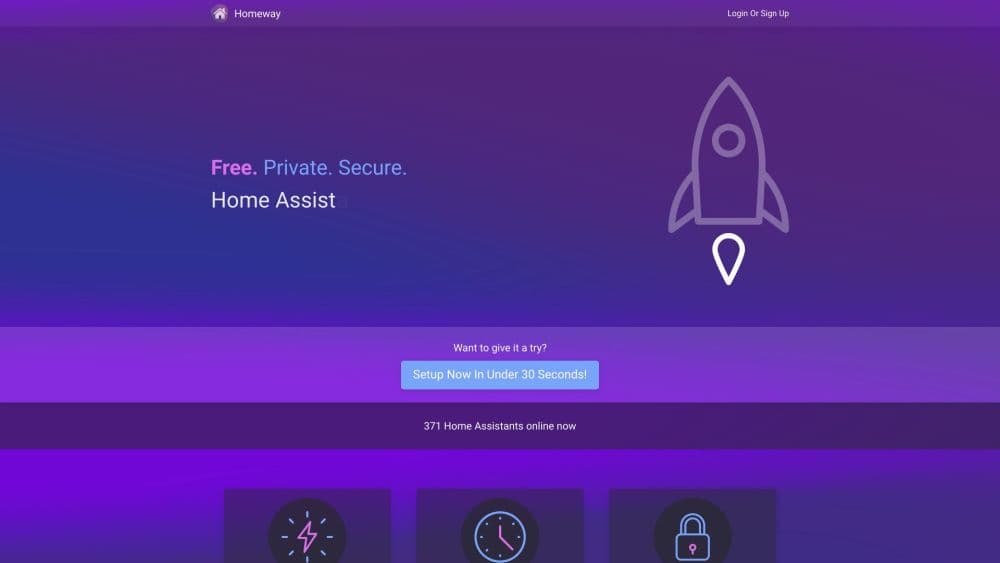
About Homeway
What Is Homeway
Homeway is a Home Assistant cloud service built by a small independent team in Seattle. It links your Home Assistant server to a private relay network, so your dashboard opens from anywhere without port forwarding, a VPN, or a public IP address.
Anyone who has tried to reach a smart home dashboard from a hotel room knows the usual answers: a reverse proxy, a dynamic DNS service, or a monthly subscription. Homeway takes a shorter route. Its add-on opens an encrypted tunnel to the nearest relay server, and the web app or the phone app connects through that tunnel. Your Home Assistant instance never gets a public address, and there's no router configuration to break after a firmware update.
The free account is not a trial. Remote access, WebRTC camera streaming, and Sage all work without a card on file. The paid Supporter Perks add unlimited access, priority routing, and the Alexa and Google Home integrations, with Standard at $3.49 per month and Elite at $6.99 per month for lower latency and advanced Sage models. A free account covers one server, and each extra server costs $3 per month.
Two conditions matter before you sign up. Homeway only works with Home Assistant, so it's useless if you run Apple Home, SmartThings, or Hubitat. Traffic also passes through Homeway's relay servers, which means you're trading a small amount of trust for the convenience of never opening a port.
Getting Started
- Create an account at homeway.io with an email address and password.
- Install the Homeway add-on from the Home Assistant add-on store. Container and Core installs use the standalone add-on instead.
- Open the add-on, sign in, and paste the pairing code shown in your Homeway dashboard to link the two.
- Enable the services you want: remote access, Sage AI, the remote MCP server, or WebRTC camera streaming.
- Open your dashboard through the Homeway web app or the Home Assistant mobile app, then turn on two-factor authentication in account settings.
Product Information
A quick look at Homeway's pricing, supported platforms, and performance.
Best for
The users, tasks, and scenarios where this tool fits best.
Users
- Home Assistant owners who travel
- Privacy-minded smart home users
- Households that want voice control without another subscription
- People shopping for a Nabu Casa alternative
Tasks
- Checking the house from a phone
- Letting an AI agent read your setup
- Watching a camera feed remotely
- Reaching other machines on the LAN
Scenarios
- A week away from home
- A second home or rental
- Building automations with an AI assistant
Key features
Remote access that keeps your server off the public internet
The add-on builds an encrypted tunnel to the closest relay in Homeway's server mesh, and clients connect through it. Home Assistant never receives a public IP, so port scans and brute force attempts against your instance stop being a concern. Shared connections are opt in, and each link carries its own expiry date that you can shorten at any time.
Sage AI handles the assistant work
Sage is a Home Assistant voice assistant that runs on models from OpenAI, Anthropic, and Google without an API key. You pick a model, write a custom prompt, and choose from more than 80 ElevenLabs voices for text to speech. Speech recognition is included, which makes it a full voice pipeline rather than just a chat box. The free plan gives the same models with slower routing.
A hosted MCP server for Claude, ChatGPT, and Gemini
The remote MCP server lets an outside AI read your home's layout, live device states, and exposed services. You decide whether it gets read only access or full control, and each permission can be revoked from the dashboard. It's the feature that separates Homeway from most remote access tools, since Claude and ChatGPT can both connect with a single link.
WebRTC camera streaming with free STUN and TURN
Camera cards stream over WebRTC with end to end encryption, and Homeway supplies STUN and TURN relays at no charge. STUN usage is unlimited for everyone. TURN has a monthly cap on free accounts because video relay traffic is the most expensive thing the service does, and supporters get it uncapped.
Local Access for everything else on the network
One tunnel can reach services beyond Home Assistant. Node-RED, Unraid, AdGuard, Bitwarden, and Pi-hole are the examples Homeway lists, and any web UI on the same LAN should work the same way. That turns a single account into a remote entry point for a home lab, not just a dashboard.
Alexa and Google Home, with a paid condition
Both integrations connect your Home Assistant entities to Amazon and Google without exposing the server. Homeway is upfront that these carry a subscription requirement: the voice platforms generate heavy load, so they sit behind Supporter Perks. Every new account gets a 30 day trial of those perks, which is enough time to test the setup before paying.
Account security and shared links
Sign in uses an email challenge, with time based one time codes as an optional second factor. The service runs on maintained frameworks, and the team publishes a security writeup of the end to end design. Account controls cover linked add-ons, active sessions, and the ability to unbind a server you no longer use.
Pros and cons
Pros
- The free plan includes real remote access, WebRTC streaming, and Sage, so you can judge the latency before spending anything.
- Setup takes minutes and needs no router changes, which matters if you've fought with reverse proxies before.
- Sage removes the API key work for OpenAI, Anthropic, and Google models, and it includes speech to text plus 80+ voices.
- MCP permissions start narrow, with read only and full control as separate choices, and access can be revoked per tool.
- Homeway pricing is lower than Nabu Casa Cloud and includes MCP hosting that the official plan doesn't offer.
Cons
- Without a Home Assistant server there's nothing to connect, so Apple Home and SmartThings users are out.
- Alexa and Google Home require Supporter Perks, and free accounts get throttled TURN streaming and slower Sage routing.
- All traffic passes through Homeway's relay mesh. There's no self-hosted relay, so a privacy purist has to accept a third party in the path.
- MCP and WebRTC are newer than the core remote access product, and help docs for edge cases are thinner than what established platforms provide.
Frequently asked questions
Yes. Remote access, Sage AI, WebRTC camera streaming, Local Access, and the MCP server all run on the free account with no card required. Limits apply to TURN streaming, Sage latency, and the Alexa and Google Home integrations.
Related content
Explore related tools, skills, and articles for Homeway.
Homeway Alternatives

Odyssey 3
Odyssey · OtherOdyssey-3 is Odyssey's foundation world model. It simulates physics in real time, turns a prompt into an interactive environment, and adapts to robots, cars and games.

JarvisCore
Prescott Data · Coding · Productivity · OtherJarvisCore is an open source Python runtime where AI agents work as equal peers on an agent mesh, claim tasks from a shared ledger, and reach external services through a zero-trust broker.
Clef
Cloudflare · Business · OtherClef is Cloudflare's open-source decision model for Workers AI. It returns calibrated probabilities for typed questions, not generated text, so agents can classify, route, and act fast.