

Homiwork
Homiwork · Writing · Image · Video
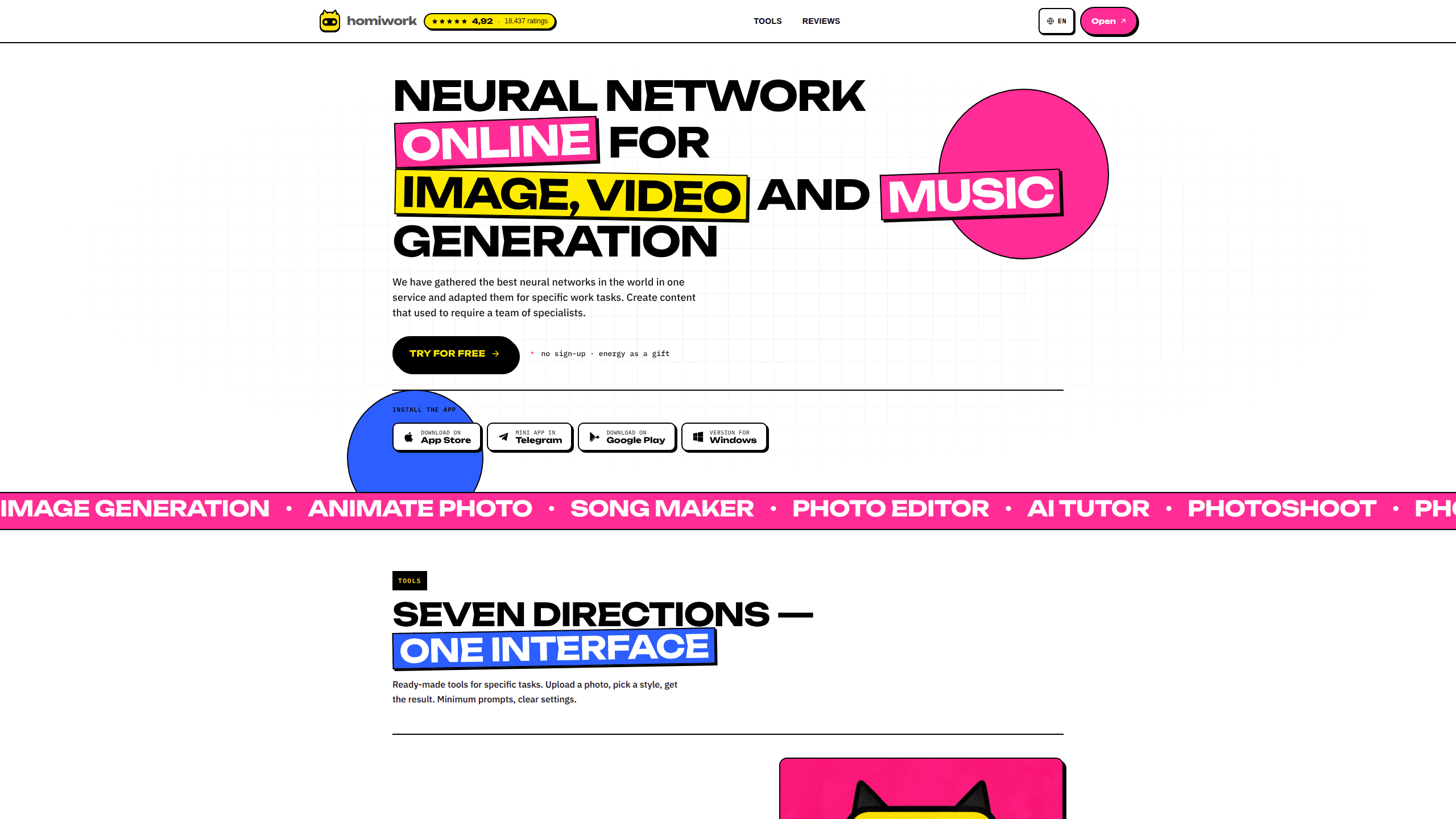
Homiwork is an AI content generation platform that bundles several neural networks into one service. You can generate images, animate photos, create songs with vocals, and write text from a single interface, on the web or through its Android app. It targets people who need marketing visuals, social media posts, or quick creative assets without hiring a photographer, designer, or copywriter. Want a product banner, a short clip, and a caption in one sitting? That's the idea.
About Homiwork
What Is Homiwork
Homiwork collects a set of AI models and adapts them for everyday work tasks. Think of it as a neural network tool that puts image, video, music, and text generation under one roof. Instead of jumping between a separate image generator, a music app, and a writing tool, you handle all of it in one place. The pitch is simple: content that once needed a team of specialists now comes from a few typed prompts.
The platform leans on ready-made tools rather than blank canvas generation. You upload a photo, pick a style, or describe what you want, and the AI fills in the rest, which keeps the whole process quick even when you have never touched a diffusion model before. That lowers the learning curve for people who've never touched AI art tools either. It's genuinely easy.
The main trade-off is control. Homiwork favors preset directions and minimum prompts, so advanced users who want fine-grained parameters might find it limiting compared to more technical tools that expose model settings, seeds, and step counts directly. The free tier also caps how much you can generate before paying.
Getting Started
- Go to homiwork.com and pick a tool from the main menu, or install the Homiwork app from Google Play if you prefer mobile.
- Choose a direction such as AI photoshoot, image generation, animate photo, create a song, or the text generator.
- Upload a reference photo or type a description of what you want, then set the format, resolution, and number of variants.
- Click generate and let the AI produce the result, which usually takes a few seconds to a couple of minutes.
- Review the output, download it in high resolution, or tweak the prompt and run it again.
Product Information
A quick look at Homiwork's pricing, supported platforms, and performance.
Best for
The users, tasks, and scenarios where this tool fits best.
Users
- Social media managers who need a constant stream of images and short clips
- Small business owners making product cards, banners, and ads
- Beginners curious about AI art and music
Tasks
- Generating product mockups and advertising banners from text
- Animating an old family photo into a short clip
- Writing posts, product descriptions, and ad copy
- Creating a song with vocals from your own lyrics
Scenarios
- Filling a weekly content calendar for Instagram or TikTok
- Rapidly testing ad concepts before committing budget
- Handling homework or work questions with step-by-step explanations
Key features
One Service, Seven Directions
Homiwork groups its tools into seven task areas: AI photoshoot, image generation, photo editor, animate photo, create a song, AI tutor, and a text generator, each with a focused interface that exposes only the settings its job actually needs. Pick the job you need and start. This beats juggling five subscriptions when your actual needs overlap.
Studio-Style AI Photoshoot
The photoshoot tool turns an ordinary photo into a set of studio-quality portraits. You upload your picture, choose a look, and get a batch suited to socials, dating apps, or business profiles. It removes the cost of booking a photographer and a studio for a one-off headshot. Upload, pick, done.
Text-Based Photo Editing
The photo editor works from plain language. Describe what to remove, change the background, or add an element, and the network applies it. No Photoshop skills required, which makes it practical for quick fixes on product shots or personal photos. Why bother learning layer masks for a background swap? You don't have to here.
Photo Animation and Clip Generation
Animate photo turns a still image into motion, either by animating an existing photo or generating a clip from a text description. Think of it as a photo animator that also doubles as a lightweight AI video generator. Old family photos come back to life, and advertisers get a fast way to produce short motion content for Reels or TikTok without editing software. You won't get frame-level control, but you rarely need it for a 10-second loop.
Song Creation With Vocals
Create a song generates music and vocals from a text description, and it also accepts your own lyrics, which is handy when you already have words and just need a melody and a vocal performance to carry them. Results are ready in a couple of minutes, which suits background tracks for video, gifts, or personal projects. It's not a full studio. It doesn't have to be.
AI Tutor and Text Generator
The AI tutor answers questions with step-by-step explanations and can read a photo of an assignment. The text generator writes and edits posts, articles, product descriptions, and ads, adapting tone for different channels. Both lean on the same idea: describe the goal, get a usable draft. Not bad for a side feature.
Multilingual Support and Mobile App
Homiwork supports more than 50 languages and lets you generate images from text in your native language, which matters if you run campaigns for audiences outside English-speaking markets. It runs in the browser and as an Android app, so you can start a project on desktop and continue on your phone. According to the company, over 1.3 million people use it monthly.
Pros and cons
Pros
- Covers images, video, music, and text in one subscription, which cuts cost and logins for general content work.
- Preset directions and minimum prompts make it approachable for people with no AI experience.
- Supports 50+ languages, so you can generate images and text in your own language.
- High-resolution downloads and an Android app fit real posting workflows on the go.
Cons
- The preset approach limits fine control, so advanced users wanting specific model parameters may feel boxed in.
- The free tier caps how many generations you get, and some users have asked for more free tries.
- No public API means developers can't call the models from their own apps or scripts.
Frequently asked questions
Homiwork generates content with AI. It creates images, animates photos into clips, makes songs with vocals, and writes text for posts, articles, and ads. It's built for people who need several kinds of content without hiring specialists for each one.
Related content
Explore related tools, skills, and articles for Homiwork.
Homiwork Alternatives

Google EmbeddingGemma 2
Google DeepMind · Writing · Image · CodingGoogle EmbeddingGemma 2 is a 740M-parameter open model that turns text, code, images, audio, and video frames into vectors in one 768-dimension space, running on phones and laptops.

MePersona
MePersona, Inc. · Writing · Productivity · MarketingMePersona is an AI unified inbox for creators. It learns your voice, drafts replies to fan messages from 12 platforms, and sends only what you approve.

Fluence
Yay Software (Yannick Huchard) · Writing · Voice & Language · ProductivityFluence is an Android app that reads PDFs, EPUBs, Word files and web articles aloud, follows each sentence as it speaks, and answers questions about the text on the phone itself.