

Hopscotch AI
Hopscotch Labs · Coding · Productivity · Business
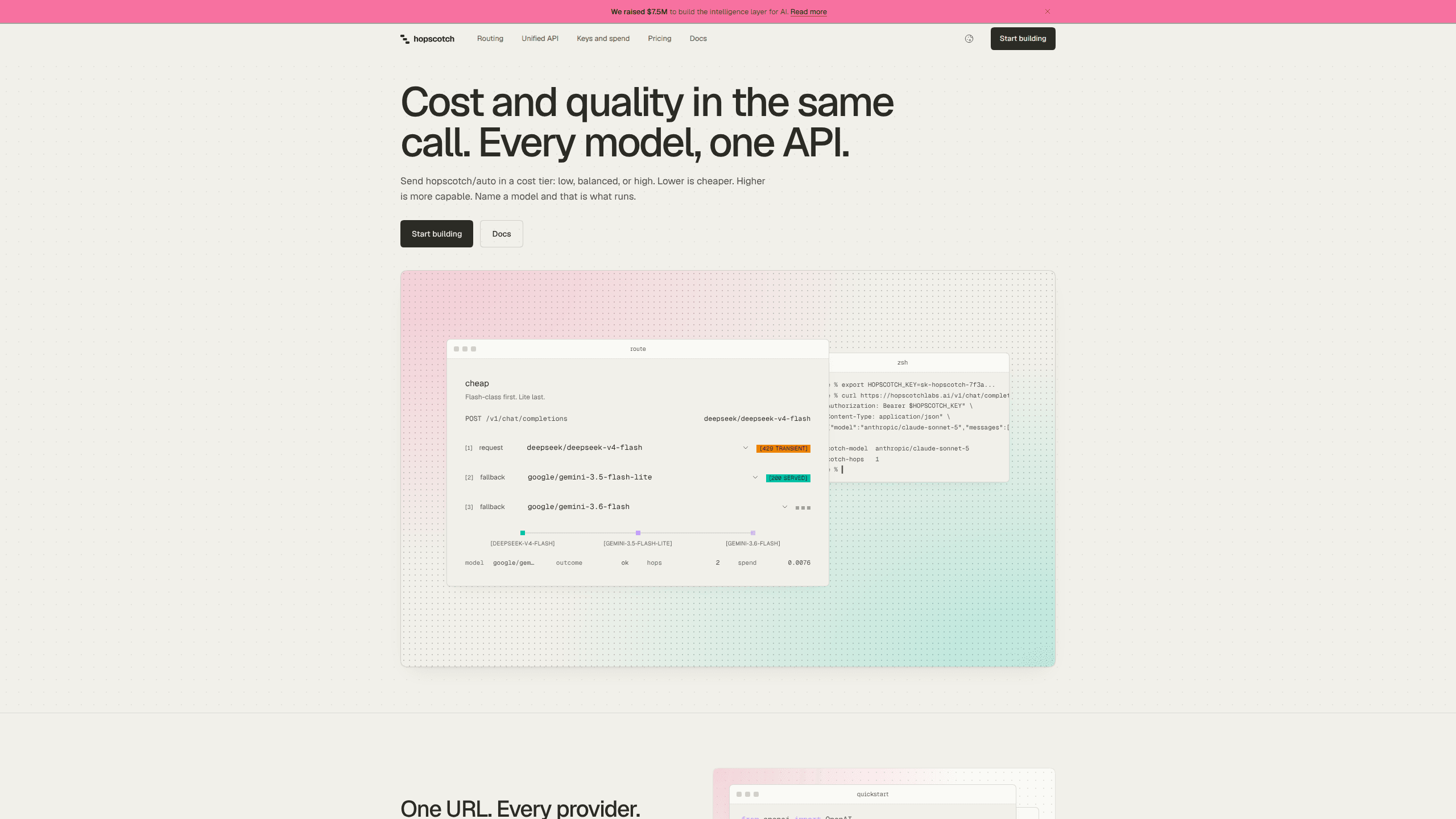
Hopscotch AI is an OpenAI-compatible LLM router. One key reaches 500+ models across providers at list price, with no token markup, spend limits and per-request cost logs.
About Hopscotch AI
What Is Hopscotch AI
Hopscotch AI is a gateway from Hopscotch Labs that sits between your code and the model providers. You keep the OpenAI SDK, change the base URL to api.hopscotchlabs.ai, and send a model id like anthropic/claude-sonnet-5-5. Hopscotch holds the provider accounts and meters every request against a prepaid balance.
The product goes after the accounting and reliability work that piles up once an app talks to more than one model. Five provider dashboards, five invoices and five key rotations collapse into one balance, one activity log and one place to set limits. You pay each provider's published token rate, and Hopscotch adds nothing on top while that fee sits at 0%.
Limits worth knowing before you sign up. Credit is prepaid, so a workspace with a zero balance refuses requests. Provider-side features such as web search, audio and hosted tools don't pass through, because those run on the provider's own servers. Embeddings aren't served yet either. If your stack leans on any of them, you still need a direct provider key.
Getting Started
- Create an account at platform.hopscotchlabs.ai and verify your email address.
- Buy credit on the Billing screen. The minimum is $5, and auto top-up can refill the balance when it drops below a number you choose.
- Mint an API key on the Keys screen. It's shown once and stored as a hash, so copy it before you leave.
- Point your OpenAI client at https://api.hopscotchlabs.ai/v1 and swap in the Hopscotch key. Nothing else in the code moves.
- Send a request with a provider-prefixed model id, then open the Activity log to check its tokens, cost and latency.
Product Information
A quick look at Hopscotch AI's pricing, supported platforms, and performance.
Best for
The users, tasks, and scenarios where this tool fits best.
Users
- Solo developers
- Product teams building on several models
- Engineering managers with a budget to defend
Tasks
- Prototyping the same prompt across models
- Consolidating provider integrations
- Capping an autonomous agent
- Keeping a demo online during an outage
Scenarios
- Shipping a first LLM feature on a small budget
- Handing a contractor a key without handing over the account
- Auditing what a feature cost last week
Key features
One key across 500+ models
Model ids are written provider/model, so openai/gpt-6.1-sol and anthropic/claude-sonnet-5-5 arrive through the same multi-model API and draw on the same balance. A bare model name with no provider gets refused instead of guessed at. The catalog is live, which means models appear and retire on the providers' schedule rather than on a list Hopscotch keeps by hand.
OpenAI-compatible base URL
Three settings change: base URL, API key and model name. OpenAI SDK code for chat completions keeps running, and the gateway also serves the Responses format, the legacy completions endpoint and the Anthropic Messages wire for Anthropic SDKs. Streaming, tool calling, structured outputs, image inputs and reasoning tokens pass through wherever the chosen model supports them.
Spend limits at three levels
You can cap a single key, a person, or the whole workspace, and set how much the account may spend per minute, $50 by default. Requests over a limit are refused. An owner can also pause all spending with one switch, which matters when an agent loops and you'd rather stop it than debug it at 3 a.m.
Routing profiles with ordered fallbacks
A routing profile names your primary model and the backups in the order you want them tried. Hopscotch retries a failed request first, then moves down the list, and for chat requests it makes a final attempt through a backup provider. Model fallbacks never swap in a model you didn't name.
Bring your own provider keys
Bring your own key is a Growth feature and up. Add an OpenAI or Anthropic credential you already pay for, and that provider's requests run on your account with the provider billing you directly. Hopscotch charges nothing on those calls and still applies its limits and logs. If your key fails, it won't quietly fall back to the shared one.
Per-request cost and activity log
Every request lands in the log with its model, provider, token count, cost, speed and outcome. Your code can pull the same figures through the usage lookup endpoint, so a cost dashboard doesn't need a second pipeline. Failed requests aren't billed.
Guardrails and zero data retention
Guardrails attach per key and cover a spend cap, a data-retention rule and prompt checks before a model ever sees the request. Zero data retention is the default for prompts and responses, and the log keeps only the metadata around them.
Pros and cons
Pros
- Token prices match each provider's list rate, and the platform fee on credit purchases currently sits at 0%.
- Limits exist per key, per teammate and per workspace, with a default $50 per minute ceiling on the account.
- Migration is a base URL and a model name, so existing OpenAI SDK code keeps running.
- Model fallbacks are ordered in a routing profile instead of being written into application logic.
- Prompts and responses aren't stored by default, and failed requests aren't charged.
Cons
- Credit is prepaid, so every new workspace needs a top-up before the first request works.
- Provider-hosted features like web search, audio and hosted tools don't pass through the gateway.
- Embeddings aren't served yet, so a retrieval pipeline still needs a direct provider integration.
- The discounted passes are a limited-time offer for the first 1,000 users, and each seat carries a 5-hour and a weekly usage cap.
Frequently asked questions
No. You pay the provider's list rate per token, and the platform fee on credit purchases is currently 0%, so $100 buys $100 of spendable credit.
Related content
Explore related tools, skills, and articles for Hopscotch AI.
Hopscotch AI Alternatives

Base Code
Base44 (Wix) · Coding · ProductivityBase Code is a shared cloud development environment from Base44. Teammates describe changes to an existing GitHub codebase in chat, preview them live and send them back as pull requests.

Google EmbeddingGemma 2
Google DeepMind · Writing · Image · CodingGoogle EmbeddingGemma 2 is a 740M-parameter open model that turns text, code, images, audio, and video frames into vectors in one 768-dimension space, running on phones and laptops.

GitGlow
GitGlow · Coding · ProductivityGitGlow is a local-first desktop Git client that lets independent developers review their own code and their AI agents' changes in one place before shipping.