

HubSpot
HubSpot, Inc. · Marketing
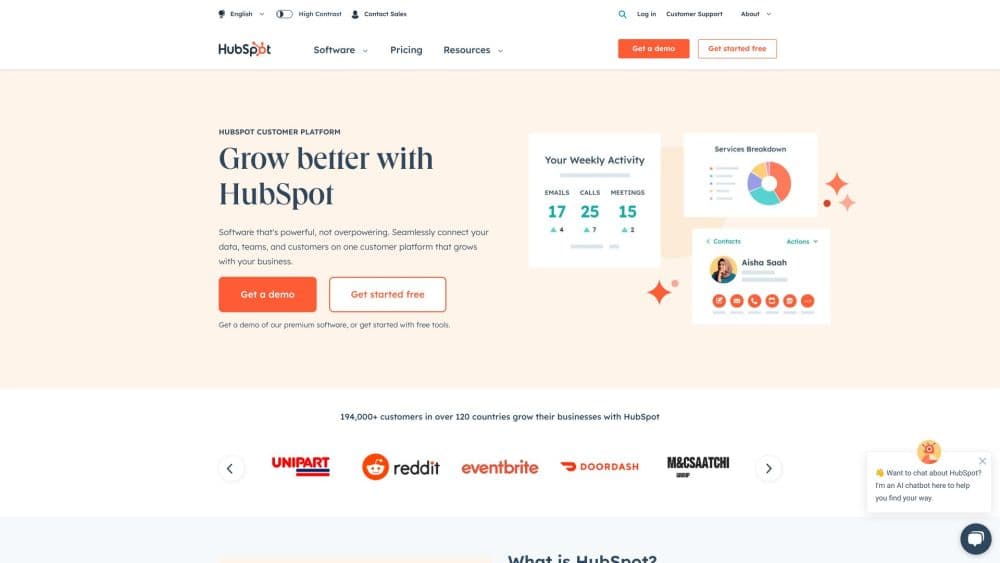
HubSpot is an AI-powered CRM platform that pulls marketing, sales, and service tools onto one customer record, with free entry plans and paid Hubs that scale as teams grow.
About HubSpot
What Is HubSpot
HubSpot is a customer platform from HubSpot, Inc. that started as inbound marketing software and grew into a full front-office suite. Its core is a CRM that stores every contact, company, and deal in one place, and around that sit separate products called Hubs for Marketing, Sales, Service, Content, Operations, and Commerce. A small team can run on the free tier and add Hubs later without migrating data.
The company set out to fix a common problem. Businesses were pouring money into ads and cold calls while ignoring the visitors and leads they already had. HubSpot built its tools around attracting people with useful content, then tracking and serving them over time. That idea still shapes the product: the CRM is free because the company expects teams to grow into the paid Hubs once they see value.
The catch is cost at scale and complexity. Entry prices look friendly, but Professional and Enterprise plans climb fast once you add seats and contacts, and several plans carry a one-time onboarding fee. The Hub structure also means you rarely get everything in one line item; pairing marketing and sales often doubles the bill. Solo users or tiny teams may find the full stack heavier than they need.
Getting Started
- Create a free HubSpot account with your email and pick a company name.
- Import contacts, companies, and deals from a CSV or a connected email inbox so the CRM has data to work with.
- Connect the tools you already use, like Gmail, Outlook, Slack, or a website form, to pull activity into each record.
- Turn on a Hub you need, such as Sales Hub for pipelines or Marketing Hub for email campaigns, and invite your teammates.
- Add Breeze AI features like lead scoring or content drafting once the basics run smoothly, then review results before upgrading.
Product Information
A quick look at HubSpot's pricing, supported platforms, and performance.
Best for
The users, tasks, and scenarios where this tool fits best.
Users
- Small sales teams
- Marketing managers
- Support teams
- Growing businesses
Tasks
- Managing a sales pipeline
- Running email campaigns
- Handling support tickets
- Automating follow-ups
- Reporting on performance
Scenarios
- A startup's first CRM
- A product launch
- A seasonal support spike
- A founder tracking a network
Key features
Smart CRM and Contact Records
The CRM is the spine of the platform, holding contacts, companies, deals, and tickets in one timeline. Every email, call, and form fill lands on the right record automatically, so nobody hunts through inboxes. It's free for unlimited users, which is unusual for CRM software and the main reason teams start here.
Breeze AI Agents and Assistants
Breeze is HubSpot's AI layer, with agents that handle prospecting, content drafting, and support questions using your own CRM data. A prospecting agent qualifies leads and books meetings, while a content agent drafts copy from your existing material. Assistants answer questions about a contact or summarize a call, so reps spend less time digging and more time talking.
Marketing Hub and Automation
Marketing Hub covers email, landing pages, forms, and automation, all feeding the same contact database the sales team uses. Workflows trigger sequences based on what a contact did, like opening a mail or visiting a page. On higher plans you get omni-channel campaigns, custom reporting, and A/B testing.
Sales Hub and Deal Management
Sales Hub manages pipelines, quotes, and meetings with automation that nudges deals forward. Sequences send follow-ups on a schedule, and the e-sign tool closes paperwork inside HubSpot. Revenue Hub ties sales activity to forecast numbers so managers see what's likely to close.
Service Hub and Knowledge Base
Service Hub is the customer service software layer, adding ticketing, a shared team inbox, and a knowledge base for self-service answers. A customer agent can resolve common requests with AI and hand the harder ones to a person. CSAT surveys and reporting show where support slows down.
Content Hub and CMS
Content Hub includes a CMS for building websites and blogs, plus tools for SEO, content remixing, and membership areas. You build pages, publish, and measure traffic without leaving the platform. It suits teams that want their website and their CRM data in one account.
Pros and cons
Pros
- The CRM is free for unlimited users, so a team can start without a seat fee or a trial deadline.
- Marketing, sales, and service share one contact record, which ends the copy-paste between separate tools.
- Breeze AI works on your own CRM data, so answers and drafts reflect real customer history.
- The Hub structure lets you buy one product and add more later without migrating your data.
- A large app marketplace and open API connect the tools you already use.
Cons
- Professional and Enterprise plans get expensive fast once you add seats, contacts, and onboarding fees.
- Features are split across Hubs, so a full marketing-plus-sales stack can cost far more than the entry price suggests.
- The free tier caps marketing email sending and strips out many automation and reporting features.
- The depth of settings and workflows takes time to learn, which slows solo users and small teams at first.
Frequently asked questions
HubSpot is a CRM platform for managing customer relationships across marketing, sales, and service. Teams use it to store contacts and deals, run email campaigns, track support tickets, and automate follow-ups from one system.
Related content
Explore related tools, skills, and articles for HubSpot.
HubSpot Alternatives

ngram 2.0
ngram · Video · Marketingngram 2.0 is an AI video generator for teams. It turns a prompt, a screen recording, or a product URL into a narrated explainer, product demo, or AI avatar video, and every scene stays editable.

shippedit.me
Krawlup · Marketing · Businessshippedit.me now redirects to Krawlup, a web platform that audits SEO, AEO and page speed every week, then hands the fixes to AI coding agents over MCP.

MePersona
MePersona, Inc. · Writing · Productivity · MarketingMePersona is an AI unified inbox for creators. It learns your voice, drafts replies to fan messages from 12 platforms, and sends only what you approve.