
Hugging Face
Hugging Face, Inc. (acquired by NVIDIA, 2026) · Other
Hugging Face is a hub for open AI models and datasets, plus hosted demo apps and pay-as-you-go inference. Browsing is free, and paid plans start at $9 per month.
About Hugging Face
What Is Hugging Face
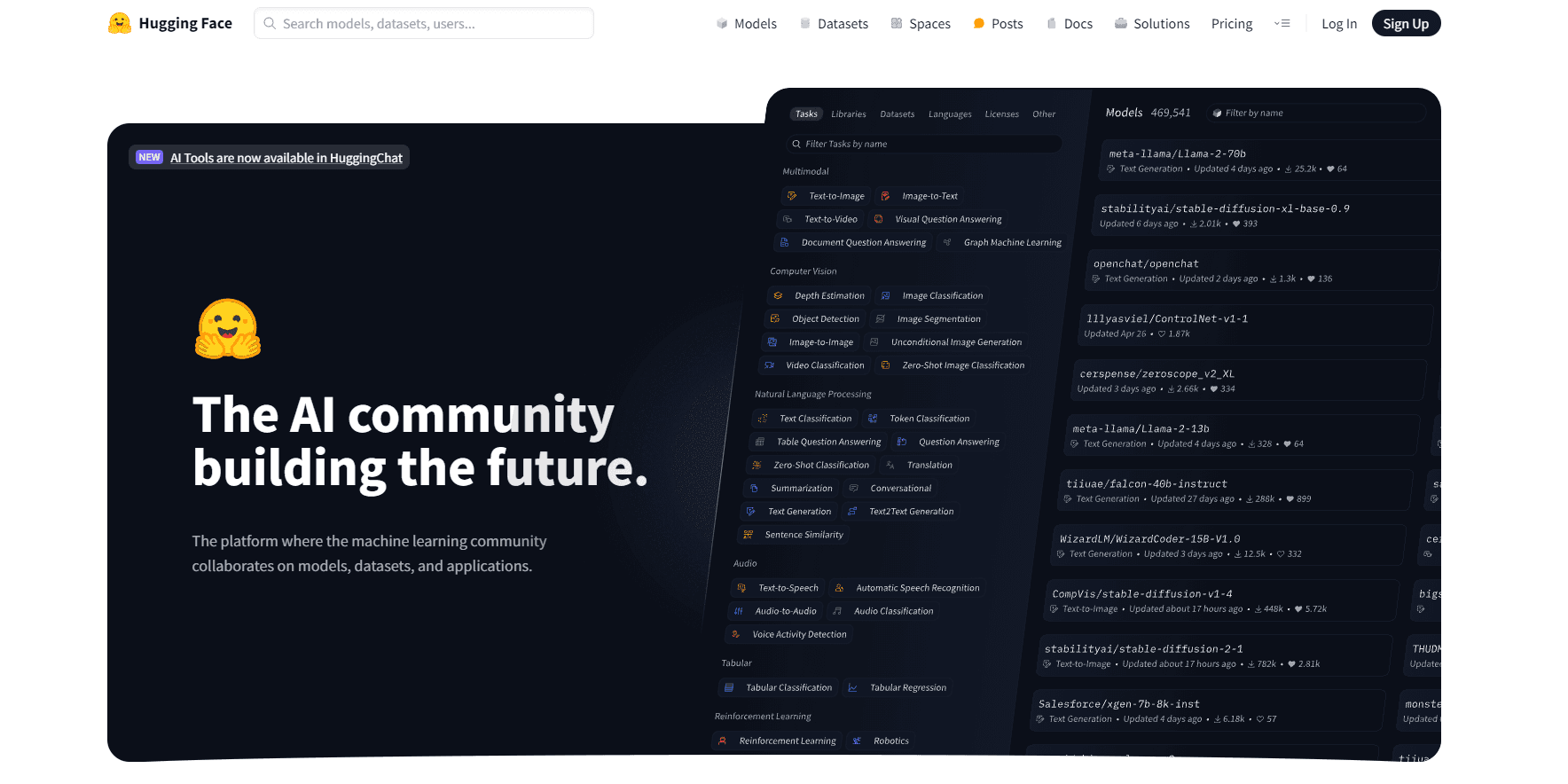
Hugging Face is the AI model hub most builders open before they build anything. Its Hub holds more than 3 million public models, around 1 million datasets, and about 1.4 million small demo apps called Spaces. Upload a model, fill in its card, and anyone else can download it or run it in a browser tab.
The product solves a boring problem that used to eat weeks: where to get weights, how to check a license, and how to test a model without renting a GPU first. Before hubs like this, teams traded checkpoints over internal drives and rebuilt the same loading code. Now a model card tells you the license, the training data, the known failures, and the exact snippet that runs it.
The limits matter too. Model quality varies wildly, some downloads run into hundreds of gigabytes, and free CPU demos go to sleep when nobody uses them. In September 2026, NVIDIA agreed to acquire Hugging Face for $12.93 billion according to NVIDIA's own announcement, and said it would keep the platform open. Enterprise buyers will want to watch how that plays out.
Getting Started
- Create a free account with an email address, then verify it.
- Search the Hub for a model or dataset. Read the model card before you download anything, especially the license and the listed limitations.
- Try the model in the browser first. Many cards link to a Space or a hosted playground, so you can test output quality before you commit.
- Move to code when the output looks right. Install the transformers library or the hf CLI, then authenticate with a token for gated or private repos.
- Upload your own work when you have something to share. Set the repo to public or private, and upgrade to PRO or Team if you need private storage above the free quota.
Product Information
A quick look at Hugging Face's pricing, supported platforms, and performance.
Best for
The users, tasks, and scenarios where this tool fits best.
Users
- Machine learning engineers
- Developers adding AI to a product
- Students and hobbyists
Tasks
- Comparing candidate models before you commit
- Hosting a demo for stakeholders
- Fine-tuning on public data
- Publishing a model you trained
Scenarios
- A two-week prototype where the team needs to try five approaches fast
- An internal AI team that needs one private place for weights and evaluation notes
- Low to medium volume inference for a side project
Key features
Model and dataset hosting with Git versioning
Every repo is a Git repository, so weights, configs, and README files carry full history. You can branch, tag a release, and roll back a bad upload. Large files use chunked storage, which makes a new checkpoint that shares most of its tensors upload fast instead of re-sending every byte.
Spaces for hosted demo apps
A Space runs Gradio, Streamlit, Docker, or a static app on Hugging Face hardware. Free Spaces run on shared CPU and sleep after inactivity, so the first visitor waits for a cold start. Paid hardware removes that wait and adds GPU options, which is the usual reason teams upgrade.
Inference Providers with one billing line
Hugging Face routes requests to more than 200 models served by partner providers, and the company says it adds no markup on those calls. One token and one invoice cover all of them. PRO, Team, and Enterprise accounts get monthly credits toward this usage.
Dedicated Inference Endpoints
When shared capacity gets too unpredictable, an Endpoint gives you a model on dedicated, autoscaling hardware. You pick the instance size, set min and max replicas, and pay by the hour. It supports custom containers, so a private fine-tune works the same way as a public model.
Team controls and private repositories
Team and Enterprise plans add single sign on, audit logs, resource groups, and private dataset storage with per-seat billing. Enterprise accounts also get support response times and the option to run on their own cloud region. For regulated work, this is the part that decides whether the platform is allowed at all.
Open libraries that outlived the website
The transformers, diffusers, datasets, and tokenizers libraries are separate open source projects, and most people touch them before they ever open the site. They load a model in a few lines and run on PyTorch, TensorFlow, or JAX. The hf CLI handles uploads, downloads, and repo management from a terminal.
Pros and cons
Pros
- Model selection is unmatched: text, image, audio, video, and code models sit in one search index with licenses attached.
- You can evaluate a model in a browser tab before installing anything, which saves GPU time on dead ends.
- The inference API hides provider differences, so switching a model means changing one string.
- Free access is genuinely usable, including downloads and small public Spaces.
- Model cards often document training data and failure modes, which is rare elsewhere.
Cons
- Quality variance is huge. Popularity counters reward novelty, so a heavily downloaded model can still be a poor fit for your task.
- Repo sizes can reach hundreds of gigabytes, and slow connections make some models impractical to pull.
- Free CPU Spaces sleep, so a demo link you share on a Monday may load slowly for the first visitor.
- Storage over the free quota and GPU hours bill separately, and small experiments can turn into a surprise invoice.
Frequently asked questions
It's a place to find, test, and host open source AI models and datasets. Teams use it to grab pretrained weights, run quick demos, publish their own models, and call hosted inference instead of running GPUs.
Related content
Explore related tools, skills, and articles for Hugging Face.
Hugging Face Alternatives

Odyssey 3
Odyssey · OtherOdyssey-3 is Odyssey's foundation world model. It simulates physics in real time, turns a prompt into an interactive environment, and adapts to robots, cars and games.

JarvisCore
Prescott Data · Coding · Productivity · OtherJarvisCore is an open source Python runtime where AI agents work as equal peers on an agent mesh, claim tasks from a shared ledger, and reach external services through a zero-trust broker.
Clef
Cloudflare · Business · OtherClef is Cloudflare's open-source decision model for Workers AI. It returns calibrated probabilities for typed questions, not generated text, so agents can classify, route, and act fast.