
Humanize
Humanize AI Text · Writing · AI Detection
Humanize AI Text is an AI text humanizer that rewrites AI-generated drafts into natural, human-sounding writing and checks how it scores against major AI detectors.
About Humanize
What Is Humanize AI Text
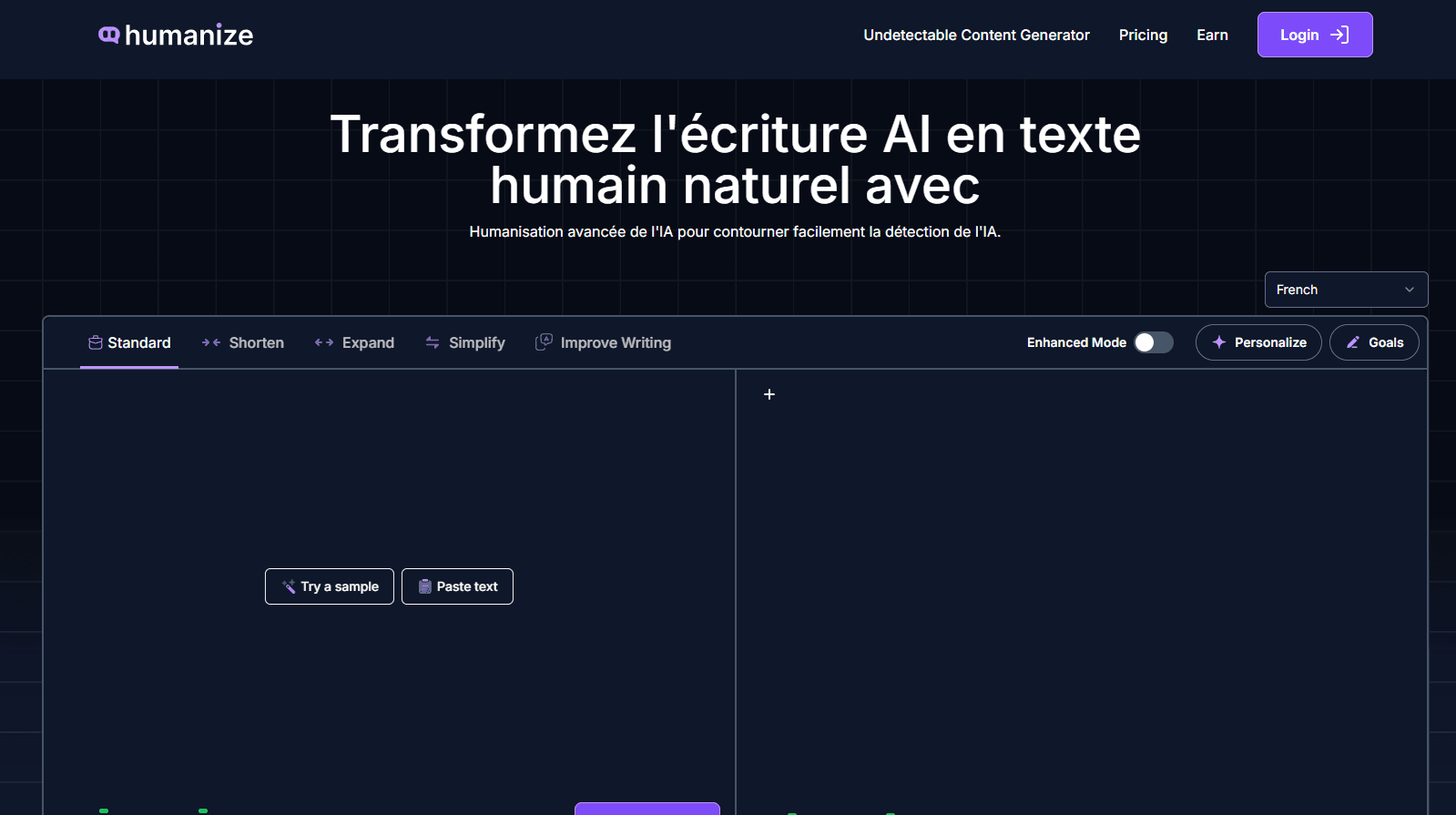
Humanize AI Text is a web tool that rewrites AI-generated drafts so they read like something a person wrote. It takes text pasted from ChatGPT, Claude, Gemini, DeepSeek, or Jasper and returns a version with varied sentence lengths, smoother phrasing, and fewer of the repetitive patterns that AI detectors flag. The vendor pitches it as an undetectable AI content tool and frames the AI detector bypass as its headline promise, saying the output keeps your meaning, tone, and keywords intact. You get two things in one place: a humanizer that does the rewrite, and an AI content detector that tells you whether the text still looks machine-made.
The product has no account requirement for basic use and advertises free, unlimited words with no login. That pitch is unusual for this category, where most competitors meter words or put the detector behind a paywall. The vendor also reports 1M+ writers, students, and teams using it and cites a 4.9 rating from 189 Trustpilot reviews. Both figures come from the company, so treat them as marketing claims, not audited numbers.
The honest limit is that humanizing is a styling job, not a fact check. It reshapes rhythm and phrasing while keeping your claims, so it will not fix wrong information or weak arguments in the source draft. It also leans on the idea of beating detectors, and detector scores shift with every model update, so a clean score today is not a guarantee for tomorrow. The site sells yearly plans, so you want to test the free tier against the detectors you actually care about before you pay.
Getting Started
- Paste AI-generated text into the box, or upload a PDF or Word file. No login is needed to start.
- Pick a tone and reading level, choose a mode, and freeze any keywords, phrases, or brand terms you want left alone.
- Run the humanizer and read the result, adjusting settings if the wording drifts from what you meant.
- Scan the output with the built-in AI content detector, or check it for originality, then copy it into your draft.
Product Information
A quick look at Humanize's pricing, supported platforms, and performance.
Best for
The users, tasks, and scenarios where this tool fits best.
Users
- Students
- Bloggers and content writers
- Marketers and SEO teams
- Non-native English speakers
- Small business owners
Tasks
- Humanizing blog posts and articles
- Rewriting essays and coursework
- Cleaning up marketing copy
- Checking a draft against detectors
- Processing long documents
Scenarios
- Agencies shipping client content fast
- Freelancers drafting on a budget
- Teams publishing SEO content
Key features
AI Text Humanizer
The core tool rewrites AI-generated text into natural, human-sounding prose. It changes sentence structure, pacing, and word choice instead of swapping a few synonyms, which is why the output reads smoother than a simple paraphrase. You can paste text or upload a PDF or Word file, and the rewrite keeps your original meaning intact.
Built-In AI Content Detector
A detector sits next to the humanizer, so you check your text without opening another site. It scans for the patterns that trigger detection and gives a score that shows how detectable the content is. Runs two directions in one workspace: see the problem, then fix it.
Freeze Keywords and Phrases
You can lock specific words, phrases, or brand terms so the rewrite leaves them untouched. For SEO work this keeps target keywords exactly as written, which matters when a stray synonym costs you a ranking. It is the feature that makes the tool usable for clients and brand copy, not just casual writing.
Writing Modes and Tone Control
The tool offers several modes, including standard, shorten, expand, simplify, and improve writing, plus tone and readability settings. That lets you shape the output for a blog post, an email, or a report from the same starting text. The modes matter because a humanized AI text piece for an essay and a humanized landing page need different rhythms, and you humanize AI content for both from the same starting draft.
Document Upload with Formatting Kept
You can upload PDF and Word files and get them back humanized, with headings, tables, citations, images, and footnotes still where they were. Long reports and research papers do not have to be edited section by section. The upload path is also how you handle documents too large to paste comfortably.
26-Language Support
The humanizer works across 26 languages, so non-English drafts can be rewritten too. That suits teams publishing in several markets from one workflow. Language coverage varies by plan, and the paid tiers list it as a feature, so check the current list before relying on a specific language.
Plagiarism and Originality Check
Alongside the humanizer, the site offers a plagiarism checker and originality check. AI drafts often echo common phrasing, and a check catches overlap before it becomes a problem. It runs in the same place as the rewrite, which saves a step when you are preparing content to publish.
Pros and cons
Pros
- Free, no-login tier runs on unlimited words, which is rare in a category that usually meters usage.
- Humanizer and AI content detector live in one workspace, so rewrite and check happen together.
- Freeze Keywords keeps target phrases intact, which matters most for SEO and brand copy.
- Document upload preserves headings, tables, and citations, which saves manual cleanup on long files.
- Supports 26 languages, useful for teams publishing beyond English.
Cons
- The tool restyles text but does not verify facts, so wrong claims in the source draft survive the rewrite.
- Detector evasion is a moving target; scores can change as detectors update, and the vendor admits the tool adapts to keep up.
- Exact word counts, plan names, and prices sit behind a yearly subscription, and the free tier's limits are not spelled out on the pages.
- No public API is advertised, which blocks teams that want to humanize inside their own pipeline.
Frequently asked questions
It rewrites AI-generated text so it reads like human writing, and it checks how detectable the result is. You paste or upload a draft, pick your settings, and get back a version with varied phrasing that keeps your meaning and keywords.
Related content
Explore related tools, skills, and articles for Humanize.
Humanize Alternatives

Google EmbeddingGemma 2
Google DeepMind · Writing · Image · CodingGoogle EmbeddingGemma 2 is a 740M-parameter open model that turns text, code, images, audio, and video frames into vectors in one 768-dimension space, running on phones and laptops.

MePersona
MePersona, Inc. · Writing · Productivity · MarketingMePersona is an AI unified inbox for creators. It learns your voice, drafts replies to fan messages from 12 platforms, and sends only what you approve.

Fluence
Yay Software (Yannick Huchard) · Writing · Voice & Language · ProductivityFluence is an Android app that reads PDFs, EPUBs, Word files and web articles aloud, follows each sentence as it speaks, and answers questions about the text on the phone itself.