

Humanize AI Text
Humanize AI (HumanizeAI.io) · Writing · AI Detection
Humanize AI Text is a free online AI humanizer from HumanizeAI.io that rewrites AI drafts into natural, human-sounding copy while keeping your meaning intact.
About Humanize AI Text
What Is Humanize AI Text
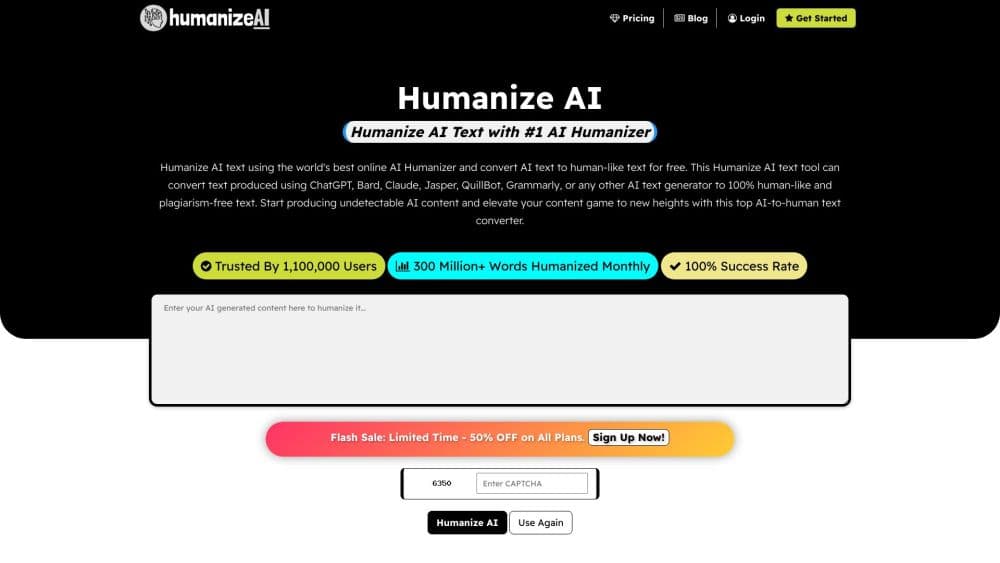
Humanize AI Text is a browser tool from HumanizeAI.io that takes machine-written drafts and rewrites them so they read like a person typed them. Paste your text, pick a rewrite mode and a readability level, and the tool rebuilds sentence flow and phrasing to cut the robotic tone. It's one piece of a wider writing platform that also bundles a paraphraser, grammar checker, summarizer, translator, and more.
The problem it targets is specific. AI detectors don't read for meaning. They scan patterns like even sentence length, recycled phrasing, and tidy transitions. Genuine drafts trip those checks all the time, which is the exact frustration that led founders Anup and Sheena Chaudhari to build the tool after their own research papers were flagged as machine-written. Humanize AI reshapes structure instead of swapping synonyms, so those statistical tells fade without changing what you actually said.
The limits are worth knowing upfront. No humanizer can promise a clean pass on every detector, and Humanize AI says so on its own pages. It also won't invent facts or repair weak arguments, so the thinking still has to be yours. The free tool caps words per request and runs on shared public models, while heavier or higher-stakes work needs a paid plan.
Getting Started
- Open humanizeai.io in a browser and paste your text into the input box, or drop in a document.
- Choose a rewrite mode: Basic for light edits, Aggressive for heavier changes, or Enhanced for the strongest human score.
- Set a keyword freezer if you need certain terms left untouched.
- Pick a readability level, from Standard and High School up to University, Doctorate, Journalist, or Marketing.
- Hit Humanize, wait a few seconds, then review the output and copy it where you publish or submit.
Product Information
A quick look at Humanize AI Text's pricing, supported platforms, and performance.
Best for
The users, tasks, and scenarios where this tool fits best.
Users
- Students
- Content creators and bloggers
- Researchers and academics
Tasks
- Humanizing an AI draft before publishing
- Cleaning up academic writing
- Protecting key terms in SEO copy
- Polishing business emails and reports
Scenarios
- Finishing a draft the night before a deadline
- Adapting one article for different readers
- Prepping a client handoff
Key features
Multiple Rewrite Modes
The tool ships three modes that scale how far it goes. Basic makes minimal changes for a light touch, Aggressive rewrites heavily to strip the machine feel, and Enhanced applies multi-level rewriting for the highest human score. Free users get Basic on public models, while Aggressive and Enhanced unlock on paid plans.
Readability Level Control
A selector targets a specific reader, from Standard and High School through University, Doctorate, Journalist, and Marketing. Each level adjusts sentence length and vocabulary rather than applying one generic pass, so the same source can serve a school essay or a marketing page.
Keyword and Phrase Freezer
You can lock specific words or phrases so the rewrite leaves them exactly as written. That keeps brand names, technical terms, and SEO keywords safe while the rest of the text gets reshaped. The plan tier decides how many you can freeze per request.
AI Detector Support
Humanize AI states that its output works with all major detectors and pairs the humanizer with an AI detector on the same platform. The claim is a bold 99.54% success rate with the Enhanced model, which the company frames as a way to bypass AI detectors. Treat a clean scan as one signal rather than a guarantee, since detector behavior keeps changing.
All-in-One Writing Assistant
Beyond the humanizer, the same account unlocks a paraphraser, grammar checker, summarizer, translator, text formatter, word counter, and more, spanning 45+ tools. That makes it a full AI writing tool, so you can draft, humanize, proofread, and format without hopping between separate services.
Show Difference View
A built-in comparison acts as a rewording tool on display, showing the input and output side by side so you can see exactly what changed. It's a quick way to check that your meaning survived before you send anything out.
Privacy-Conscious Processing
The platform handles pasted text for the rewrite and points users to a published ethics statement on responsible use. For academic or professional work, the site tells you to follow your own institution's rules on AI-assisted content.
Pros and cons
Pros
- Three rewrite modes let you dial effort up or down depending on the stakes of the text.
- Readability levels from school through journalist give real range without a wall of settings.
- The keyword freezer keeps brand terms and SEO keywords exactly as you wrote them.
- It sits inside an all-in-one assistant with 45+ tools, so you don't need separate subscriptions.
- There's a genuinely usable free tier with unlimited words, capped mainly by per-request limits.
Cons
- No humanizer can promise a pass on every detector, and Humanize AI itself flags that risk.
- Free users are stuck on Basic mode and shared public models, with the stronger modes behind a paywall.
- It reshapes language, not substance, so thin research or weak arguments stay weak afterward.
- There's no published API, so automated or bulk pipeline use isn't an option right now.
Frequently asked questions
It rewrites AI-generated content so it reads like a person wrote it. The focus is sentence structure, rhythm, and phrasing rather than simple word swaps, while keeping your original meaning.
Related content
Explore related tools, skills, and articles for Humanize AI Text.
Humanize AI Text Alternatives

Google EmbeddingGemma 2
Google DeepMind · Writing · Image · CodingGoogle EmbeddingGemma 2 is a 740M-parameter open model that turns text, code, images, audio, and video frames into vectors in one 768-dimension space, running on phones and laptops.

MePersona
MePersona, Inc. · Writing · Productivity · MarketingMePersona is an AI unified inbox for creators. It learns your voice, drafts replies to fan messages from 12 platforms, and sends only what you approve.

Fluence
Yay Software (Yannick Huchard) · Writing · Voice & Language · ProductivityFluence is an Android app that reads PDFs, EPUBs, Word files and web articles aloud, follows each sentence as it speaks, and answers questions about the text on the phone itself.