

AI Humanizer
HumanizerAI · Writing · AI Detection
AI Humanizer is a browser tool from HumanizerAI that rewrites AI-generated drafts into natural, human-sounding writing while keeping your original meaning.
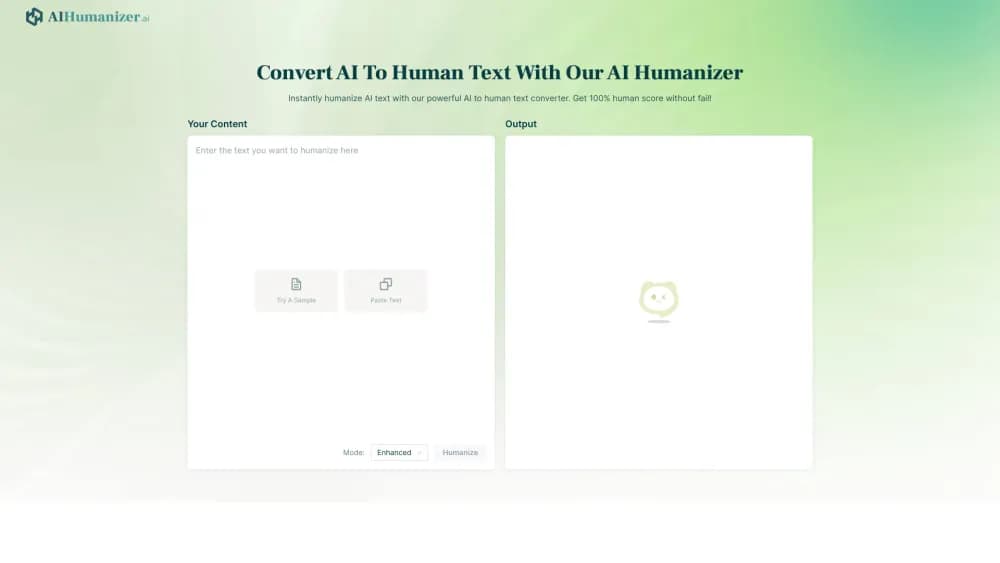
About AI Humanizer
What Is AI Humanizer
AI Humanizer is a web tool from HumanizerAI that takes machine-written drafts and rebuilds them so they read like a person typed them. You paste your text, check its AI score, pick a humanization intensity, and the tool reshapes sentence structure and word choice to cut the flat, repetitive tone that detectors flag. It's built for one specific job: to humanize AI text into something easier to pass and easier to read before you submit or publish.
The problem it targets is narrow. AI detectors don't read for meaning. They scan for signals like even sentence length, predictable phrasing, and low variation between sentences. Plenty of drafts trip those checks even when the ideas are sound. HumanizerAI answers that with three intensity levels, quoted text protection, and math notation handling, so the parts that matter stay intact while the surrounding prose loosens up.
The limits are worth knowing upfront. HumanizerAI states plainly that its scores are estimates rather than proof of authorship, and that no detector outcome is guaranteed. Humanizing sits behind a paid plan, while the AI score check and a set of free writing tools stay open. It also reshapes language, not substance, so thin research stays thin.
Getting Started
- Create an account at humanizerai.com, then open the editor and paste text from ChatGPT, Claude, Gemini, or any other AI writer.
- Run the AI score check first to see how likely the draft is to be flagged, and to pick an intensity.
- Choose an intensity: Light for polish, Medium for balanced rewriting, or Bypass for stronger changes when the draft still reads mechanical.
- Click Humanize, then read the output closely. Fix awkward phrasing and confirm key terms, quotes, and meaning survived.
- Re-humanize with custom instructions if the score still misses your target, then copy the final version or send it through the API.
Product Information
A quick look at AI Humanizer's pricing, supported platforms, and performance.
Best for
The users, tasks, and scenarios where this tool fits best.
Users
- Students
- Content creators and bloggers
- Agencies and marketing teams
Tasks
- Humanizing an AI draft before publishing
- Preparing academic writing
- Rescaling long-form copy
- Wiring rewriting into a workflow
Scenarios
- Finishing a draft the night before a deadline
- Getting a second read on your own voice
- Prepping a client handoff
Key features
Three Humanization Intensities
The tool offers Light, Medium, and Bypass modes that scale how far a rewrite goes. Light polishes text and keeps your voice and length, Medium balances undetectability with meaning, and Bypass makes the strongest changes when a draft still sounds mechanical. Start with Medium, then move to Bypass only if the score doesn't hit your target.
Free AI Score Check
Before you rewrite anything, you can scan your text to see how likely it is to be flagged. As an AI text humanizer, HumanizerAI pairs this check with a rewrite step so you know where to focus. The detector looks at patterns tied to generated writing, such as repetitive structure and low sentence variation, and reports a score. It's a writing-risk signal rather than a verdict, so treat it as a guide for where to focus.
Quote, Citation, and Formula Protection
Quoted text stays exactly as written. Dialogue, direct quotes, and citations pass through untouched, and mathematical formulas and LaTeX notation are preserved. That matters for academic and technical work, where a stray rewrite of a formula or a quote would break the document.
Re-humanize With Custom Instructions
If the first pass doesn't lower the score enough, you can run it again at a different intensity or with specific instructions, like keeping technical terms or making the tone more formal. That back-and-forth lets you tune undetectability against how much meaning you want to preserve.
REST API for Automation
The API exposes detect, humanize, and credits endpoints at a public base URL and authenticates with an API key from the settings page. You can rewrite AI content from your own scripts or apps instead of pasting text by hand. It requires a Pro or Business plan, and humanizing spends credits based roughly on word count. That makes it usable inside apps and coding agents rather than only as a browser tool.
Document Storage and Free Writing Tools
The platform saves and organizes your documents so you can revisit past rewrites. It also bundles a set of free writing tools alongside the humanizer, so you can check, rewrite, and clean up copy without jumping between separate services.
Pros and cons
Pros
- Three intensity levels let you match effort to how much the draft needs to change.
- Quote, citation, and formula protection keeps technical and academic text safe from stray edits.
- The free score check gives a quick read on detection risk before you spend a credit.
- A REST API with clear endpoints lets teams automate humanizing inside their own apps.
- Re-humanize with custom instructions is a practical way to tune results without starting over.
Cons
- Humanizing sits behind a paid plan, so the free tier is mostly the score check and extra tools.
- The company says flat out that no detector pass is guaranteed, and scores can vary between runs.
- It reshapes wording, not substance, so weak research or thin arguments stay weak afterward.
- Word quotas are monthly, so heavy agency use can burn through the higher tiers before the cycle ends.
Frequently asked questions
It rewrites AI-generated text so it reads like a person wrote it. The focus is sentence structure, rhythm, and word choice rather than swapping synonyms, and it keeps your original meaning.
Related content
Explore related tools, skills, and articles for AI Humanizer.
AI Humanizer Alternatives

Google EmbeddingGemma 2
Google DeepMind · Writing · Image · CodingGoogle EmbeddingGemma 2 is a 740M-parameter open model that turns text, code, images, audio, and video frames into vectors in one 768-dimension space, running on phones and laptops.

MePersona
MePersona, Inc. · Writing · Productivity · MarketingMePersona is an AI unified inbox for creators. It learns your voice, drafts replies to fan messages from 12 platforms, and sends only what you approve.

Fluence
Yay Software (Yannick Huchard) · Writing · Voice & Language · ProductivityFluence is an Android app that reads PDFs, EPUBs, Word files and web articles aloud, follows each sentence as it speaks, and answers questions about the text on the phone itself.