

HumanizerPro AI
HumanizerPRO · Writing · AI Detection
HumanizerPro AI rewrites machine written drafts into natural human sounding prose, with three rewrite modes, nine tone presets and a built in AI detector.
About HumanizerPro AI
What Is HumanizerPro AI
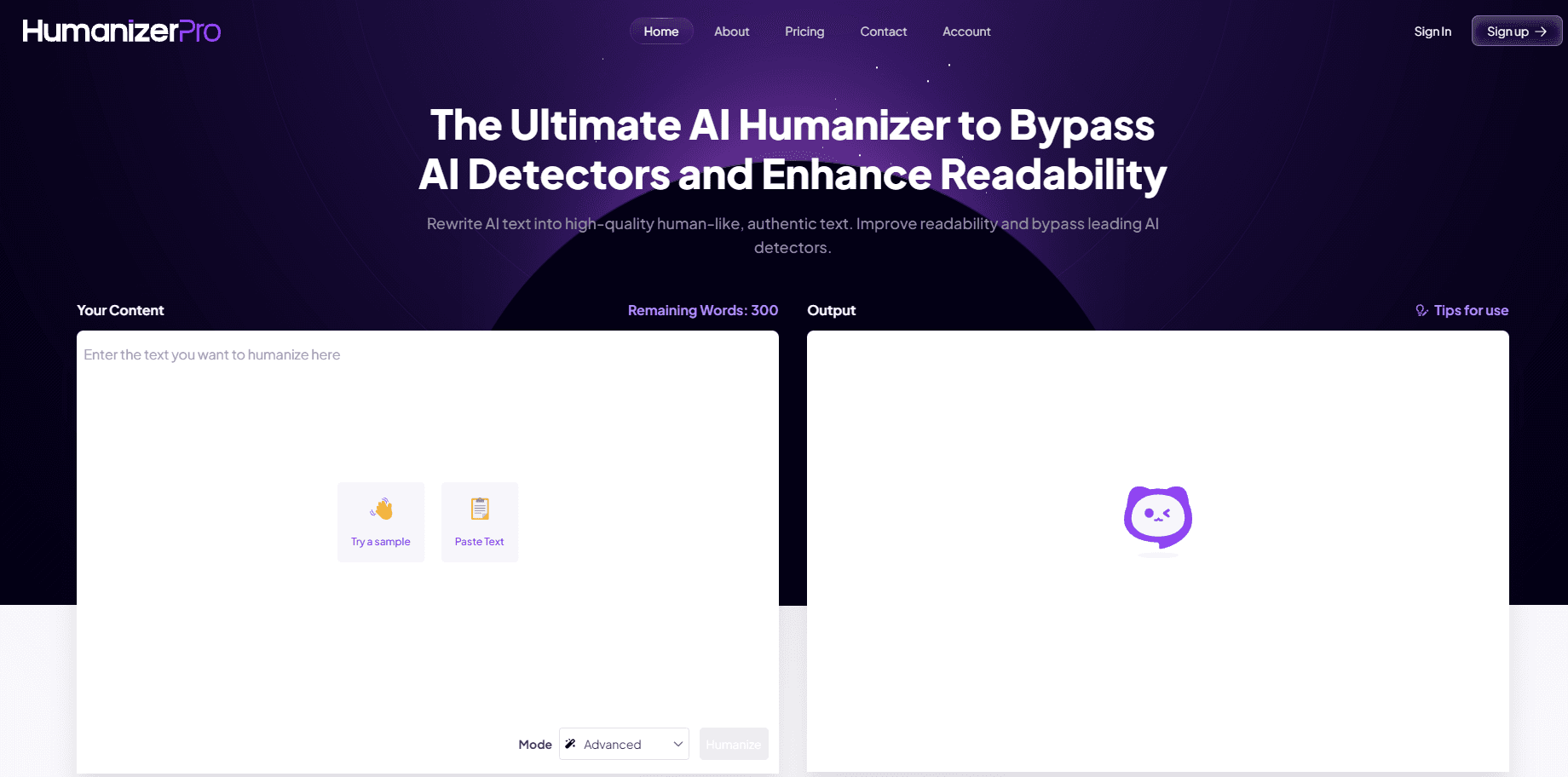
HumanizerPro AI is a browser based AI humanizer with one job: taking text that reads like a chatbot wrote it and making it read like a person did. You paste a draft from ChatGPT, Gemini or Claude, decide how hard the tool should push, and get a new version in seconds. You can humanize AI text free of charge for the first 500 words each month.
Most paraphrasers swap synonyms and leave the rhythm alone. Rhythm is the part detectors look at. This tool rebuilds the sentence layer instead: it varies length, moves clauses around, and cuts the flat transitions that give AI drafts away. The company says facts, terminology and intent stay where they were.
The limits matter as much as the pitch. Each input is capped at 600, 1,200 or 3,000 words depending on your plan, and the output is tuned for prose. Tables, code blocks and contract language come back rougher than a blog post does. The service runs on the same engine as its sister site SuperHumanizer, which offers unlimited free humanizing.
Getting Started
- Paste your AI draft into the box on the homepage. A test run needs no sign up.
- Pick a mode: Basic, Standard or Advanced. Higher modes rewrite more of the sentence structure and take longer.
- Choose a tone preset if the default doesn't fit the piece, then press the Humanize button.
- Copy the result, download it, or rework single sentences you want closer to the original. An account saves your history and raises the monthly word cap.
Product Information
A quick look at HumanizerPro AI's pricing, supported platforms, and performance.
Best for
The users, tasks, and scenarios where this tool fits best.
Users
- Content writers
- Marketers
- SEO professionals
- Freelancers and agencies
Tasks
- Cleaning up a blog draft
- Rewriting outreach email
- Running a detector check
- Localizing drafts across languages
Scenarios
- Last pass before a client handoff
- Publishing on a daily schedule
- Tidying internal reports
Key features
Three Rewrite Modes
Basic, Standard and Advanced change how far the tool goes. Basic keeps most of your phrasing and fixes rhythm. Advanced rebuilds whole sentences and reorders paragraphs, which is the setting you want for text that still scores high on detectors. All three are open to free users, so you can compare them on the same paragraph.
Nine Tone Presets
The presets cover Academic, Business, Marketing, Story and five more registers. They matter because a humanized academic abstract and a humanized product launch post need different vocabulary, and a single generic rewrite gives you neither. Pick the preset that matches where the text will live, not the one that sounds fanciest.
Context Aware Rewriting
The engine reads the whole passage before it changes anything. That's how it keeps pronoun references and technical terms consistent across paragraphs, which is where cheap word swappers fall apart. A paragraph about API rate limits comes back about API rate limits, not about generic software.
Built In AI Detector
A second tab checks a passage and reports how likely it is to read as machine written. Having the AI detector in the same account saves you from pasting text into a third party site, and it lets you test a rewrite before you commit to it. Treat the score as a signal, not a certificate. Every detector uses its own model.
Per Sentence Rewrite
You can select one sentence and get alternatives without touching the rest of the document. Useful when a single line reads wrong but the surrounding paragraphs are fine. Most humanizers only offer an all or nothing pass, so this is the feature that keeps a long edit from cascading.
Eight Plus Languages
The tool handles English, Spanish, French, German, Italian, Portuguese, Dutch and Russian. If you write for several markets, one workspace covers them, and you don't have to find a separate humanizer for each language. Quality is steadiest on English and the major European languages.
Pros and cons
Pros
- Free tier that works without an account, 500 words a month, enough to judge the output on a real draft.
- Three rewrite strengths plus nine tone presets give you more control than the usual single button humanizer.
- Detector, plagiarism checker and fact checker share one login, so the whole pre publish check happens in one place.
- Per sentence rewriting keeps you from reprocessing a 1,500 word article because of one clumsy line.
- Handles eight languages, which is rare at this price.
Cons
- Input caps are tight. A 3,000 word ceiling on the top plan means long reports have to be split, and splitting breaks the context awareness.
- Annual billing is the default on the pricing page, so the $7 entry price assumes you pay a year up front.
- Output still needs a human read for facts and names. The tool preserves meaning in general, but a wrong figure stays wrong and gets harder to spot once the prose flows.
- No mobile app. Everything runs in a browser tab, which is awkward for editing on a phone.
Frequently asked questions
It works as an AI to human text converter: it rewrites AI generated text so it reads like a person wrote it, changing sentence structure and rhythm rather than just swapping words. You paste a draft, pick a mode and a tone, then copy or download the result.
Related content
Explore related tools, skills, and articles for HumanizerPro AI.
HumanizerPro AI Alternatives

Google EmbeddingGemma 2
Google DeepMind · Writing · Image · CodingGoogle EmbeddingGemma 2 is a 740M-parameter open model that turns text, code, images, audio, and video frames into vectors in one 768-dimension space, running on phones and laptops.

MePersona
MePersona, Inc. · Writing · Productivity · MarketingMePersona is an AI unified inbox for creators. It learns your voice, drafts replies to fan messages from 12 platforms, and sends only what you approve.

Fluence
Yay Software (Yannick Huchard) · Writing · Voice & Language · ProductivityFluence is an Android app that reads PDFs, EPUBs, Word files and web articles aloud, follows each sentence as it speaks, and answers questions about the text on the phone itself.