

Humanlinker
Humanlinker · Marketing · Business
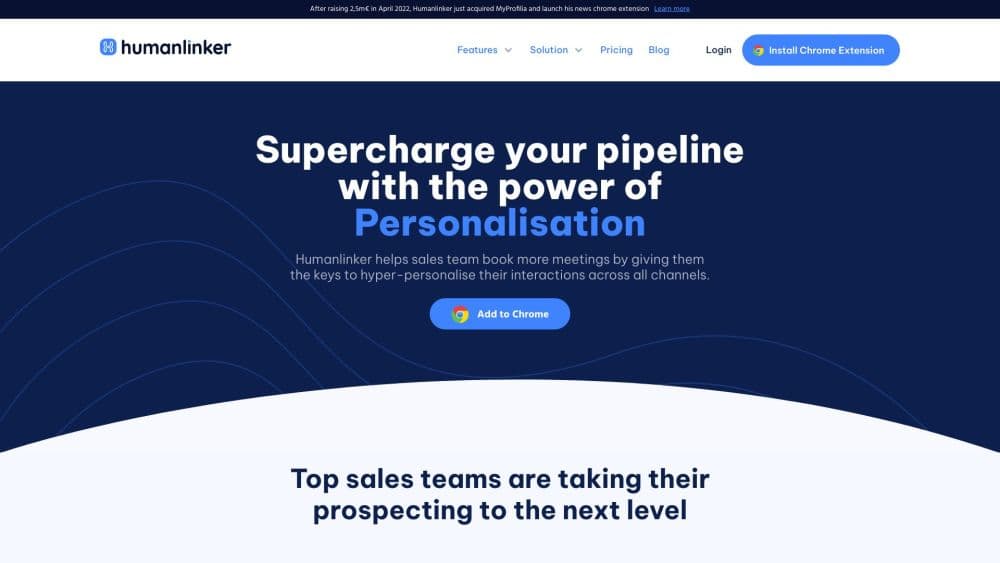
Humanlinker is an AI sales copilot for B2B prospecting. It recommends contacts, enriches emails, writes personalized outreach, runs multichannel campaigns and preps meetings.
About Humanlinker
What Is Humanlinker
Humanlinker is a French AI prospecting tool that puts AI in the middle of outbound work. It works as an AI sales assistant rather than another sequencer. Reps spend their time on replies instead of research. The pitch is simple. A rep shouldn't lose hours digging through a prospect's company news, guessing their communication style, then writing a cold email that still reads like a template. Humanlinker does the digging and the drafting, then hands the result back inside the CRM your team already uses.
The product spreads across the whole cycle, from finding contacts to closing a meeting. You get lead recommendations from a large contact database, email addresses verified through several providers, multichannel sequences across email and social, and a Chrome extension for one-off analysis while you browse LinkedIn. Meeting Prep adds a briefing on the prospect and their company before a call.
What separates it from a pure email automation tool is the personality angle. Humanlinker runs a DISC assessment on prospects and folds the result into the copy, so the same message doesn't go to everyone. Whether that nuance matters depends on how much your win rate rides on relevance. For teams sending generic sequences at volume, it's more than they need.
The limits are worth stating up front. Pricing sits in professional territory, with the entry plan at €69 a month and custom quotes above that. The product leans heavily on HubSpot and Salesforce, so a team on a niche CRM gets less from it. And AI output still needs a human edit before anything goes out.
Getting Started
- Sign up for the 14-day trial at app.humanlinker.com. You connect one social account, one email inbox and a calendar, and the trial adds a stack of enrichment and AI credits.
- Connect your CRM. HubSpot works on every plan, with Salesforce and Microsoft Dynamics on higher ones, so contacts and logged activity stay where your team already looks.
- Import or generate prospects. Pull contacts from a CSV, from HubSpot lists, or let the lead recommendation engine suggest people who match your ideal customer profile.
- Build a campaign or write a one-off message. Choose the channel mix (email, social invite, social message, call task), pick a template or start with AI copy, then review the generated text.
- Launch and watch replies. The unified inbox collects responses, flags out-of-office auto-replies and reschedules the next step, and campaign reporting shows what's landing.
Product Information
A quick look at Humanlinker's pricing, supported platforms, and performance.
Best for
The users, tasks, and scenarios where this tool fits best.
Users
- SDRs and BDRs
- Account executives
- Sales managers running a small team
- Solo founders and freelancers with a technical product
Tasks
- Writing cold emails that don't sound templated
- Finding verified email addresses
- Running multichannel sequences
- Preparing for a discovery call
- Keeping the CRM current
Scenarios
- A two-person startup building its first outbound motion
- An agency running outreach for clients under one workspace
- Reviving a stalled pipeline before quarter end
- A rep who hates research
Key features
AI-Generated Cold Email Copy
The copywriter builds a message from two layers of context. Account intelligence covers the company's news, market position and competitors; people intelligence covers the individual, including DISC personality. Icebreakers for social platforms, short comments and full 1-to-1 emails all come from that pairing. Humanlinker claims users see substantially higher response rates, which is a vendor figure and should be read as such. The practical point is that you edit a draft instead of starting at a blank box.
DISC Personality Analysis
Each prospect gets a DISC profile that describes how they tend to communicate and decide. The AI uses it to shift tone and structure, so a direct, results-focused buyer gets a shorter message than someone who wants detail and consensus. It's an inference from public signals rather than a test the prospect took, so treat it as a hint, not a fact. Still, it gives reps a reason to vary their approach, which many sequences never do.
Lead Recommendations and Data Enrichment
The platform recommends contacts from a pool described as 700 million profiles, matched against your ideal customer profile. Once you pick someone, enrichment fills in a work email verified through a triple-check process across more than 15 data providers. Phone numbers come through Fullenrich as a paid credit pack, and the vendor notes the process runs in line with GDPR. Volumes depend on the plan, and the enrichment quota is the first thing a heavy sender will run into.
Multichannel Campaign Builder
A campaign is a sequence of steps, not just emails. You can chain email sends, social invitations, social messages, comments, InMails and call tasks, then set sending volumes and limits per inbox. Inbox rotation spreads sending across several mailboxes to protect deliverability, and a warm-up step ramps new inboxes gradually. The automation handles scheduling and follow-up timing, including rescheduling around out-of-office replies.
Meeting Preparation and Sales Intelligence
Before a meeting, the AI meeting prep assembles a briefing on the prospect, their company and the likely topics. It draws on CRM data, notes from previous conversations, account news and the DISC profile. Higher plans add account plans built with AI, monitoring of news on accounts you follow, and detection of 12 business signals that point to a buying window. It saves the hour of scrolling that usually happens the night before.
CRM Integrations and the API
HubSpot connects on the Pro plan, with Salesforce added on Business and Microsoft Dynamics on Enterprise. Data flows both ways: CRM fields and notes inform the AI, and campaign activity gets logged back. The API lets teams push contacts and trigger campaigns from their own tools, and Business and Enterprise plans also list access to Claude through MCP for running parts of the workflow from a chat interface. Slack and Teams notifications are included for meeting reminders.
Pros and cons
Pros
- The DISC-driven copy gives outreach a personal angle that generic sequencers miss.
- The sales prospecting platform covers lead finding, email enrichment, copywriting, sequences and AI meeting prep in one workspace, not four.
- The 14-day trial includes enough credits to judge output quality before committing.
- Multichannel sending covers social alongside email, which matters when inboxes get crowded.
- Phone enrichment is GDPR-aware and available as a credit pack, so you don't need a second data vendor.
Cons
- The entry plan starts at €69 a month with a five-user cap, which is steep for one person testing the waters.
- Enrichment and AI credits are metered. Heavy prospecting means buying top-ups or moving to a custom quote.
- AI-written copy still needs editing. Skipping that step is how teams end up with confident nonsense.
- Salesforce and Dynamics support requires the higher Business and Enterprise plans.
Frequently asked questions
It runs the prospecting side of B2B sales. You get contact recommendations, verified work emails, AI-drafted outreach, multichannel sequences and a briefing before meetings, with activity logged into HubSpot or Salesforce. Think of it as a copilot for the repetitive parts of a rep's day, not a replacement for the call.
Related content
Explore related tools, skills, and articles for Humanlinker.
Humanlinker Alternatives

ngram 2.0
ngram · Video · Marketingngram 2.0 is an AI video generator for teams. It turns a prompt, a screen recording, or a product URL into a narrated explainer, product demo, or AI avatar video, and every scene stays editable.

shippedit.me
Krawlup · Marketing · Businessshippedit.me now redirects to Krawlup, a web platform that audits SEO, AEO and page speed every week, then hands the fixes to AI coding agents over MCP.

MePersona
MePersona, Inc. · Writing · Productivity · MarketingMePersona is an AI unified inbox for creators. It learns your voice, drafts replies to fan messages from 12 platforms, and sends only what you approve.