

I Have a Dream
WEBMASTER SAS · Writing · Video · Marketing
I Have a Dream is an AI video generator that turns text, a keyword, or a link into a ready-to-post clip in about 3 minutes, handling the script, images, voiceover, and subtitles.
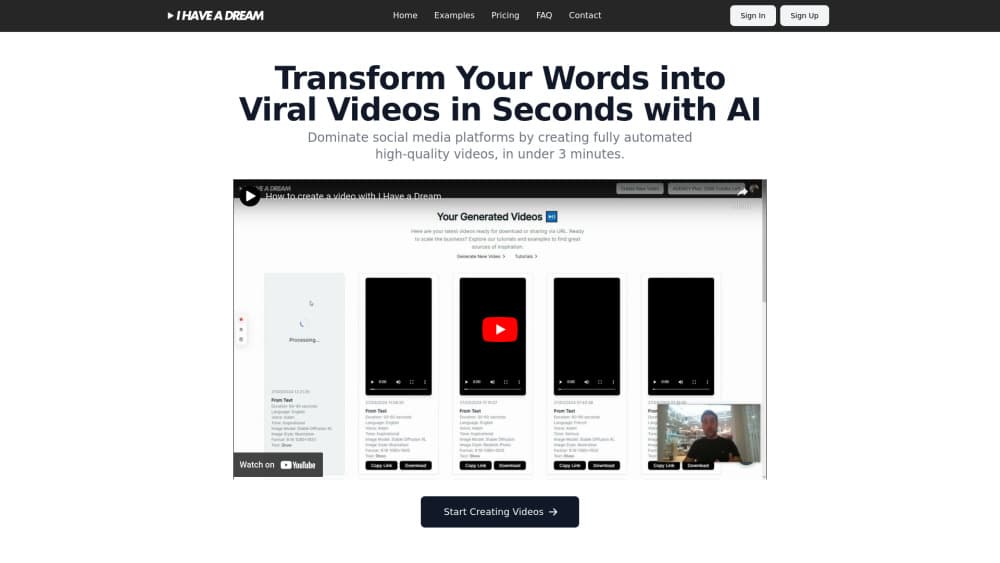
About I Have a Dream
What Is I Have a Dream
I Have a Dream is a faceless video maker and AI video generator built for social media content. You type a sentence, paste a keyword, or drop in a link, and the platform writes a script, generates matching visuals, adds a voiceover, and burns in subtitles. The result lands in your account as an editable, ready-to-publish video.
The pitch is speed and volume. The team behind the tool says a finished video takes about 3 minutes of hands-on work, which makes it a fit for creators who post daily on TikTok, Reels, Shorts, or YouTube. Instead of shooting footage, you feed it text and let the AI build the rest, which is the core of its viral video generator promise.
The trade-off is control. Because the tool picks images and pacing for you by default, the output follows its own template. You can adjust colors, fonts, and the voice, but you get no frame-level editing. Anyone who needs precise timing or custom motion graphics will hit that ceiling fast.
Getting Started
- Sign up at ihaveadream.ai. The Terms of Service include a free trial period, so new accounts start without an immediate charge.
- Enter your source: raw text, a single sentence, or a link to a page you want to turn into a video.
- Pick your video format, language, and voice. Five aspect ratios are available (1:1, 2:3, 4:5, 9:16, and 16:9).
- Let the AI generate the script, images, voiceover, and subtitles. You can tweak colors and fonts if you want a custom look.
- Review the result and export it in the format you chose for the network you're posting to.
Product Information
A quick look at I Have a Dream's pricing, supported platforms, and performance.
Best for
The users, tasks, and scenarios where this tool fits best.
Users
- Faceless content creators
- Solo marketers and small brands
- Social media managers
Tasks
- Turning a blog post or link into a short promo
- Producing narrated explainers
- Bulk social posting
Scenarios
- Running a faceless TikTok or Reels account
- Testing ad angles on a small budget
- Client work for a small agency
Key features
Text, Keyword, and Link to Video
You give the tool a sentence, a keyword, or a URL and it returns a full video. The engine writes the script first, then builds the scenes around it. That single input covers the whole pipeline, so you don't juggle a separate scriptwriter and editor.
AI Image Generation With 20 Styles
The platform ships 3 image models and 20 visual styles, and it picks images for your video automatically. You don't write image prompts. If you want a specific look, you choose a style and let the AI match it to your text.
Voiceover and Automatic Subtitles
Choose a language and a voice, and the tool narrates your video and adds automatic subtitles on its own. This is what makes international posting practical: you can localize a clip without hiring a voice actor or typing captions.
Five Social Video Formats
You can export in 1:1, 2:3, 4:5, 9:16, and 16:9. Each ratio maps to the main networks, so one idea fits Instagram, Facebook, TikTok, Reels, Shorts, and YouTube. You pick the format up front and the video is generated to fit, including its duration.
Brand Control Over Colors, Fonts, and Voice
You set the palette, the typeface, and the voice before you generate. That keeps your clips on-brand while the rest of the process stays automatic. It's the main lever you have over the look of the output.
Credit-Based Pricing
Every plan runs on credits, and 1 credit equals 1 second of video. Pro includes 600 credits a month, Business 2,400, and Agency 6,000. Extra credits cost less on higher tiers, which matters for anyone generating in volume.
Pros and cons
Pros
- Produces a full video from text in roughly 3 minutes, which suits a daily posting habit.
- Handles script, images, voiceover, and subtitles in one pass, so you don't manage four separate tools.
- 5 export formats cover every major social network.
- Multi-language voiceover and automatic subtitles make localized content realistic for solo creators.
- Credit pricing is simple: 1 credit equals 1 second of video, which makes costs easy to predict.
Cons
- No permanent free plan, only a trial, so ongoing use means a subscription of $29 or more.
- Editing is limited to colors, fonts, and voice; there's no frame-level timeline for precise control.
- Automatic visuals follow the tool's own templates, so videos built from the same style can look alike.
- One credit buys only 1 second, so a 60-second video burns 60 credits and long clips get expensive.
Frequently asked questions
It's a web-based AI video generator that turns text, a keyword, or a link into a finished social media video. It writes the script, generates images, adds a voiceover, and burns in subtitles automatically.
Related content
Explore related tools, skills, and articles for I Have a Dream.
I Have a Dream Alternatives

Google EmbeddingGemma 2
Google DeepMind · Writing · Image · CodingGoogle EmbeddingGemma 2 is a 740M-parameter open model that turns text, code, images, audio, and video frames into vectors in one 768-dimension space, running on phones and laptops.

MePersona
MePersona, Inc. · Writing · Productivity · MarketingMePersona is an AI unified inbox for creators. It learns your voice, drafts replies to fan messages from 12 platforms, and sends only what you approve.

Fluence
Yay Software (Yannick Huchard) · Writing · Voice & Language · ProductivityFluence is an Android app that reads PDFs, EPUBs, Word files and web articles aloud, follows each sentence as it speaks, and answers questions about the text on the phone itself.