

iAsk.Ai
Ai Search Inc. · Coding · AI Detection
iAsk.Ai is a free AI search engine and homework helper that returns instant answers with checkable citations, and iAsk Pro adds ad-free study, an AI video tutor, and document analysis.
About iAsk.Ai
What Is iAsk.Ai
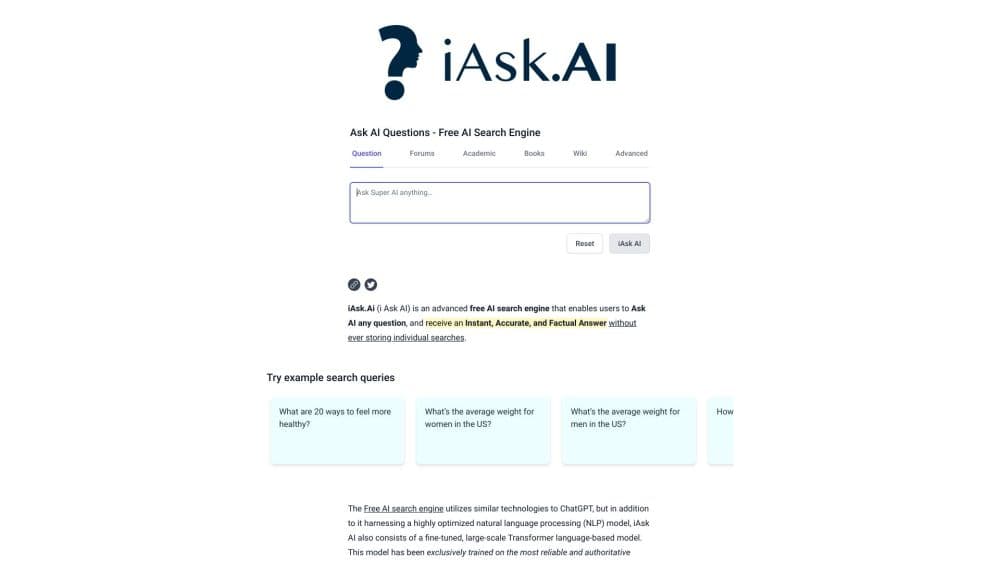
iAsk.Ai is an AI question and answer engine, an Ask AI answer engine, built for students and researchers who need a fast response they can verify. You type a question in plain language, and it reads live web sources before writing an answer, so each response carries links back to where the facts came from. That design targets the main complaint people have about chatbots: answers that sound confident but point to nothing.
The product bills itself as a question AI search engine rather than a general chatbot, and iAsk Pro pricing keeps the ad-free tier at a single monthly rate. Around the core search sit study tools: a summarizer that turns long pages or files into bullet points, a document analyzer that reads uploaded PDFs and papers, a writing helper, and a grammar checker. iAsk says it was refined through feedback from millions of students, and its marketing leans on a strict grounding claim, meaning it answers from live sources instead of guessing from training data.
The limits matter as much as the features. The free tier runs on a non-Pro model with limited ads, while the strongest model and ad-free use sit behind iAsk Pro at $9.95 per month. The engine is strongest on factual lookups and research, and less of a fit for heavy creative or agentic work, which iAsk itself positions as the territory of other toolkits.
Getting Started
- Open iask.ai and type a question in the Ask AI box, or pick a mode such as Guide Me, Thinking, Forums, or Wiki from the menu.
- Choose how detailed you want the answer by setting the response level to Concise, Average, or Detailed.
- Read the answer, then click the citations to check the sources behind each claim.
- Use the side tools when you need them: paste a web link into the summarizer, upload a file to the document analyzer, or run text through the grammar checker.
- Sign up for a free account to save search history, or upgrade to iAsk Pro for the top-ranked model, ad-free results, and the video tutor.
Product Information
A quick look at iAsk.Ai's pricing, supported platforms, and performance.
Best for
The users, tasks, and scenarios where this tool fits best.
Users
- Students with heavy research loads
- Researchers and academics
- Self-directed learners
- Writers and editors
Tasks
- Answering a homework question
- Summarizing a long page or file
- Analyzing a research paper
- Checking whether a claim holds up
Scenarios
- You're stuck on a problem the night before it's due
- You need a citation you can defend
- You're working through a topic with no clear starting point
- You're on mobile between classes
Key features
Grounded Answers With Citations
The centerpiece is answer generation that stays tied to live web sources, so each response points back to the pages it drew from. iAsk markets this as having extremely low hallucination risk, and backs it with a comparative table showing a 86.55 percent MMLU rating against other toolkits. For research work, being able to check a source is the whole point.
AI Video Tutor
On Pro, an AI video tutor delivers real-time, one-to-one explanations that adjust to your pace and questions. It's built for the moment a text answer still leaves you confused about how a step works. Students describe it as closer to office hours than a search result, which is the gap it's aiming at.
Document Analyzer and Summarizer
Upload PDFs, research papers, or long articles, and the document analyzer answers questions about their content. The summarizer does the lighter version of the same job, turning a lengthy web page or block of text into concise bullet points. Both cut the time spent skimming to find one fact.
Writing and Grammar Tools
iAsk ships a writing helper that can improve a draft or generate full text, plus a one-click grammar checker for polishing finished work. These sit alongside search rather than replacing it, so the same session covers finding facts and cleaning up the prose around them.
Response Control
You pick how much detail you want before asking, choosing Concise, Average, or Detailed, and you can switch modes like Guide Me, Thinking, Wiki, and Forums. Setting the depth up front avoids wading through a wall of text when you only need a one-line answer, or the reverse.
iAsk API
Developers can integrate the answer engine through the iAsk API, which comes in Basic, Regular, and Advanced tiers at $1.20, $6, and $12 per 1,000 responses. It's pitched for content generation, custom niche search engines, and coding assistance, with the Advanced tier unlocking the Pro model.
Pros and cons
Pros
- Answers come with citations you can open and check, which matters more for schoolwork than a polished paragraph with no sources.
- The free tier covers everyday search, and students can get Pro free for a year with a .edu email, so the paid wall is easy to defer.
- Study tools like the video tutor, document analyzer, and summarizer sit in one place instead of across separate subscriptions.
- There's a real API with published per-response pricing, so teams can build on the engine rather than only use the site.
- The interface lets you set answer depth and mode, so the same tool serves a quick lookup and a deep dive.
Cons
- Ad-free search and the top-ranked model are locked behind iAsk Pro at $9.95 per month, so the free experience shows ads and uses a weaker model.
- The strength is fact-finding and study help, so people wanting long-form creative writing or agent-style automation will find other toolkits better suited.
- The free-tier daily search allowance is capped, which means heavy users hit the limit and need Pro to keep going.
- Benchmark and ranking claims such as the best search engine title come from iAsk's own marketing, so treat them as vendor statements until independently confirmed.
Frequently asked questions
iAsk.Ai is used to ask questions and get cited answers from live web sources, and to study with tools like a summarizer, a document analyzer, and an AI video tutor. Students and researchers use it for homework, research, and fact-checking.
Related content
Explore related tools, skills, and articles for iAsk.Ai.
iAsk.Ai Alternatives

Base Code
Base44 (Wix) · Coding · ProductivityBase Code is a shared cloud development environment from Base44. Teammates describe changes to an existing GitHub codebase in chat, preview them live and send them back as pull requests.

Google EmbeddingGemma 2
Google DeepMind · Writing · Image · CodingGoogle EmbeddingGemma 2 is a 740M-parameter open model that turns text, code, images, audio, and video frames into vectors in one 768-dimension space, running on phones and laptops.

GitGlow
GitGlow · Coding · ProductivityGitGlow is a local-first desktop Git client that lets independent developers review their own code and their AI agents' changes in one place before shipping.