

iBrowsy
TicClik · Coding
iBrowsy is a free, open source AI browser for macOS that pairs everyday browsing with a GPT-4 assistant, built-in ad blocking, and privacy controls, all running on your own machine.
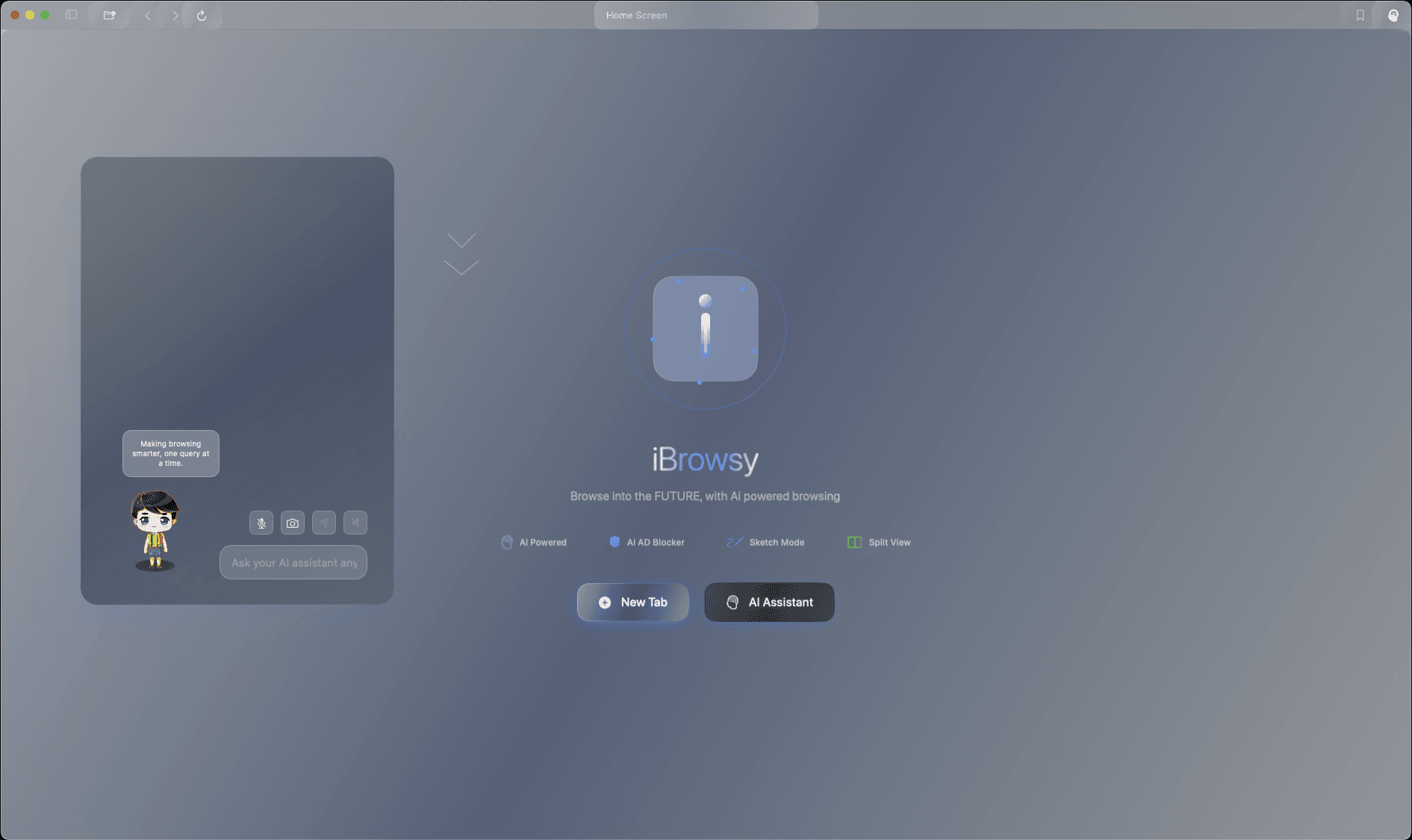
About iBrowsy
What Is iBrowsy
iBrowsy is a web browser built for macOS that treats an AI assistant as a first-class part of the browsing experience instead of a bolted-on sidebar. It's written in SwiftUI and runs on Apple's WebKit engine, so it looks and feels like a native Mac app rather than a wrapped web page. The project lives on GitHub under the TicClik account and ships under the MIT license.
The point is to keep you in one window. You read a page, ask the assistant about it, capture a chart, and compare prices without copying text into a separate chatbot. The assistant knows what page you're on, so questions like "what does this section actually mean" get answers grounded in the content in front of you.
The catch is setup. iBrowsy takes an OpenAI API key, which you supply yourself, so the AI features only work once you've signed up at OpenAI and pasted a key into settings. That also means you pay OpenAI directly for what the assistant uses. The app itself costs nothing. It's macOS only, needs version 14.0 or later, and the current build is meant to be compiled in Xcode rather than downloaded as a finished installer.
Getting Started
- Clone the repository from GitHub and open the project in Xcode 15.0 or later on a Mac running macOS 14.0 or newer.
- Change the bundle identifier in the Signing and Capabilities tab to your own, then select your development team and build the app with Cmd + R.
- Generate an API key at the OpenAI platform, then paste it into Settings, under the Browser tab, in the OpenAI API Key field.
- Open a page and click the AI Assistant button in the toolbar to ask about the page, dictate a question, or attach a screenshot.
- Visit Settings, then the Privacy tab, to pick a blocking level and check the live blocking stats.
Product Information
A quick look at iBrowsy's pricing, supported platforms, and performance.
Best for
The users, tasks, and scenarios where this tool fits best.
Users
- Mac users who want AI help while reading
- Privacy-conscious readers
- Researchers and students
Tasks
- Understanding a dense article
- Comparing prices on a product
- Planning a trip
- Blocking YouTube ads
Scenarios
- Working through a long research session
- Reading on a shared or borrowed Mac
- Keeping videos on screen while you work
Key features
AI Assistant With Page Context
The assistant is wired to the page you're viewing, so you can ask what a section means, request a summary, or probe a claim without pasting text elsewhere. It runs on OpenAI's GPT-4 through your own API key, which keeps the model choice and billing in your hands. The chat lives in the toolbar, one click from whatever you're reading.
Voice Input and Screen Capture
You can dictate a question using macOS speech recognition instead of typing. Pair that with screen capture and you can grab a chart, a receipt, or a screenshot and ask the assistant about the image directly. It's the fastest path for visual questions that are awkward to describe in words.
Webpage Interaction
The assistant doesn't just answer; it can act on the page. It highlights text it's referring to, opens sites you ask for, and bookmarks pages on command. That turns a chat reply into something you can follow on screen rather than a block of text you have to re-locate yourself.
Price Comparison and Trip Planning
Two task-oriented tools sit alongside the general assistant. Price comparison analyzes a product across major retailers so you can judge whether a listing is fair, and trip planning assembles an itinerary with search links built in. Both lean on the assistant, so they need your API key to run.
Split-View Analysis and Citation Manager
When you put two sources side by side, the assistant analyzes them together in real time, which helps when you're comparing versions of a story or checking a claim against a source. The citation manager collects references in an academic style, aimed at people writing papers or reports.
AI Privacy Manager and Ad Blocking
A machine-learning blocker handles ads and trackers, with a separate rule set for YouTube's ads. You choose between aggressive, balanced, and minimal modes depending on how much you want blocked versus how much you want sites to work normally. Real-time stats show what got stopped.
Non-Persistent Browsing and No Telemetry
You can set the browser to wipe its data when the app closes, which suits shared machines or one-off sessions. The project states it collects no telemetry, so browsing stays on your device. It's a private browser by default, and these are settings you can toggle rather than fixed behaviors.
Pros and cons
Pros
- AI assistant is built into the browser and sees the page you're reading, so questions stay in context.
- Completely free and open source under the MIT license, with the code available on GitHub for inspection or edits.
- Privacy controls are concrete: an ML ad and tracker blocker, a YouTube-specific ad blocker, non-persistent mode, and no telemetry.
- Task tools like price comparison, trip planning, and split-view analysis cover more than plain chat.
- Native SwiftUI build means it behaves like a real Mac app, not a wrapped website.
Cons
- You must supply and pay for your own OpenAI API key, so there's no ready-to-use AI out of the box.
- It's macOS 14.0 or later only, which rules out Windows, Linux, and older Macs.
- There's no released installer, so you compile it in Xcode yourself; that's a real barrier for non-developers.
- It's an early, small project, so expect rough edges and a shorter track record than mainstream browsers.
Frequently asked questions
Yes. The browser is free and open source under the MIT license. The only cost is the OpenAI API usage for the AI features, which you pay to OpenAI directly through your own key.
Related content
Explore related tools, skills, and articles for iBrowsy.
iBrowsy Alternatives

Base Code
Base44 (Wix) · Coding · ProductivityBase Code is a shared cloud development environment from Base44. Teammates describe changes to an existing GitHub codebase in chat, preview them live and send them back as pull requests.

Google EmbeddingGemma 2
Google DeepMind · Writing · Image · CodingGoogle EmbeddingGemma 2 is a 740M-parameter open model that turns text, code, images, audio, and video frames into vectors in one 768-dimension space, running on phones and laptops.

GitGlow
GitGlow · Coding · ProductivityGitGlow is a local-first desktop Git client that lets independent developers review their own code and their AI agents' changes in one place before shipping.