

Ideta - chatbots and callbots
Ideta · Voice & Language · Chatbot
Ideta is a no-code platform for building AI chatbots, callbots, and mailbots, with live chat, workflow automation, and community management bundled into one builder.
About Ideta - chatbots and callbots
What Is Ideta
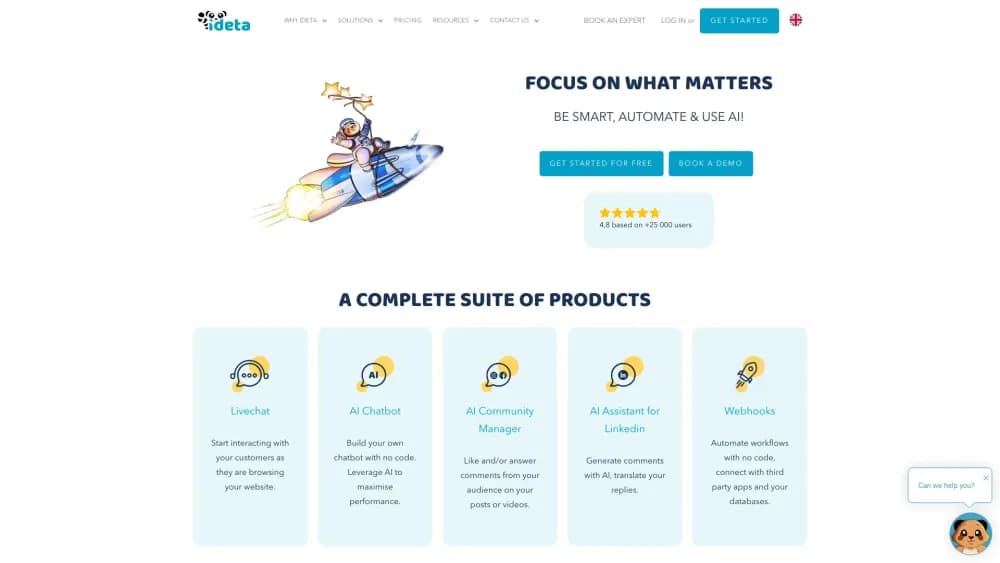
Ideta is a French company whose AI chatbot builder turns conversations into automated work. You build an AI agent in a visual editor, drag bubbles onto a canvas, and connect them into flows that answer customers on your website, on the phone, by email, or inside apps like WhatsApp, Slack, and Discord. The suite also covers live chat software, webhooks, and an AI community manager that replies to comments on your social posts.
The problem it solves is the sheer repetition of customer contact. As a no-code chatbot platform, it targets the team that wants customer support automation without a developer on standby. Most questions are variations of the same few topics, and a small team cannot answer them all day without slowing down. Ideta handles the routine exchanges on its own, and a person can jump in the moment a conversation gets complicated. The company says its bots are running for more than 2,000 businesses and that the product rates around 4.8 out of 5 across review sites.
Some customers also want a voice bot for the phone line, and Ideta's callbot covers that side of the same project.
Two limits are worth knowing before you commit. The platform is built for teams handling steady conversation volume, and its pricing works by monthly sessions or conversations, so a heavy month can push you to a higher plan. It also leans toward marketing and support use cases rather than deep backend engineering, which means the value sits in the editor and integrations, not in writing code.
Getting Started
- Create a free account with an email and password. Ideta does not ask for a credit card at signup, and you can build at no cost until you are ready to publish.
- Pick a starting point in the editor. Choose a template or a blank canvas, then place bubbles and link them to build your first conversation flow.
- Add AI and data. Connect an AI provider, drop in your own content or a knowledge base, and set the conditions that decide when the bot answers and when it asks for more detail.
- Deploy to your channels. Publish the bot to your website, WhatsApp, Facebook Messenger, or the phone line, using the built-in channels or an API connector.
- Hand over and iterate. Turn on human handover so agents can take over, then check the dashboard for the conversations that need tuning.
Product Information
A quick look at Ideta - chatbots and callbots's pricing, supported platforms, and performance.
Best for
The users, tasks, and scenarios where this tool fits best.
Users
- Small support and marketing teams
- Businesses handling a steady stream of the same questions
- Companies that live on messaging apps
Tasks
- Answering common customer questions
- Booking appointments by phone
- Qualifying and collecting leads
- Automating internal workflows
- Moderating social media
Scenarios
- A real estate agency screening enquiries after hours
- A university help desk drowning in the same admissions questions
- A call center facing long hold times
Key features
No-Code Visual Builder
You build conversations by dragging bubbles onto a canvas and linking them, with no code involved. The editor shows each step as a block, so you can see the whole flow at a glance and change one branch without breaking the rest. Ideta also ships ready templates, which shortens the time between signing up and a working bot.
Chatbots, Callbots, and Mailbots
One builder covers several conversation types. A chatbot handles web and messaging channels, a callbot answers and places phone calls with a choice of voice, and a mailbot covers email. You can run the text and voice versions from the same project, so a business does not stitch together separate tools for each channel.
AI Agent With Your Own Knowledge
You point the AI at your documents, help center, or product data, and it answers from that content instead of guessing. Ideta supports multiple AI providers, including OpenAI, Microsoft Azure, Mistral, Claude, Gemini, and xAI, and you can export your project to the NLP provider you prefer. That flexibility matters if you already pay for a specific model or need to move later.
Live Chat and Human Handover
When the bot is stuck or a customer asks for a person, an agent can take over the conversation in the same thread, with the history attached. Ideta's live chat keeps the bot and the human on one timeline, so customers do not repeat themselves. Support seats are included from the paid tier, and top plans add more of them.
Workflow Automation and Webhooks
The webhook product lets one conversation trigger work elsewhere. You create custom webhooks, connect third-party apps, and send notifications to tools like Slack or Zapier, or push data into your own systems through the API connector. Ideta sells this as a separate product with its own free and paid tiers, so automation scales on its own budget.
Omnichannel Deployment
Ideta publishes to a wide set of channels rather than a single one. Out of the box you get your website, WhatsApp, Facebook Messenger, Instagram, Slack, Discord, Microsoft Teams, and phone lines through Twilio, Genesys, and HighConnexion. The API channel lets you deploy an AI workflow as an endpoint when no prebuilt integration fits.
AI Community Manager
The community manager watches your posts and videos and likes or replies to comments for you. It reads sentiment, so you can filter what needs a human, and it works across the major social platforms. For teams running paid social, answering every comment by hand is the bottleneck this feature removes.
Pros and cons
Pros
- The free plan lets you build and test a full bot before you pay, and there is no credit card at signup.
- One platform spans chat, voice, email, live chat, and social replies, which cuts the number of tools a small team juggles.
- The drag-and-drop builder keeps non-technical people in control, so marketing and support staff can ship changes without a developer.
- It connects to major AI providers and lets you export your project, so you are not locked to a single model.
- Channel coverage is broad, from WhatsApp and Slack to phone lines through Twilio and Genesys.
Cons
- Pricing runs on monthly sessions or conversations, so a spike in traffic can force you to a higher plan or stop the bot once you pass the cap.
- Some features, like community automation and webhooks, are billed under separate products, which makes the true cost harder to predict.
- The editor favors marketing and support flows, so teams that need heavy custom logic will hit its limits and lean on the API connector instead.
Frequently asked questions
Yes. Ideta has a free plan that includes 100 conversations a month, one bot, and one workspace, and you can build without a credit card. The free plan stays free until you publish, and after you go live you still get a 14-day live trial.
Related content
Explore related tools, skills, and articles for Ideta - chatbots and callbots.
Ideta - chatbots and callbots Alternatives

Foley
Hanamori Labs, LLC · Voice & Language · Productivity · AI AssistantFoley is a voice to-do list that turns a spoken sentence into a filed task, complete with project, date and time, then helps you plan the day around what is already there.

HireKey
HireKey · Voice & Language · Productivity · LeaningHireKey is an AI job search copilot built by a former tech recruiter. It checks role fit, tailors resumes, runs interview practice and tracks every application.

Fluence
Yay Software (Yannick Huchard) · Writing · Voice & Language · ProductivityFluence is an Android app that reads PDFs, EPUBs, Word files and web articles aloud, follows each sentence as it speaks, and answers questions about the text on the phone itself.