

Voice & Language Translator
Addevice LLC · Writing · Voice & Language
idict is an AI voice translator for iOS and Android that converts speech, text, and photos across 130+ languages, with optional voice cloning and offline packs.
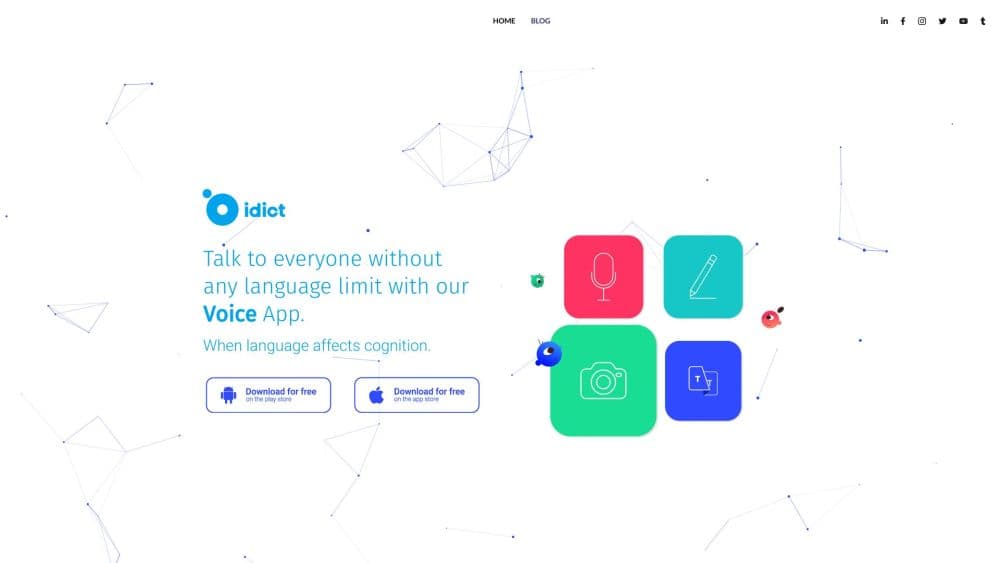
About Voice & Language Translator
What Is idict
idict is a consumer translation app from Addevice LLC, a software company based in Yerevan, Armenia. It handles spoken conversation, typed text, and printed words in one place: you talk, type, or point the camera, and the app returns the same content in another language. The feature list goes past plain translation, with voice cloning, a phrasebook, and an assistant that replies in dozens of languages.
The product targets the gaps that show up on a real trip. Menus, street signs, and taxi conversations rarely wait for you to open a browser tab. idict keeps those jobs in one app, and the offline packs cover the moments when roaming data runs out. On Android the listing shows more than 100,000 downloads, which puts it in the same pool as the mainstream translation apps.
Two limits matter before you install it. The strongest tools, including voice cloning and offline mode, sit behind a subscription, and the free tier is a trial rather than a permanent free product. Accuracy also depends on your connection, background noise, and how common the dialect is. The app supports regional accents, but a noisy market stall is still harder than a quiet room.
Getting Started
- Download idict from the App Store or Google Play, then open the app and allow microphone and camera access.
- Create a profile and pick your source and target languages. The app remembers recent pairs, which saves a step on repeat trips.
- Choose a mode: speak for real-time voice translation, type for text, or use the camera for a photo translation.
- For hands-free talks, switch on conversation mode and pass the phone back and forth. Each side speaks in their own language.
- Before a flight or a remote trip, open the offline section and download the language packs you need. Then test one phrase with mobile data turned off.
Product Information
A quick look at Voice & Language Translator's pricing, supported platforms, and performance.
Best for
The users, tasks, and scenarios where this tool fits best.
Users
- Travelers
- Language learners
- Remote teams and freelancers
- Families and mixed-language households
Tasks
- Ordering food and reading a menu
- Asking for directions
- Studying vocabulary before a trip
- Translating a sign or a printed notice
Scenarios
- A week abroad with limited data
- A client call in a language you don't speak
- A first trip where you barely know the language
Key features
Real-Time Voice Translation
Speak into the phone and idict returns the sentence in your target language, with text on screen and audio you can play for the other person. The app supports voice input in more than 70 languages. On a stable connection the reply arrives in a couple of seconds, which is quick enough for short exchanges.
Voice Cloning for Natural Output
The optional voice cloning feature builds a copy of your voice and uses it for translated speech. That keeps your tone and pitch in place instead of swapping in a generic narrator. It's the feature that turns idict into a voice cloning translator rather than a plain text tool, and it's also the one that asks the most from your microphone and your privacy settings.
Photo and Object Translation
The camera mode reads text in images, so a menu, a train ticket, or a street sign turns into readable copy in your language. Object detection adds a second layer: point at an item or a scene and the app tells you what it sees. This is the core of the photo translation app experience, and it works without typing a single word.
Conversation Mode for Two People
Conversation mode splits the screen so two people can talk in turn. You speak, the app translates, the other person answers, and the app translates back. As a conversation mode translator it handles the rhythm of a shop counter or a hotel desk better than passing a single text box back and forth.
Offline Language Packs
You can download packs for the languages you need before you travel, then translate without a connection. This is what makes idict a useful offline translator app on a plane or in a dead zone. The tradeoff is storage and setup time, and the offline vocabulary is narrower than the online engine.
AI Assistant and Phrasebook
The built-in assistant answers questions in 72 languages and can reply with speech as well as text. Ask it how a phrase is used, or have it explain a reply you didn't follow. The phrasebook stores the lines you use often, which covers the repeated parts of travel and study.
Pros and cons
Pros
- Covers voice, text, and photo translation in one app, so you don't switch tools mid conversation.
- Voice cloning keeps your own tone in translated speech, which sounds less robotic on longer calls.
- Offline packs work on a plane, in a subway, or anywhere the signal drops.
- The interface is clean enough to learn in a few minutes, with large buttons for the main modes.
- The phrasebook and audio pronunciations add study value beyond one-off translations.
Cons
- Voice cloning and offline mode require a paid plan, so the free trial shows the product rather than replacing it.
- Offline packs take up storage and have to be downloaded before you leave, which is easy to forget.
- Accuracy drops with heavy background noise, strong regional accents, and rare dialects.
- There's no web or desktop version, so laptop users have to reach for the phone.
Frequently asked questions
idict is a translation app for iOS and Android made by Addevice LLC. It translates spoken words, typed text, and text inside photos, and it adds voice cloning, a phrasebook, and an AI assistant.
Related content
Explore related tools, skills, and articles for Voice & Language Translator.
Voice & Language Translator Alternatives

Claude for Google Workspace
Anthropic · Writing · Productivity · BusinessClaude for Google Workspace puts Claude in a sidebar inside Google Docs, Sheets, and Slides, where it reads the file you have open and edits it in place.

Claude Haiku 5.5
Anthropic · Writing · Coding · ChatbotClaude Haiku 5.5 is Anthropic's fastest and cheapest small model, built for high volume tasks at $0.10 per million input tokens with a 1M token context window.

NoteWorthy
Suman Hansada · Writing · Productivity · AI AssistantNoteWorthy is a notes app for iPhone, iPad and Mac that writes titles, tidies formatting, summarizes long notes and files each one with on-device AI. No account, no upload, no network requests.