

ImageEditor.AI
ImageEditor.AI · Other
ImageEditor.AI is a browser-based AI photo editor that removes backgrounds, erases objects, upscales, and restores old photos without installing software. It runs on a free plan with 5 daily AI edits or a $12 per month Pro plan.
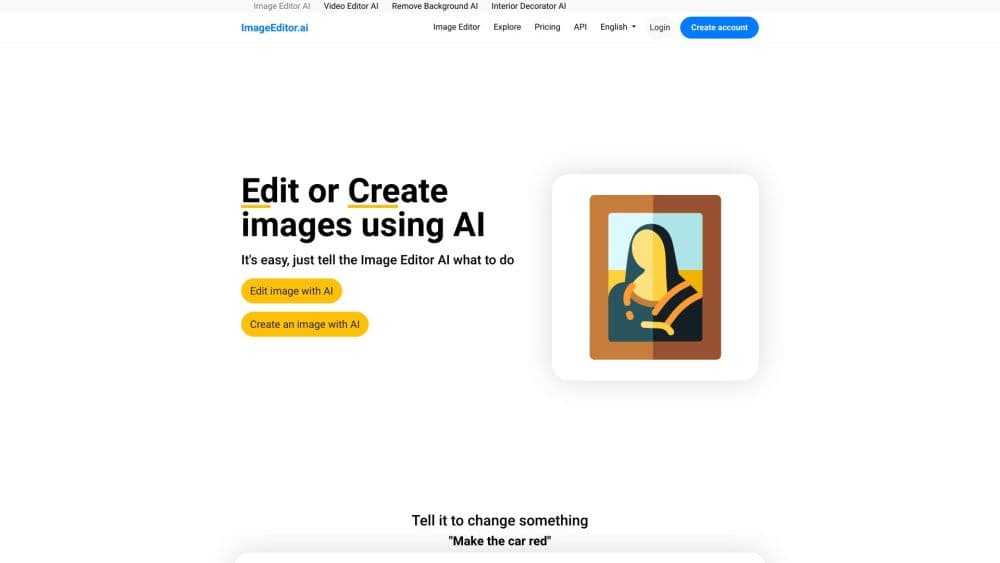
About ImageEditor.AI
What Is ImageEditor.AI
ImageEditor.AI is an online AI photo editor that bundles a full editing suite into one web app. You upload a JPG, PNG, or WebP file and pick a tool: remove the background, erase an object, upscale to 4x, restore a damaged photo, or describe a change in plain English with the AI edit tool.
The product targets people who need fast image fixes but don't want Photoshop or a heavy desktop workflow. E-commerce sellers, social media managers, and casual users can clean up product shots, prep photos for listings, or rescue old family pictures straight from a browser.
The main limit is scope. ImageEditor.AI is built for single-image edits and a specific set of tasks, not layered design work, so it won't replace a full editor for complex retouching. Free edits may carry a small watermark, and processed results on the free tier are deleted after 12 hours, so you need to download what you want to keep.
Getting Started
- Go to ImageEditor.AI and drag in a JPG, PNG, or WebP image, or click to upload one.
- Pick a tool from the suite, such as Remove Background, Upscale, or Edit with AI.
- Adjust the settings or type a plain-English prompt describing the change you want.
- Review the result, then download the high-quality file, which is ready for your store, social post, or print run.
Product Information
A quick look at ImageEditor.AI's pricing, supported platforms, and performance.
Best for
The users, tasks, and scenarios where this tool fits best.
Users
- Online sellers
- Social media managers
- Families and hobbyists
- Developers
Tasks
- Background removal
- Image upscaling
- Old photo restoration
- Object and text removal
Scenarios
- Prepping an e-commerce listing the night before a sale
- Freshening up a batch of social posts for the week
- Digitizing family archives
Key features
Remove Background
The background remover cuts the subject out of an image and returns a clean transparent PNG. It handles product shots, portraits, and pet photos in seconds, and works on the free plan with no editing skills needed.
Upscale Image
The upscale tool increases resolution up to 4x and rebuilds lost detail, which helps when an old or low-resolution image needs to go on a store page or a large display. Results hold up better than simple stretching because the AI reconstructs edges instead of blurring them.
Restore and Colorize
A set of premium tools repairs scratches, tears, and fading on old photos and adds natural color to black-and-white pictures. The Face Enhance tool and unblur sharpen soft portraits, so family archives and historical images look usable again. These tools sit behind the Pro plan or cost extra credits.
Edit with AI and Generative Fill
You describe a change in plain English and the AI applies it, or mask an area and let inpainting replace or extend it. Supporting tools like style transfer, relighting, and background replacement go further, turning a photo into art or swapping a plain background for a generated scene.
Batch Processing and Team Seats
Pro users can process multiple images in one run, keep results beyond the 12-hour free window, and export without a watermark. Team plans add seats with a 15% discount per person once a team has three or more people.
Developer API
ImageEditor.AI exposes its editing tools through an API so developers can remove backgrounds, upscale, or run restoration inside their own apps. Billing is credit-based, with one credit equal to a standard edit and premium tools costing four, and prices drop up to 70% as you buy more credits.
Pros and cons
Pros
- Works fully in the browser, so there's no software to install and it runs on any modern device.
- Free plan gives 5 AI edits a day plus free convert, resize, crop, and compress tools.
- Pro costs $12 per month and unlocks unlimited edits, premium restoration tools, batch processing, and watermark-free exports.
- Broad tool set covers background removal, upscaling, object removal, restoration, and generative fill in one place.
- An API with credit-based pricing suits developers who need occasional edits without a subscription.
Cons
- Free edits can carry a small watermark, so clean exports require Pro.
- Results on the free tier are deleted after 12 hours, which forces you to download work quickly.
- Layered design and precise manual retouching aren't supported, so it won't replace a full desktop editor.
- Batch processing and premium tools are locked behind Pro, which limits heavier free workflows.
Frequently asked questions
It removes backgrounds, erases objects and text, upscales images up to 4x, restores and colorizes old photos, enhances faces, and converts, resizes, or crops files, all inside a browser.
Related content
Explore related tools, skills, and articles for ImageEditor.AI.
ImageEditor.AI Alternatives

Odyssey 3
Odyssey · OtherOdyssey-3 is Odyssey's foundation world model. It simulates physics in real time, turns a prompt into an interactive environment, and adapts to robots, cars and games.

JarvisCore
Prescott Data · Coding · Productivity · OtherJarvisCore is an open source Python runtime where AI agents work as equal peers on an agent mesh, claim tasks from a shared ledger, and reach external services through a zero-trust broker.
Clef
Cloudflare · Business · OtherClef is Cloudflare's open-source decision model for Workers AI. It returns calibrated probabilities for typed questions, not generated text, so agents can classify, route, and act fast.