

Inbox Zero
Inbox Zero · Writing · Productivity · Marketing
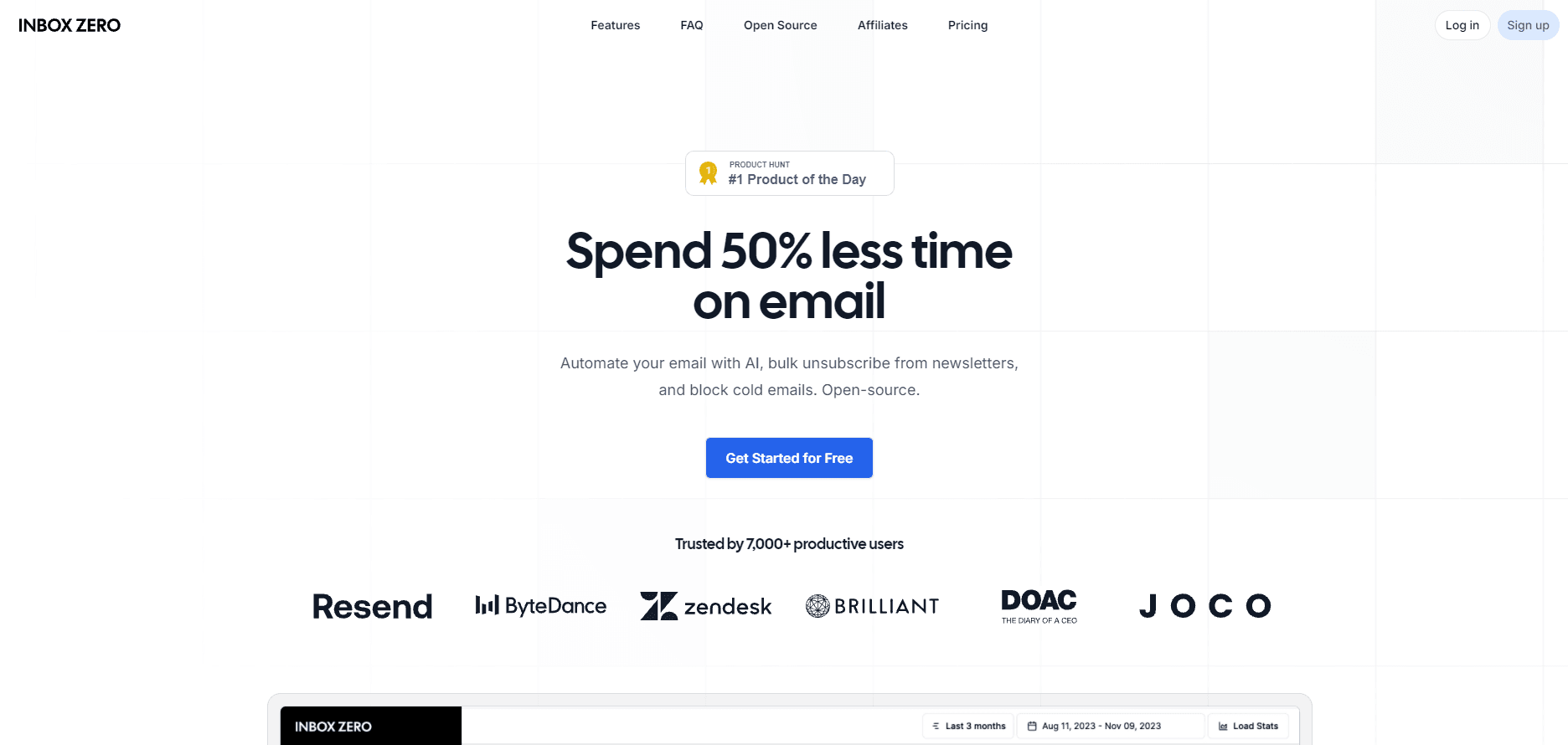
Inbox Zero is an open-source AI email assistant for Gmail and Outlook that sorts mail, drafts replies in your voice, and clears your inbox from one tool.
About Inbox Zero
What Is Inbox Zero
Inbox Zero is an AI email assistant for Gmail and Outlook. It reads incoming mail, sorts it by category, and pre-drafts replies to the messages that need one. Emails waiting on an answer get a "To Reply" label with a draft already sitting in your drafts folder, while noisy categories like marketing and cold email get pushed out of the way. The default rules come as a starting set you tune during onboarding.
You keep reading and sending mail in Gmail or Outlook the way you already do. Inbox Zero runs underneath and changes what you find when you open the app: fewer unread messages, fewer decisions, and more of the mail already handled.
The assistant takes instructions in plain English. You describe how you want your inbox handled, and it writes the rules and applies them. That same assistant also appears in chat, where you can search, clean up, and manage the inbox in a conversation rather than clicking through menus.
The broader feature set reaches past the inbox. Bulk unsubscribe and bulk archive clear years of old mail, a cold email blocker keeps spam out, calendar integration drafts scheduling replies from your real availability, and meeting briefs pull context before a call. Slack, Microsoft Teams, and Telegram connect so you can manage mail from chat apps you already use. The project is open source, with a hosted version from the developer and a self-hosting path for teams that want to run it themselves.
Getting Started
- Create an Inbox Zero account and connect a Gmail or Outlook mailbox through OAuth.
- Review the default rules during onboarding and adjust which categories get archived, labeled, or left alone.
- Let the assistant sort incoming mail for a few days, then check the To Reply label and the drafts it prepared.
- Extend the setup when you need it: connect a calendar, turn on Slack, Telegram, or Microsoft Teams, and add bulk unsubscribe for old senders.
Product Information
A quick look at Inbox Zero's pricing, supported platforms, and performance.
Best for
The users, tasks, and scenarios where this tool fits best.
Users
- Individuals and founders who get more mail than they can read
- Executives and managers whose time is worth more than the subscription
- Teams on a shared workspace
Tasks
- Sorting incoming mail
- Drafting replies
- Clearing backlogs
Scenarios
- Monday morning triage
- A founder buried in cold outreach
- Scheduling across time zones
Key features
An AI assistant that sorts mail and drafts replies
The core of Inbox Zero is the assistant. It reads incoming email, decides what each message is, and takes the action you set. Messages that need an answer get a "To Reply" label with a draft reply waiting in the drafts folder. Everything else is sorted by category, and categories you mark as noise, such as marketing or cold email, are archived out of the way. You control all of this with rules written in plain English. Instead of building filters from dropdowns, you describe the behavior: archive receipts after a week, label invoices, reply to event invitations with a scheduling link. The assistant reads the rule and applies it. When a rule misfires, you edit the sentence, not a form. The defaults cover the common cases, so most accounts work from day one and get tuned over the first week.
AI chat and rules in plain English
Beyond the automatic rules, Inbox Zero gives you a chat window into the same engine. You can search the inbox, summarize a thread, read supported attachments, and act on what you find. Ask it to archive newsletters and unsubscribe from their senders, and it does both. Ask why an email was archived, and it explains the rule that caught it. The chat handles writing too. You can prepare a new message, a reply, or a forward, then review and send it from a confirmation card rather than typing everything by hand. The same chat runs from Slack, Microsoft Teams, or Telegram, so you can manage mail without opening the mailbox. It also remembers preferences you ask it to keep, such as a standing choice for 30-minute afternoon meetings.
Bulk unsubscribe and bulk archive
These two tools clear a backlog fast. Bulk unsubscribe scans the senders filling your inbox and lets you unsubscribe, archive, or delete in bulk, which is the part most people never get to by hand. Bulk archive takes older mail, groups it by sender category, and applies the same action across a large batch. For anyone who abandoned their inbox months ago, this is the feature that makes the rest usable. You run the cleaner once, cut the volume down, and let the automatic rules handle what arrives after that. It pairs with the cold email blocker, which uses AI filters to keep new spam from rebuilding the pile you just cleared.
Calendar integration, booking links, and meeting briefs
Inbox Zero connects to your calendar rather than guessing. When someone proposes a meeting by email, the assistant can draft a reply that offers your real free slots. Booking links go further: you share your availability and guests pick a time that lands on your calendar without the back-and-forth. Meeting briefs work the other way round. Before a call with an external contact, the assistant pulls context from your email and calendar so you walk in knowing the history. These features matter most for roles where scheduling is a daily task and the alternative is a chain of "does Tuesday work" emails.
Slack, Microsoft Teams, Telegram, and MCP
The assistant does not live only in the browser. You can connect Slack, Microsoft Teams, or Telegram and chat with it there, receiving rule activity, drafts, and updates in a channel you already watch. That keeps inbox management inside the tools your team uses instead of adding a tab. For people who work inside another AI client, Inbox Zero exposes a remote MCP server. ChatGPT, Claude, or Cursor can search your mail, create drafts, manage rules, and read email statistics through it. It cannot send email: drafts stay in the mailbox until you send them. This is a deliberate limit, and it keeps a human in the loop before anything leaves.
Open source with a self-hosting option
Inbox Zero is open source. The hosted version runs at getinboxzero.com, and the code is public on GitHub under the elie222/inbox-zero repository. Teams with data rules that bar third-party hosting can self-host it with Docker, deploy on a VPS, Vercel, AWS, or Kubernetes, and configure their own Google or Microsoft OAuth credentials and AI provider. That choice is the main thing setting it apart from closed inbox assistants. You can read the code, run it on your own hardware, and connect your own AI API key for the features that call a model. Enterprise deployments add SAML SSO and SCIM user provisioning for organizations that need them.
Pros and cons
Pros
- Works with both Gmail and Outlook, so mixed setups stay in one assistant.
- Rules written in plain English cut the setup work that filter builders usually demand.
- Open source with a self-hosting path and support for your own AI API key.
- Broad feature set beyond sorting: calendar, booking links, meeting briefs, Slack, Telegram, and bulk cleanup.
Cons
- The paid tiers start at $20/user/month, so solo users on a tight budget pay for features they may not touch.
- Hosted pricing is per user, which adds up for larger teams that only need the basic sorting.
- The MCP connection and richer integrations sit behind the Plus tier, not the entry plan.
- Self-hosting shifts maintenance to your own team, since you run the OAuth and AI provider setup yourself.
Frequently asked questions
Inbox Zero is an AI email assistant for Gmail and Outlook. It sorts incoming mail by category, drafts replies to the messages that need an answer, and helps you clear a backlog with bulk unsubscribe and bulk archive. You keep reading and sending mail in Gmail or Outlook as usual.
Related content
Explore related tools, skills, and articles for Inbox Zero.
Inbox Zero Alternatives

Google EmbeddingGemma 2
Google DeepMind · Writing · Image · CodingGoogle EmbeddingGemma 2 is a 740M-parameter open model that turns text, code, images, audio, and video frames into vectors in one 768-dimension space, running on phones and laptops.

MePersona
MePersona, Inc. · Writing · Productivity · MarketingMePersona is an AI unified inbox for creators. It learns your voice, drafts replies to fan messages from 12 platforms, and sends only what you approve.

Fluence
Yay Software (Yannick Huchard) · Writing · Voice & Language · ProductivityFluence is an Android app that reads PDFs, EPUBs, Word files and web articles aloud, follows each sentence as it speaks, and answers questions about the text on the phone itself.