

InclusiveDocs
MediaWire Mobile · Writing · Image · Marketing · AI Detection
InclusiveDocs is an AI document accessibility platform that rebuilds PDFs and publications as accessible web editions with classic, reflow, and screen reader modes.
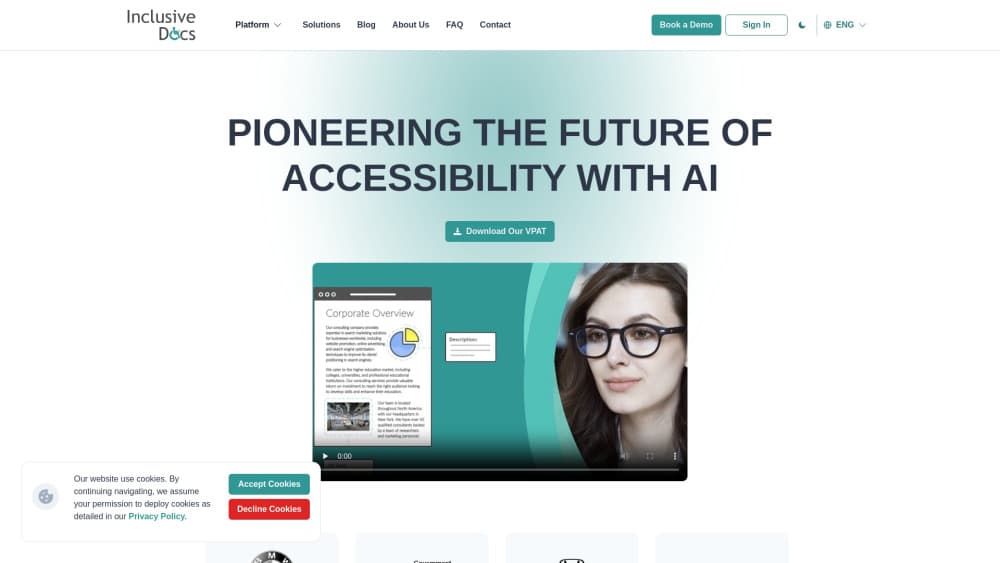
About InclusiveDocs
What Is InclusiveDocs
InclusiveDocs is a document accessibility platform from MediaWire Mobile, a Canadian publishing technology company that has worked on digital editions since 2007. It takes PDFs, magazines, catalogs, and other print-style files and rebuilds them as accessible web editions. According to the vendor, the output is built to meet PDF/UA, Section 508, and WCAG requirements.
The problem it addresses is simple to state and expensive to ignore. A PDF that looks fine on screen often reads as gibberish in a screen reader: tags are missing, columns come out in the wrong order, and images carry no description. Fixing that by hand, or through an agency, runs $5 to $30 a page. InclusiveDocs automates the tagging, reading order, and alt text, then wraps the result in a reader with three viewing modes.
The limits matter as much as the features. There's no free plan, and work is billed in per-page credits. Complex layouts still need a human check, since AI tagging guesses at table structure and multi-column flow. The platform also has no documented public API, so teams that want pipeline automation have to upload through the web app or ask the sales team what's possible.
Getting Started
- Book a demo at inclusivedocs.com or sign in if your organization already has an account. Each account is tied to a publisher profile and a credit balance.
- Create a title, which groups the issues or publications that belong together, such as one magazine or one policy library.
- Upload the source PDF to a new issue. The platform extracts the text, tags the structure, and writes alt text, and the issue status shows when processing finishes.
- Open the Enhancement tools to add links, embedded video, GIFs, or custom HTML, then submit the issue.
- Preview the issue in Classic View, Reflow Mode, and Screen Reader Mode, then share the bookshelf link or download the accessible PDF or EPUB for your own site.
Product Information
A quick look at InclusiveDocs's pricing, supported platforms, and performance.
Best for
The users, tasks, and scenarios where this tool fits best.
Users
- Accessibility and compliance leads at publishers
- Universities and campus disability services
- Government and healthcare communicators
Tasks
- Clearing a back catalogue of PDFs
- Publishing an accessible digital magazine
- Meeting a Section 508 or ADA deadline
- Adding alt text and reading order at volume
Scenarios
- A monthly publication cycle where every issue needs the same treatment
- A procurement team asking for accessibility evidence before signing
- A public document library that has to work on phones
Key features
AI-Assisted PDF Remediation
The platform reads the source PDF, rebuilds its structure, and writes alt text for images instead of only flagging what's broken. That's the difference between a checker and a fixer: you upload a file and get a remediated document back. The AI also learns from the layouts it has processed, so recurring templates need less correction on each pass.
Three Reading Modes
Every issue opens in Classic View, which keeps the original page layout with zoom and thumbnails, or in Reflow Mode, which strips the layout and lets the text reflow. A third option, Screen Reader Mode, is built for people who are blind or use assistive technology. Readers pick a mode from a popup, so the same document serves very different needs.
Reflow Controls for Reading Disabilities
Reflow Mode exposes settings that most PDF readers hide: text size, letter case, line height, font style, padding, and background color. Those controls are aimed at readers with dyslexia, low vision, or color blindness, and the text-to-speech button reads pages aloud. Reading position is remembered, so a long report doesn't restart from page one.
Screen Reader Mode with Keyboard Navigation
Screen Reader Mode presents one article at a time with clean headings, read-aloud playback, and tab-key navigation through the page. Search, share, print, and download sit in the same toolbar. For a blind reader, that means a 60-page annual report behaves like a web article rather than a scanned image.
Accessible PDF and EPUB Output
Each issue can be downloaded as an accessible PDF or an EPUB file. Organizations use the EPUB for e-reader lending and the PDF for records that have to stay in a familiar format. Both files keep the tags and alt text added during remediation, which matters when a document leaves your site.
Compliance Coverage and VPAT Documentation
InclusiveDocs states that output follows PDF/UA, Section 508, and WCAG, and the company publishes a VPAT based on an external audit. That paperwork is what procurement and legal teams usually ask for before a purchase, and it saves weeks of back-and-forth for public sector buyers.
Pros and cons
Pros
- Full remediation, not just an accessibility report, so a broken PDF comes back usable.
- Reflow controls go further than most readers, with font, spacing, and background options for dyslexia and low vision.
- EPUB and accessible PDF downloads let you publish the same content on your own site or in a lending system.
- Per-page pricing undercuts document remediation agencies that charge $5 to $30 a page.
- Layout learning means high-volume publishers see less manual cleanup after the first few issues.
Cons
- No free plan and no self-serve price list, so you need a demo and a quote before you can test volume costs.
- Per-page credits add up for very large archives, and the low end of the range depends on clean source files.
- No documented public API, which blocks teams that want to trigger remediation from their own CMS.
- AI tagging still needs review on tables, forms, and multi-column layouts, so a subject expert should check output before publication.
Frequently asked questions
It converts PDFs and digital publications into accessible web editions. You upload a file, the platform rebuilds the structure and adds alt text, and readers get the same content in classic, reflow, or screen reader mode.
Related content
Explore related tools, skills, and articles for InclusiveDocs.
InclusiveDocs Alternatives

Google EmbeddingGemma 2
Google DeepMind · Writing · Image · CodingGoogle EmbeddingGemma 2 is a 740M-parameter open model that turns text, code, images, audio, and video frames into vectors in one 768-dimension space, running on phones and laptops.

MePersona
MePersona, Inc. · Writing · Productivity · MarketingMePersona is an AI unified inbox for creators. It learns your voice, drafts replies to fan messages from 12 platforms, and sends only what you approve.

Fluence
Yay Software (Yannick Huchard) · Writing · Voice & Language · ProductivityFluence is an Android app that reads PDFs, EPUBs, Word files and web articles aloud, follows each sentence as it speaks, and answers questions about the text on the phone itself.