

Incredible Small 1.0 by Incredible
Incredible · Coding
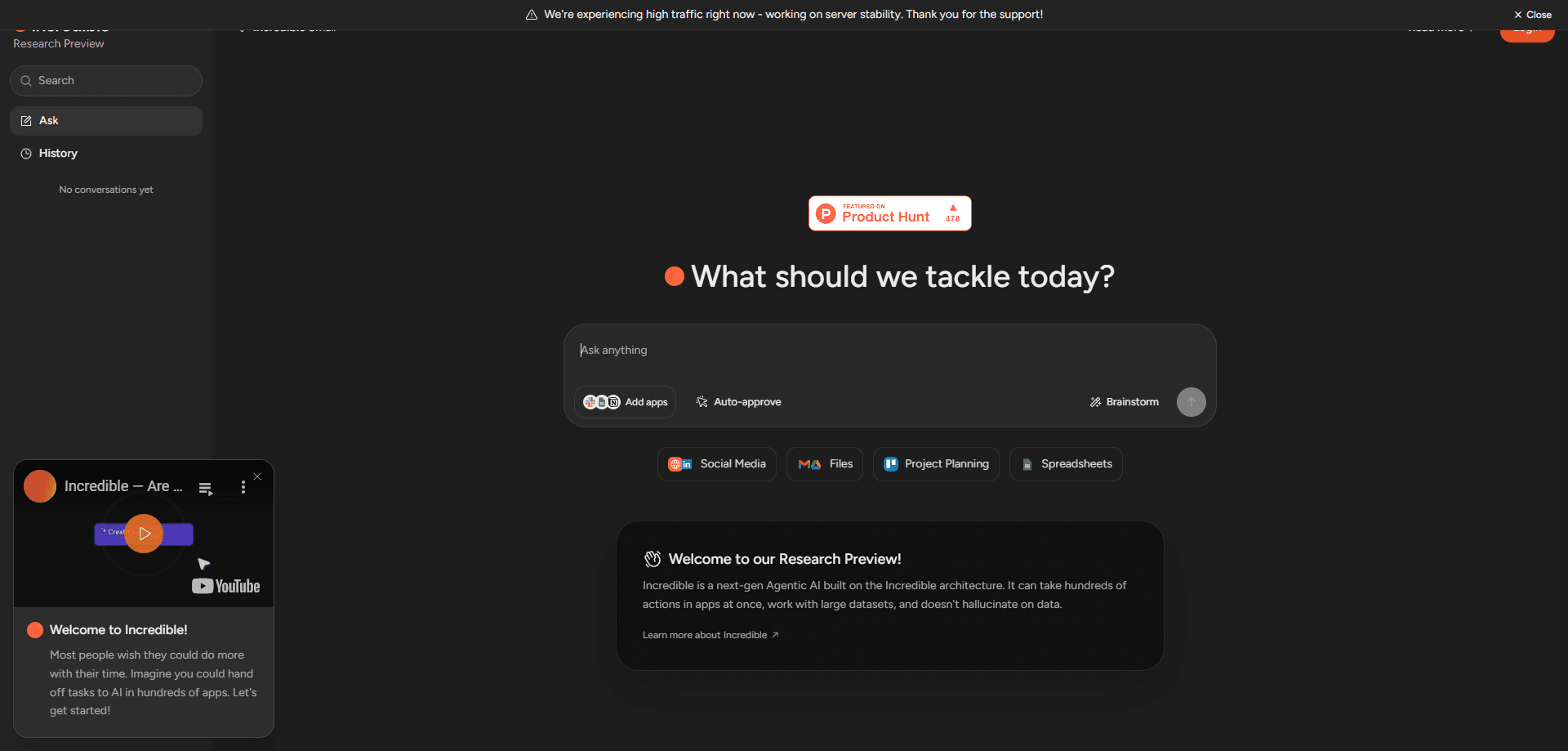
Incredible is a computer-use AI agent that does tasks inside your browser, apps, and files. Hold a key, say the task, and it clicks and types for you.
About Incredible Small 1.0 by Incredible
What Is Incredible
Incredible is an AI that uses your computer to carry out work for you. It opens your browser, apps, and files and acts in them the way you would: clicking through pages, filling in forms, reading and updating spreadsheets, and moving data between tools. The team behind it, a Swedish startup based in Jönköping, describes the pitch in one line: ChatGPT writes the answer, Incredible does it.
The reason it stands apart from a chat assistant is that it works from what is already on your machine. It reads your screen and the files on your computer as context, so you can hand over a task without explaining every step first. More than 3,000 apps connect to it directly, including Gmail, Outlook, Slack, Google Calendar, Notion, and HubSpot, and any other site you can open in a browser works too. When no connector exists, you can point it at a page and it uses that.
There are real limits. It runs only on macOS 13 and Windows 10 or later, with no mobile or web version. The app connections are powered by a partner service, Pipedream, which is why the Google sign-in screen asks you to trust Pipedream rather than Incredible. And like any tool that can act on your behalf, the actions that create or delete things deserve attention: Incredible shows what it will send before it goes and asks before it deletes, but a user still decides what to hand over.
Getting Started
- Download Incredible for Mac or Windows and open it. You need macOS 13 or Windows 10, or later.
- Create your account in the app, where the 7-day free trial starts. No card is needed to begin.
- Connect the apps you use, signing in once per app, or let it work from your screen and files.
- Hold the talk key and say your task, or type it. The key is fn on a Mac and Ctrl + Space on Windows.
- Watch it work in the app, or leave it running and collect the result on Home.
Product Information
A quick look at Incredible Small 1.0 by Incredible's pricing, supported platforms, and performance.
Best for
The users, tasks, and scenarios where this tool fits best.
Users
- People buried in repetitive desk work
- Teams that live in many apps
- Voice-first users
Tasks
- Finding and reaching out to leads
- Summarizing a pile of reviews
- Screening resumes
- Organizing receipts
Scenarios
- Turning one email into new contacts
- Combining large spreadsheets
- Automating a task you repeat
Key features
Tasks done in your browser, apps, and files
This is the core of the product. You give Incredible a task and it does the work on your computer, in the same places you would. It clicks through websites, fills in forms on sites you are already signed in to, reads and updates your spreadsheets and documents, and moves data between them. Because it acts in the real apps rather than describing steps, the output is a finished result, not instructions to follow.
3,000+ app connectors and browser fallback
Incredible connects directly to more than 3,000 apps, covering everyday tools like Gmail, Outlook, Slack, Google Calendar, Notion, and HubSpot. Anything without a connector still works through the browser, so you can point it at a page and let it act there. If you run your own MCP server, you can add it as a tool too, which extends what it can reach beyond the catalog.
Voice control with a talk key
As a voice AI assistant, the fastest way to use Incredible is to speak. Hold the activation key, say what you need in your own words, and let go. The key is fn on a Mac and Ctrl + Space on Windows. Typing works the same way if you would rather not speak, and the home bar opens when you move your mouse to the top of the screen.
Works from your screen and local files
Incredible uses your files and the page in front of you as context, so you can give a task without explaining everything first. Opening a spreadsheet and asking a question about it works because it reads what is already open. This screen-aware approach is what separates it from a chat box that waits for you to paste in the details.
Teaching it a task you repeat
For work you do again and again, Incredible can learn it. You do the job once while talking it through, and it repeats the sequence whenever you ask. This turns a one-off demonstration into a reusable task, which is the feature the company says keeps users around.
Security, privacy, and no training on your data
The product is SOC 2 Type 2 audited by Sensiba and GDPR compliant, with data encrypted at rest and in transit and no training on your data. Actions that change or delete things are gated: Incredible shows what it will send before it goes and asks before it deletes. There is a trust center with the documentation, and a dashboard that tracks a team's usage.
Plans that scale by usage
Every paid plan is the full assistant, with no features locked behind a higher tier. Pro at $50 a month covers everyday tasks; Max at $179 gives 3x the usage and faster support; Ultra at $500 gives 10x, a shared Slack or Teams channel with the founders, and use in systems like a CRM or ERP. As a desktop AI assistant, billing is per seat, monthly, and you can cancel at any time.
Pros and cons
Pros
- It acts in real apps and files, so the output is a finished result rather than a set of steps.
- Over 3,000 app connectors plus browser fallback cover most day-to-day tools.
- Voice control with a single talk key makes handing over a task quick.
- Teaching a repeated task turns a one-off demonstration into something reusable.
- SOC 2 Type 2 audit, GDPR compliance, and no training on your data address common privacy concerns.
Cons
- It runs only on macOS 13 and Windows 10 or later, with no mobile or web app.
- App connections depend on a partner service, Pipedream, which appears in the sign-in flow.
- Serious use starts at $50 a month per seat, and heavy users may hit usage limits on Pro.
- It acts on your behalf, so sensitive actions still need your review before you hand them over.
Frequently asked questions
It is a computer-use AI agent that carries out tasks on your own computer. You give it a task, and it clicks and types in your browser, files, and apps until the work is done, rather than just writing an answer for you.
Related content
Explore related tools, skills, and articles for Incredible Small 1.0 by Incredible.
Incredible Small 1.0 by Incredible Alternatives

Base Code
Base44 (Wix) · Coding · ProductivityBase Code is a shared cloud development environment from Base44. Teammates describe changes to an existing GitHub codebase in chat, preview them live and send them back as pull requests.

Google EmbeddingGemma 2
Google DeepMind · Writing · Image · CodingGoogle EmbeddingGemma 2 is a 740M-parameter open model that turns text, code, images, audio, and video frames into vectors in one 768-dimension space, running on phones and laptops.

GitGlow
GitGlow · Coding · ProductivityGitGlow is a local-first desktop Git client that lets independent developers review their own code and their AI agents' changes in one place before shipping.