

Inkr – Instant & Accurate Transcriptions
Timeless Lab · Writing · Voice & Language
Inkr is an AI transcription app that turns audio and video into accurate, searchable text. It adds speaker labels, live capture and AI notes on top of the transcript.
About Inkr – Instant & Accurate Transcriptions
What Is Inkr
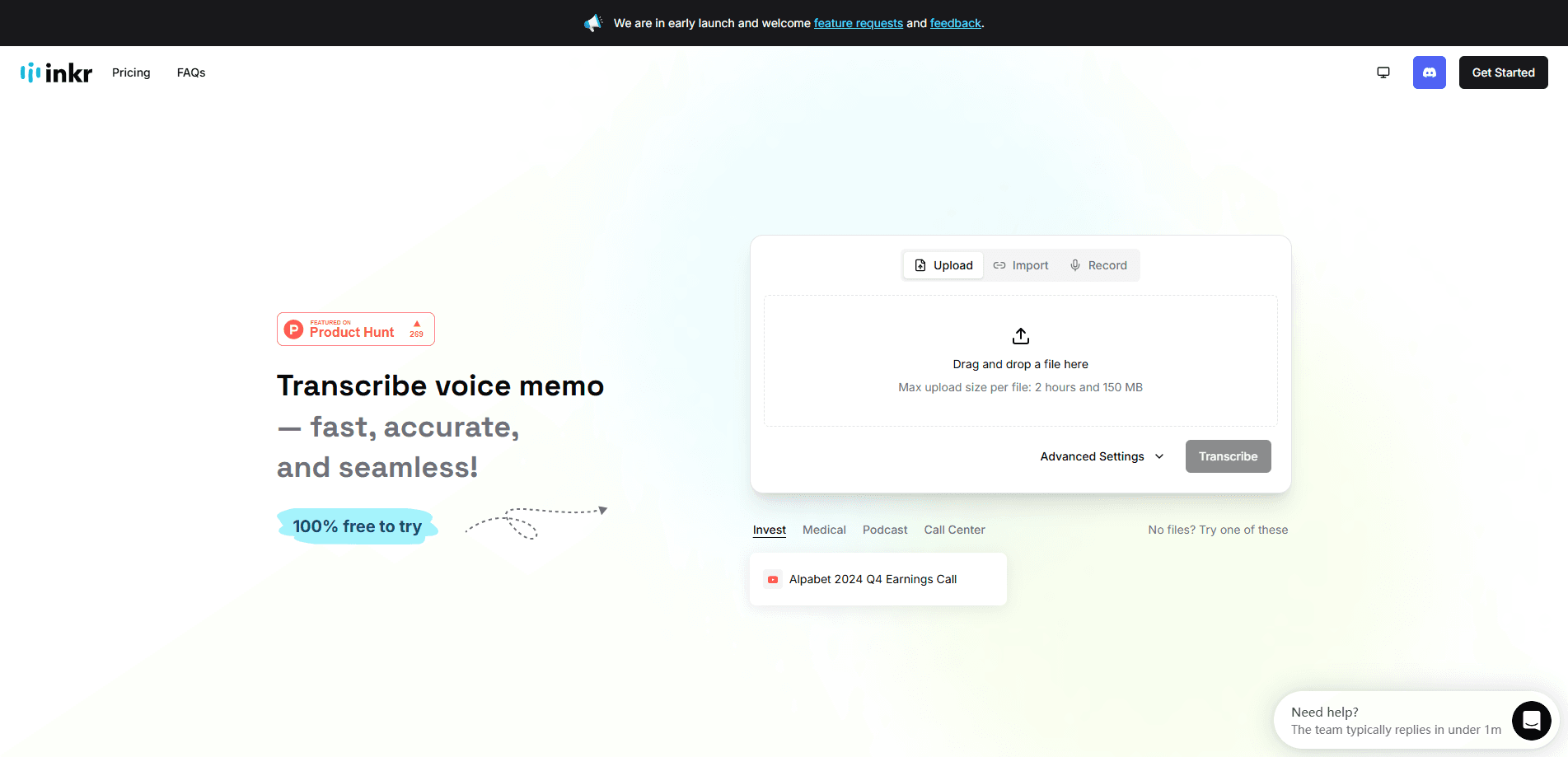
Inkr is a transcription platform that converts recordings and links into editable text, then layers AI notes and search on top. You can drop in an audio or video file, paste a link from YouTube, Google Drive, Facebook or X, or record live and watch words appear as they're spoken. The pitch is speed plus accuracy: the team says clear audio lands near 99% accurate, and a 30-minute clip comes back in seconds rather than hours.
What separates Inkr from a plain speech to text app is what happens after the transcript exists. Every recording is stored, tagged and searchable, so a meeting you ran weeks ago is still findable by topic. That's the core idea behind the tool: capturing words and keeping them where you can actually use them again.
The main limits are worth knowing before you commit, and they show up in the transcription pricing. Storage caps and daily upload counts sit on the free tier, so heavy users will need a paid plan. Bigger files and unlimited daily runs also cost more. And because the product handles a lot at once, the workspace takes a session or two to learn.
Getting Started
- Sign in with an email or Google account, or start a one-off transcription without signing up
- Drag in a file, paste a supported media link, or hit record to capture live audio
- Pick your language and a mode, then choose extras like speaker identification if you need them
- Review the transcript in Edit Mode, then download it, translate it, or hand it to Ask Inkr and Inkr Note to build notes
Product Information
A quick look at Inkr – Instant & Accurate Transcriptions's pricing, supported platforms, and performance.
Best for
The users, tasks, and scenarios where this tool fits best.
Users
- Students
- Journalists and writers
- Content creators
- Skilled professionals
Tasks
- Turning long recordings into text
- Live transcription
- Note generation
- Translation
- Batch processing
Scenarios
- Back-to-back meeting days
- Field interviews and research sessions
- Student lectures
- Podcast and video production
- Multilingual work
Key features
Transcription Modes: Fast and High-Accuracy
Inkr runs two transcription modes so you can trade speed against precision. FLASH is built for quick turnaround, while DEEP targets the highest quality and adds tools that need a closer read of the audio. DEEP unlocks word-level precision, which makes fixing a single misheard name or number far quicker, and it's the mode behind review features that flag uncertain words.
Speaker Identification
Busy recordings usually have more than one voice, and Inkr labels who said what automatically. You can rename each speaker, so a transcript from a panel or a group interview reads clearly instead of as one wall of text. For anyone who captures meetings or multi-person interviews, this is the feature that makes a transcript usable.
Live Transcription
Instead of uploading a file and waiting, you can start a recording and watch words appear on screen in real time. It works for in-person meetings, lectures and interviews without inviting a bot into the room, and you can ask questions of the transcript while it's still building. This suits anyone who wants text as the conversation happens.
Ask Inkr
Ask Inkr turns the transcript into something you can question. You can ask what the next steps were, what should go into a follow-up email, or what to put on the next agenda, and it answers from the recording itself. It runs in a quick mode for short answers and a deeper mode for longer analysis, so you can pick how much detail you want.
Inkr Note
Inkr Note builds structured notes from a transcript using ready-made templates for meetings, lectures and more. You can draft notes, polish existing ones, or auto-fill a template, and it keeps your original wording intact. Notes can be written in one of 14 output languages, which is handy when the recording and your readers don't share a language.
Multilingual Support and Translation
Inkr transcribes in over 70 languages with automatic language detection, so you don't have to pick the right one every time. Finished transcripts can be translated into another language in the same workspace, which saves running the audio through a second service. For teams spread across regions, that keeps everything in one place.
Pros and cons
Pros
- Speed without the wait: a 30-minute recording returns in seconds, so long sessions don't stall your day
- Searchable archive: every transcript is stored and topic-searchable, turning old recordings into a reusable knowledge base
- Speaker labels that you can rename: multi-person recordings stay readable instead of blending into one voice
- Live and file-based capture in one tool: record a meeting now or upload it later, using the same workspace
- No sign-up to test: you can run a free transcription before creating an account, and downloads carry no watermark on paid plans
Cons
- Free tier limits: daily upload counts and per-file duration caps mean regular users will hit the ceiling and need to upgrade
- Larger files cost more: uploading long recordings or big video files pushes you toward a paid plan or extra credits
- No confirmed public API: teams that want to wire transcription into their own software can't count on an official integration yet
- Busy interface: with AI note tools, search and editing packed in, the workspace takes a session or two to feel familiar
Frequently asked questions
Yes. Inkr has a Free Forever plan that covers most core features, and you can transcribe without signing up first. Free downloads carry a watermark and the tier caps how many files you can process each day and how long each one can run, so heavier use calls for an upgrade.
Related content
Explore related tools, skills, and articles for Inkr – Instant & Accurate Transcriptions.
Inkr – Instant & Accurate Transcriptions Alternatives

Google EmbeddingGemma 2
Google DeepMind · Writing · Image · CodingGoogle EmbeddingGemma 2 is a 740M-parameter open model that turns text, code, images, audio, and video frames into vectors in one 768-dimension space, running on phones and laptops.

MePersona
MePersona, Inc. · Writing · Productivity · MarketingMePersona is an AI unified inbox for creators. It learns your voice, drafts replies to fan messages from 12 platforms, and sends only what you approve.

Fluence
Yay Software (Yannick Huchard) · Writing · Voice & Language · ProductivityFluence is an Android app that reads PDFs, EPUBs, Word files and web articles aloud, follows each sentence as it speaks, and answers questions about the text on the phone itself.