

Inksightful
Inksightful · Writing
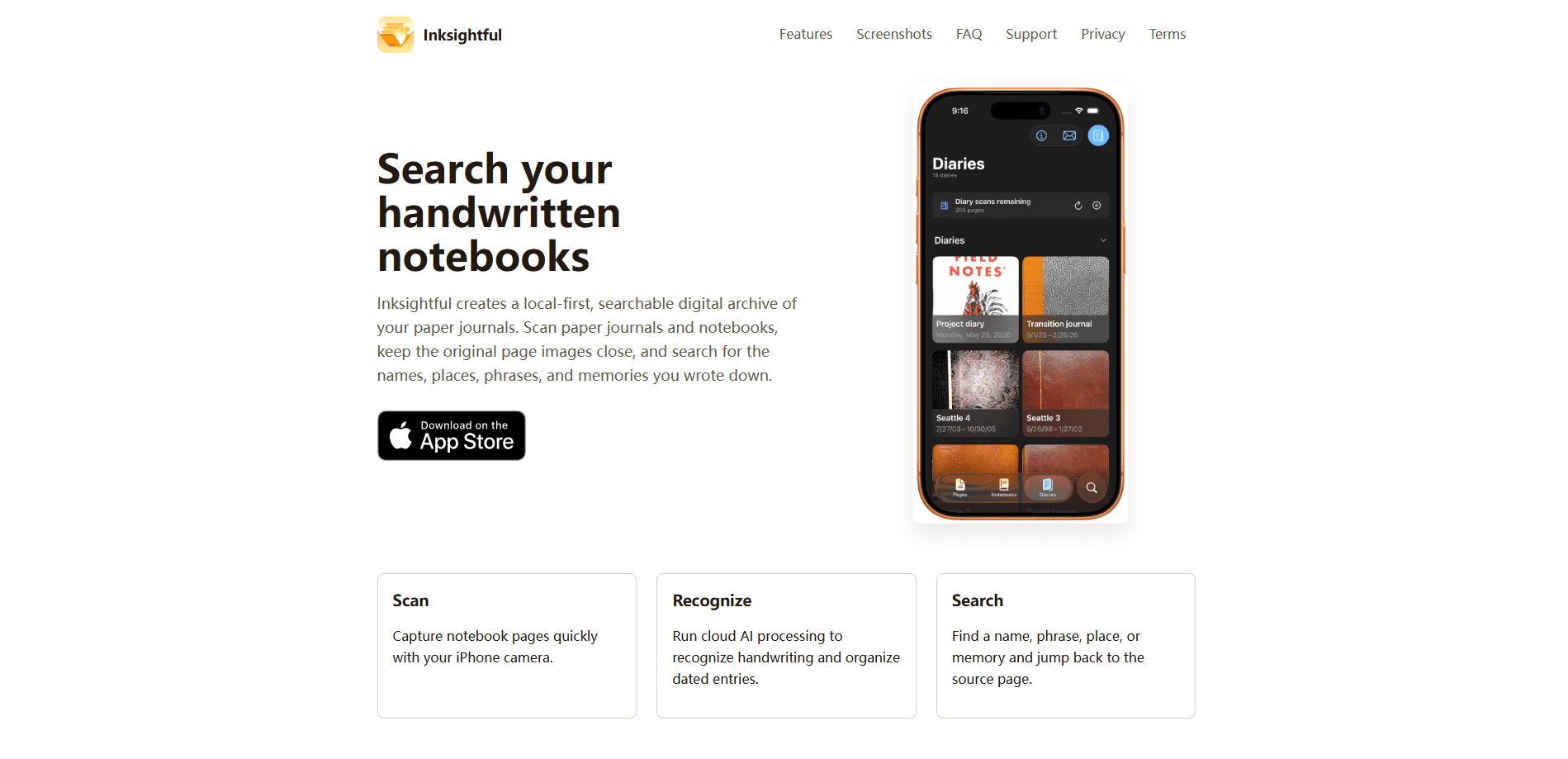
Inksightful is an iPhone journal app that turns paper journals and notebooks into a searchable digital archive. You scan pages with your camera, cloud AI recognizes the handwriting and groups pages into dated entries, and then you search for a name, place, or phrase and jump straight back to the original page image. The library stays on your device, so your notebooks don't disappear into someone else's cloud.
About Inksightful
What Is Inksightful
Inksightful solves a specific problem: paper journals are lovely to write in and impossible to search. If you've kept handwritten diaries for years, the only way to find the day you met someone, or the town you were in that summer, is to flip through volumes by hand. Inksightful adds search to paper without asking you to give up the paper. It's a journal archive app in the plainest sense: old volumes in, an index out.
It's built for long-running diaries rather than casual notes. The app processes scanned pages with cloud AI, recognizes the handwriting, and organizes pages into dated entries. Recognized text stays paired with the original page image, so you can read the exact ink you wrote instead of trusting a transcription. If you've been hunting for a searchable notebook app that doesn't demand you abandon paper, this is the shape of it.
The biggest catch is data handling. Inksightful isn't a private, offline tool. Selected page images and their recognized text get uploaded to the developer's backend and may be sent to third-party AI providers to do the recognition work. The developer says outright not to use it for notebooks you aren't allowed to share with third-party processors. That's a real limit, and worth weighing before you scan a decade of diaries.
So is it worth it? For most diarists, yes, with eyes open.
Getting Started
- Install Inksightful from the App Store on your iPhone or iPad.
- Open the app and point your camera at a notebook page to scan it, one page at a time.
- Let cloud AI process the page: it recognizes the handwriting and files the entry under its date.
- Repeat across the notebooks you want in your archive, then use search to find names, places, and phrases.
- Tap a search result to jump back to the source page image and confirm it in your own handwriting.
That's the whole loop. Scan, recognize, search.
Product Information
A quick look at Inksightful's pricing, supported platforms, and performance.
Best for
The users, tasks, and scenarios where this tool fits best.
Users
- Long-term diarists
- Journal keepers who write about people and places
- Anyone who wants to keep writing on paper
Tasks
- Finding a specific memory
- Digitizing an existing archive
- Checking a transcription
Scenarios
- Looking up when you last saw someone
- Revisiting a trip
- Building an "On This Day" habit
Key features
Camera Scanning
You scan notebook pages with your iPhone camera, one page at a time. It's built for the way people actually use paper journals: you keep writing in the notebook, and every so often you feed the new pages into the app. The point isn't a perfect scan, it's a fast capture you'll actually keep up with. Speed matters more than polish here.
Cloud AI Handwriting Recognition
The hard part of digitizing handwriting is that phone OCR wasn't made for it. A dedicated handwriting recognition app earns its keep here, since cloud models handle scrawl far better than the built-in text recognition on your phone. Inksightful's AI handwriting OCR runs through the developer's backend, not on your device.
Dated Entry Organization
Recognized pages get organized into dated entries instead of one giant pile. That matters for diaries, where the date is half the value. Once entries have dates attached, you can revisit a specific day, or look back at what you wrote on this date in earlier years.
Search Across Your Notebooks
Search is the reason the app exists. Type a name, a phrase, or a place and Inksightful returns the pages that mention it. Instead of remembering which volume and which page holds a memory, you search for it like you would in a digital notes app. That's the payoff of a proper searchable notebook app.
Original Page Images Kept
Text and image stay together. Every search result links back to the original page, so you can read what you actually wrote rather than a transcription that may have misread a word. For anything you care about, that pairing is the difference between a convenience and a record you can trust. It's a small design choice with big consequences.
Local Library, Cloud Processing
Your notebook library lives on your device. The recognition step is what uses the cloud, and it needs a network connection to work. The split is deliberate, but it's also the source of the app's main privacy caveat. No network, no recognition.
Pros and cons
Pros
- Handles handwriting, which built-in phone OCR struggles with badly.
- Search lands you on the exact page, and the original image is always attached.
- Works on iPhone and iPad with a straightforward scan-and-search flow.
- Designed for long-running diaries, not one-off note-taking.
- Free to start, with paid tiers for heavier use.
Cons
- Recognition needs cloud AI, so you have to accept uploading page images and text to third-party providers.
- If you write private or sensitive material, that processing requirement rules the app out.
- There's no API, so you can't script the archive or pull entries into other tools.
- Search quality depends on how clean your handwriting is, and you should expect to correct some misreads.
Frequently asked questions
It scans pages from paper journals and notebooks, uses cloud AI to recognize the handwriting, and lets you search those pages by name, place, or phrase. The original page images stay attached to the results.
Related content
Explore related tools, skills, and articles for Inksightful.
Inksightful Alternatives

Claude for Google Workspace
Anthropic · Writing · Productivity · BusinessClaude for Google Workspace puts Claude in a sidebar inside Google Docs, Sheets, and Slides, where it reads the file you have open and edits it in place.

Claude Haiku 5.5
Anthropic · Writing · Coding · ChatbotClaude Haiku 5.5 is Anthropic's fastest and cheapest small model, built for high volume tasks at $0.10 per million input tokens with a 1M token context window.

NoteWorthy
Suman Hansada · Writing · Productivity · AI AssistantNoteWorthy is a notes app for iPhone, iPad and Mac that writes titles, tidies formatting, summarizes long notes and files each one with on-device AI. No account, no upload, no network requests.