

Insight Engine
Insight Engine · Marketing · AI Detection
Insight Engine is an AI social post writer built for people who post on LinkedIn and X and want drafts that sound like them, not like a chatbot. You pick a topic. It turns a rough idea into a ready-to-post thread backed by real research, then runs it past an AI critic before you ever hit publish. Think of it as a LinkedIn post generator and X thread writer in one content creation tool. It's aimed at founders, marketers, and creators who post often and don't want to rewrite every draft from scratch. Does that sound like your week? Then this one's for you.
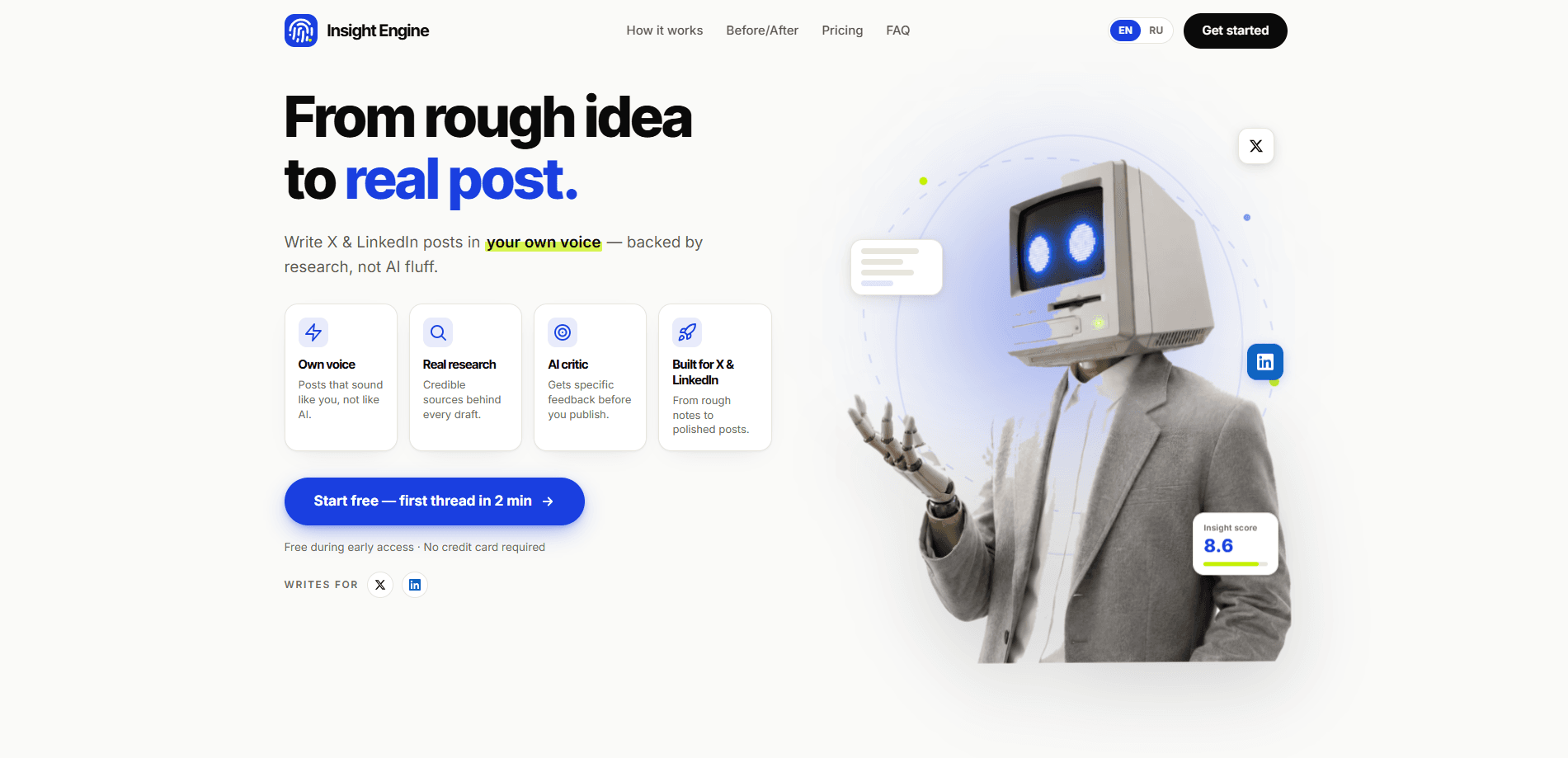
About Insight Engine
What Is Insight Engine
Insight Engine is a web-based AI social post writer that focuses on one job: getting a rough idea onto LinkedIn or X in a form that actually sounds like the person posting it. Most AI writing tools smooth everything into the same generic register. This one tries to hold onto your voice while it does the heavy lifting of research and structure.
The tool grew out of a simple frustration. People wanted to post more but didn't want to spend an hour researching, drafting, and trimming a thread every time. Insight Engine handles that loop, and the built-in critic step catches the flat, over-polished sentences that AI writing tends to produce.
The biggest limitation is scope. It's built for LinkedIn and X threads, not blog posts, newsletters, or long-form documents. If your content mix goes beyond social threads, you'll still need separate tools for the rest. Pricing details aren't published on the site either, so you'll want to check the official page directly before committing.
Getting Started
- Open the site and start a draft, no signup needed for the first post.
- Pick one topic and paste in the rough idea you want to turn into content.
- Let the tool research the topic and generate a first draft in thread format.
- Review the draft, run it through the built-in critic, and edit anything that doesn't sound like you.
- Copy the finished thread into LinkedIn or X and post it.
Product Information
A quick look at Insight Engine's pricing, supported platforms, and performance.
Best for
The users, tasks, and scenarios where this tool fits best.
Users
- Founders who post on LinkedIn
- Marketers running personal or brand accounts
- Creators building an audience
Tasks
- Turning a rough note into a LinkedIn post
- Writing X threads from a single topic
- Keeping a consistent posting voice
Scenarios
- Daily or near-daily posting schedules
- Launch and announcement threads
- Catching up after a busy week
Key features
Voice Matching
The core pitch is that drafts sound like you. Instead of rewriting your input into a neutral AI register, Insight Engine tries to preserve your phrasing and cadence through the drafting and critic steps. Users on Product Hunt kept saying the same thing. The output held their actual voice rather than smoothing it into standard ChatGPT style.
Research-Backed Drafts
Drafts aren't just your prompt reworded. The tool pulls in research on the topic before writing, so a thread about a market trend or a product area has substance behind it instead of vague generalities. That matters most when you're posting on subjects you know but haven't had time to gather details for. No blank-page panic.
AI Critic Pass
Before a draft reaches you, it goes through an AI critic that flags the flat, over-polished sentences AI writing tends to generate. Think of it as a second pass that catches the parts that read like a template. You still do the final edit, but you start from something closer to publishable. Not bad.
Thread Formatting for LinkedIn and X
The tool is built specifically around thread formats for LinkedIn and X, so it structures a topic into a sequence of posts rather than one long block. That saves the manual work of breaking an idea into readable chunks that fit each platform's rhythm.
No-Signup First Post
You can generate your first post without creating an account, which makes it easy to test the output quality before deciding whether it's worth your time. The site reports a community of hundreds of active users across more than 85 countries.
Pros and cons
Pros
- Keeps your voice instead of flattening drafts into a generic AI register, which is the single most common complaint about social AI writers.
- Research-backed drafting means less time gathering facts before you write.
- The AI critic step catches flat sentences before you see the draft.
- No signup required to test the first post, so you can judge output quality fast.
- Built specifically for LinkedIn and X threads, so the structure fits those platforms out of the box.
Cons
- Only covers LinkedIn and X, so anyone writing blogs, newsletters, or long-form content needs other tools.
- Pricing isn't clearly published on the site, which makes it hard to compare plans before you try it.
- The critic loop isn't the same as a human editor, so you'll still want to read every draft before posting.
- It's a young tool, so the feature set and reliability may still shift. Social media writing moves fast too.
Frequently asked questions
It turns a rough idea into a ready-to-post LinkedIn or X thread. You pick a topic, and the tool researches it, drafts it in your voice, and runs it through an AI critic before handing it back.
Related content
Explore related tools, skills, and articles for Insight Engine.
Insight Engine Alternatives

ngram 2.0
ngram · Video · Marketingngram 2.0 is an AI video generator for teams. It turns a prompt, a screen recording, or a product URL into a narrated explainer, product demo, or AI avatar video, and every scene stays editable.

shippedit.me
Krawlup · Marketing · Businessshippedit.me now redirects to Krawlup, a web platform that audits SEO, AEO and page speed every week, then hands the fixes to AI coding agents over MCP.

MePersona
MePersona, Inc. · Writing · Productivity · MarketingMePersona is an AI unified inbox for creators. It learns your voice, drafts replies to fan messages from 12 platforms, and sends only what you approve.